
Python 2 vs Python 3
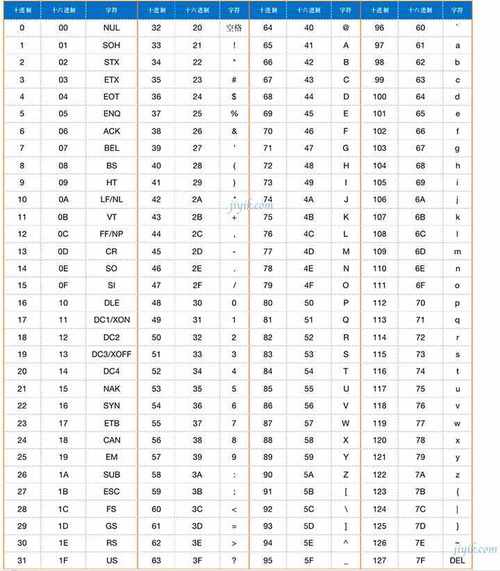
最关键的一点是:在 Python 3 中,str 类型本身就是 Unicode 字符串,所以不存在“将 str 转为 Unicode”的说法。 这个概念主要存在于 Python 2 中。
(图片来源网络,侵删)
为了让你彻底明白,我会分别讲解 Python 2 和 Python 3 的情况。
Python 3 (推荐,现代开发环境)
在 Python 3 中,字符串的内部表示方式被统一为 Unicode。
str类型:这就是 Unicode 字符串,它可以存储任何语言的字符(如 '中', '文', 'A', '€'),在内存中,它是以 Unicode 码点(code point)的形式存储的。bytes类型:这是字节序列,它是一堆原始的字节(0-255 的整数)。bytes类型用于处理二进制数据,比如网络传输、文件读写等。
在 Python 3 中,你需要考虑的转换通常是:
- 将 Unicode 字符串 (
str) 编码成字节序列 (bytes) - 将字节序列 (
bytes) 解码成 Unicode 字符串 (str)
str (Unicode) -> bytes (编码)
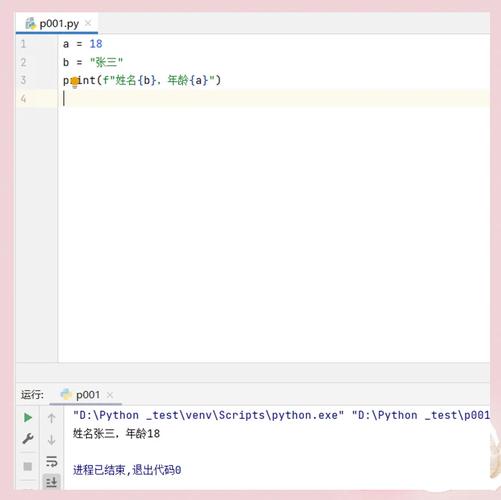
当你需要将字符串写入文件、通过网络发送或与其他系统交互时,通常需要将其编码成 bytes。
(图片来源网络,侵删)
使用字符串的 .encode() 方法。
# 这是一个 Unicode 字符串 (Python 3 的 str)
my_unicode_string = "你好,世界!Hello, World!"
# 将其编码为 UTF-8 格式的字节序列
# UTF-8 是最常用的编码格式
utf8_bytes = my_unicode_string.encode('utf-8')
print(f"原始字符串 (str): {my_unicode_string}")
print(f"类型: {type(my_unicode_string)}")
print("-" * 20)
print(f"编码后的字节序列 (bytes): {utf8_bytes}")
print(f"类型: {type(utf8_bytes)}")
# 输出:
# 原始字符串 (str): 你好,世界!Hello, World!
# 类型: <class 'str'>
# --------------------
# 编码后的字节序列 (bytes): b'\xe4\xbd\xa0\xe5\xa5\xbd\xef\xbc\x8c\xe4\xb8\x96\xe7\x95\x8c\xef\xbc\x81Hello, World!'
# 类型: <class 'bytes'>
bytes -> str (Unicode) (解码)
当你从文件或网络接收到 bytes 数据时,需要将其解码成 Python 的 str 类型才能进行文本处理。
使用 bytes 类型的 .decode() 方法。
# 假设这是从网络接收到的字节流
received_bytes = b'\xe4\xbd\xa0\xe5\xa5\xbd\xef\xbc\x8c\xe4\xb8\x96\xe7\x95\x8c\xef\xbc\x81Hello, World!'
# 将其解码为 Unicode 字符串
# 必须使用正确的编码格式,这里是 'utf-8'
decoded_string = received_bytes.decode('utf-8')
print(f"接收到的字节序列 (bytes): {received_bytes}")
print(f"类型: {type(received_bytes)}")
print("-" * 20)
print(f"解码后的字符串 (str): {decoded_string}")
print(f"类型: {type(decoded_string)}")
# 输出:
# 接收到的字节序列 (bytes): b'\xe4\xbd\xa0\xe5\xa5\xbd\xef\xbc\x8c\xe4\xb8\x96\xe7\x95\x8c\xef\xbc\x81Hello, World!'
# 类型: <class 'bytes'>
# --------------------
# 解码后的字符串 (str): 你好,世界!Hello, World!
# 类型: <class 'str'>
Python 2 (遗留系统,不推荐新项目)
在 Python 2 中,情况要复杂得多,这也是“str 转 Unicode”这个问题的根源。
(图片来源网络,侵删)
str类型:这是字节字符串,它本质上就是一个字节序列,没有编码信息,当你看到str时,它可能表示 ASCII、Latin-1、GBK 或任何其他编码。这是导致乱码问题的常见原因。unicode类型:这才是真正的 Unicode 字符串,类似于 Python 3 的str。
在 Python 2 中,你需要做的是:
- 将字节字符串 (
str) 解码成 Unicode 字符串 (unicode) - 将 Unicode 字符串 (
unicode) 编码成字节字符串 (str)
str -> unicode (解码)
这是你问题的核心答案,在 Python 2 中,你需要将一个可能包含非 ASCII 字符的 str 字节串解码成 unicode 对象。
使用 .decode() 方法。
# -*- coding: utf-8 -*-  # 在文件开头声明,告诉解释器这个文件是 UTF-8 编码的
# 这是一个字节字符串 (Python 2 的 str)
# 它的字节序列是 UTF-8 编码的
my_byte_string = "你好,世界!"
# 将其解码为 unicode 对象
# 必须指定原始字节串的编码格式
unicode_string = my_byte_string.decode('utf-8')
print(f"原始字节字符串 (str): {my_byte_string}")
print(f"类型: {type(my_byte_string)}")
print("-" * 20)
print(f"解码后的 unicode 对象: {unicode_string}")
print(f"类型: {type(unicode_string)}")
# 输出:
# 原始字节字符串 (str): 你好,世界!
# 类型: <type 'str'>
# --------------------
# 解码后的 unicode 对象: 你好,世界!
# 类型: <type 'unicode'>
unicode -> str (编码)
当你需要将 unicode 对象写入文件或进行其他需要字节串的操作时,需要将其编码成 str。
使用 .encode() 方法。
# 这是一个 unicode 对象
my_unicode_string = u"你好,世界!"
# 将其编码为 UTF-8 格式的字节字符串
byte_string = my_unicode_string.encode('utf-8')
print(f"原始 unicode 对象: {my_unicode_string}")
print(f"类型: {type(my_unicode_string)}")
print("-" * 20)
print(f"编码后的字节字符串 (str): {byte_string}")
print(f"类型: {type(byte_string)}")
# 输出:
# 原始 unicode 对象: 你好,世界!
# 类型: <type 'unicode'>
# --------------------
# 编码后的字节字符串 (str): 你好,世界!
# 类型: <type 'str'>
总结与最佳实践
| 操作 | Python 2 | Python 3 |
|---|---|---|
| Unicode 字符串类型 | unicode |
str |
| 字节字符串类型 | str |
bytes |
| 将文本数据转为内部表示 | my_str.decode('utf-8') -> unicode |
直接就是 str,无需转换 |
| 将内部表示转为文本数据 | my_unicode.encode('utf-8') -> str |
my_str.encode('utf-8') -> bytes |
核心思想(万变不离其宗):
- 在程序内部(内存中):始终使用 Unicode 字符串(Python 3 的
str,Python 2 的unicode),这是处理文本最安全、最不容易出错的方式。 - 在程序边界(I/O 操作):当你需要将文本输出到外部(文件、网络、终端)时,将 Unicode 字符串编码成字节序列(
bytes/str)。 - 在程序边界(I/O 操作):当你从外部接收文本数据时,将它解码成 Unicode 字符串。
现代开发的建议:
- 请务必使用 Python 3。 它极大地简化了字符串处理,避免了 Python 2 中无数的乱码陷阱。
- 统一使用 UTF-8 编码,在文件开头声明
# -*- coding: utf-8 -*-,在编码/解码时也优先使用utf-8,这是目前事实上的标准。 - 不要混合使用
str和bytes,在 Python 3 中,尝试直接拼接str和bytes会引发TypeError,这其实是一个很好的保护机制,强制你进行正确的编码/解码转换。


