调用 SOAP WebService
SOAP (Simple Object Access Protocol) 是一种基于 XML 的协议,通常通过 WSDL (Web Services Description Language) 文档来定义其接口,Java 中调用 SOAP 服务最经典和强大的工具是 JAX-WS (Java API for XML Web Services)。
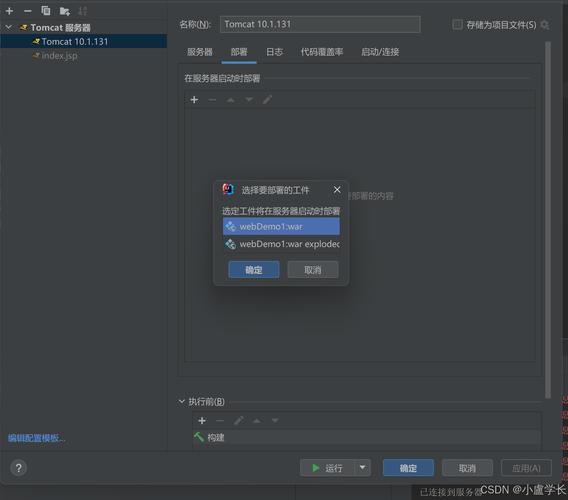
客户端已提供 WSDL 地址
这是最常见的情况,我们可以使用 JDK 自带的 wsimport 工具,根据 WSDL 文件自动生成客户端调用代码。
步骤:
获取 WSDL 地址
假设 WebService 的 WSDL 地址是:http://www.example.com/service?wsdl
使用 wsimport 生成客户端代码
打开命令行(CMD 或 PowerShell),执行以下命令:
# -p: 指定生成的包名
# -d: 指定代码输出目录
# -keep: 保留生成的源文件
# -s: 指定源文件输出目录
wsimport -p com.example.client -d . -s . http://www.example.com/service?wsdl
执行后,会在你指定的目录下生成一堆 .java 文件和 .class 文件,这些就是调用该 WebService 所需的客户端代理类。
在 Java 代码中调用生成的客户端 你可以在你的 Java 项目中使用这些生成的类来调用服务了。
import com.example.client.*; // 导入生成的包
import javax.xml.namespace.QName;
import javax.xml.ws.Service;
import java.net.URL;
public class SoapWebServiceClient {
    public static void main(String[] args) throws Exception {
        // 1. 指定 WSDL 文件的 URL
        URL wsdlUrl = new URL("http://www.example.com/service?wsdl");
        // 2. 定义服务名和命名空间,这些信息可以从 WSDL 文件中找到
        // <wsdl:service name="MyService">
        // <wsdl:port name="MyServicePort" binding="tns:MyServiceBinding">
        QName serviceName = new QName("http://www.example.com/", "MyService");
        QName portName = new QName("http://www.example.com/", "MyServicePort");
        // 3. 创建 Service 实例
        Service service = Service.create(wsdlUrl, serviceName);
        // 4. 获取 Port (服务端点接口)
        MyService servicePort = service.getPort(portName, MyService.class);
        // 5. 调用 WebService 提供的方法
        // 假设 WSDL 中定义了一个名为 "sayHello" 的方法,接受一个字符串参数
        String response = servicePort.sayHello("Java Client");
        // 6. 打印结果
        System.out.println("调用结果: " + response);
    }
}
重要提示:
- WebService 服务器需要认证(如用户名/密码),通常需要使用
SOAPHandler或BindingProvider来添加 SOAP Header。BindingProvider的方式更简单:
// ... 在获取 Port 之后 ...
BindingProvider bindingProvider = (BindingProvider) servicePort;
bindingProvider.getRequestContext().put(BindingProvider.USERNAME_PROPERTY, "your_username");
bindingProvider.getRequestContext().put(BindingProvider.PASSWORD_PROPERTY, "your_password");
手动构造 SOAP 请求(不使用 wsimport)
在某些情况下,你可能无法使用 wsimport(WSDL 文件不可用,或者你需要更灵活地控制请求内容),这时,你可以使用 javax.xml.soap 包来手动构造和发送 SOAP 请求。
import javax.xml.soap.*;
import javax.xml.transform.*;
import javax.xml.transform.stream.StreamResult;
import java.net.URL;
public class ManualSoapClient {
    public static void main(String[] args) throws Exception {
        // 1. 创建 SOAP 连接
        SOAPConnectionFactory soapConnectionFactory = SOAPConnectionFactory.newInstance();
        SOAPConnection soapConnection = soapConnectionFactory.createConnection();
        // 2. 创建 SOAP 消息
        MessageFactory messageFactory = MessageFactory.newInstance();
        SOAPMessage soapMessage = messageFactory.createMessage();
        // 3. 创建 SOAP Part (包含 Envelope)
        SOAPPart soapPart = soapMessage.getSOAPPart();
        SOAPEnvelope envelope = soapPart.getEnvelope();
        envelope.addNamespaceDeclaration("m", "http://www.example.com/"); // 添加命名空间
        // 4. 创建 SOAP Body 和内容
        SOAPBody soapBody = envelope.getBody();
        SOAPBodyElement bodyElement = soapBody.addBodyElement(
                new QName("http://www.example.com/", "sayHello")); // 方法名
        bodyElement.addTextNode("Java Manual Client"); // 参数
        // 5. 设置目标地址
        SOAPAddress soapAddress = envelope.getHeader().addHeaderElement(
                new QName("http://schemas.xmlsoap.org/wsdl/soap//", "endpoint"))
                .addAttribute(new QName("mustUnderstand", "0"), "http://www.example.com/");
        soapAddress.setValueURI("http://www.example.com/service");
        // 6. 保存消息
        soapMessage.saveChanges();
        // 7. 打印请求(可选,用于调试)
        System.out.println("请求 SOAP 消息:");
        soapMessage.writeTo(System.out);
        System.out.println("\n----------------------------------------");
        // 8. 发送请求并获取响应
        URL endpoint = new URL("http://www.example.com/service");
        SOAPMessage soapResponse = soapConnection.call(soapMessage, endpoint);
        // 9. 处理响应
        System.out.println("响应 SOAP 消息:");
        soapResponse.writeTo(System.out);
        // 提取响应内容...
        // ...
        // 10. 关闭连接
        soapConnection.close();
    }
}
这种方法更底层,更灵活,但代码也更复杂。
调用 RESTful WebService
RESTful WebService 更像是一个普通的 Web 应用,它使用 HTTP 协议(GET, POST, PUT, DELETE)和 JSON 或 XML 格式进行数据交换,在 Java 中调用 RESTful 服务,最主流的工具是 Apache HttpClient 和 OkHttp,在现代 Spring Boot 项目中,则更推荐使用 Spring RestTemplate (已进入维护模式) 或 WebClient (推荐)。
使用 Apache HttpClient (通用,适用于任何 Java 项目)
需要在你的 pom.xml 中添加依赖:
<dependency>
    <groupId>org.apache.httpcomponents</groupId>
    <artifactId>httpclient</artifactId>
    <version>4.5.13</version> <!-- 使用较新稳定版 -->
</dependency>
<dependency>
    <groupId>com.fasterxml.jackson.core</groupId>
    <artifactId>jackson-databind</artifactId>
    <version>2.13.0</version> <!-- 用于 JSON 序列化/反序列化 -->
</dependency>
示例代码:
假设我们要调用一个 GET 请求来获取用户信息。
import com.fasterxml.jackson.databind.ObjectMapper;
import org.apache.http.HttpEntity;
import org.apache.http.client.methods.CloseableHttpResponse;
import org.apache.http.client.methods.HttpGet;
import org.apache.http.impl.client.CloseableHttpClient;
import org.apache.http.impl.client.HttpClients;
import org.apache.http.util.EntityUtils;
import java.io.IOException;
public class RestClientHttpClient {
    public static void main(String[] args) {
        // 1. 创建 HttpClient 实例
        CloseableHttpClient httpClient = HttpClients.createDefault();
        // 2. 创建 HTTP GET 请求
        String apiUrl = "https://jsonplaceholder.typicode.com/posts/1";
        HttpGet request = new HttpGet(apiUrl);
        // 3. 设置请求头 (设置 Accept 为 application/json)
        request.addHeader("Accept", "application/json");
        try {
            // 4. 执行请求
            CloseableHttpResponse response = httpClient.execute(request);
            // 5. 获取响应实体
            HttpEntity entity = response.getEntity();
            String responseString = EntityUtils.toString(entity);
            // 6. 打印响应内容
            System.out.println("响应状态码: " + response.getStatusLine());
            System.out.println("响应内容: " + responseString);
            // 7. 使用 Jackson 解析 JSON
            ObjectMapper objectMapper = new ObjectMapper();
            // 假设响应是一个包含 "id", "title", "body" 的 JSON 对象
            // 可以创建一个对应的 Java 类 (如 Post) 来映射
            // Post post = objectMapper.readValue(responseString, Post.class);
            // System.out.println("解析后的标题: " + post.getTitle());
            // 8. 确保响应实体被完全消费
            EntityUtils.consume(entity);
        } catch (IOException e) {
            e.printStackTrace();
        } finally {
            // 9. 关闭 HttpClient
            try {
                httpClient.close();
            } catch (IOException e) {
                e.printStackTrace();
            }
        }
    }
}
使用 Spring WebClient (推荐,适用于 Spring Boot 项目)
WebClient 是 Spring 5 引入的响应式、非阻塞的 HTTP 客户端,是 RestTemplate 的替代品,功能更强大。
在 Spring Boot 项目的 pom.xml 中确保有 spring-boot-starter-webflux 依赖(它包含了 WebFlux 和 WebClient)。
<dependency>
    <groupId>org.springframework.boot</groupId>
    <artifactId>spring-boot-starter-webflux</artifactId>
</dependency>
示例代码:
import org.springframework.web.reactive.function.client.WebClient;
import reactor.core.publisher.Mono;
public class SpringWebClient {
    public static void main(String[] args) {
        // 1. 创建 WebClient 实例
        WebClient webClient = WebClient.create();
        // 2. 定义 API URL
        String apiUrl = "https://jsonplaceholder.typicode.com/posts/1";
        // 3. 发送 GET 请求并获取响应 (Mono 是一个 0-1 个元素的响应式流)
        Mono<String> responseMono = webClient.get()
                .uri(apiUrl)
                .retrieve() // 获取响应
                .bodyToMono(String.class); // 将响应体转换为 String
        // 4. 订阅 Mono 并处理结果
        responseMono.subscribe(
                responseBody -> {
                    System.out.println("响应内容: " + responseBody);
                    // 在这里可以继续处理 JSON 数据
                },
                error -> {
                    System.err.println("发生错误: " + error.getMessage());
                }
        );
        // 为了让主线程等待异步操作完成
        try {
            Thread.sleep(2000);
        } catch (InterruptedException e) {
            e.printStackTrace();
        }
    }
}
WebClient 的优点是异步、非阻塞,性能更高,并且链式调用非常优雅。
总结与对比
| 特性 | SOAP (JAX-WS) | REST (HttpClient / WebClient) |
|---|---|---|
| 协议 | 基于XML的专用协议 | 基于HTTP (GET, POST等) |
| 标准 | WSDL, UDDI (严格) | 无统一标准,遵循RESTful原则 |
| 数据格式 | XML (强制) | JSON, XML, Text等 (灵活) |
| 调用方式 | 通过生成的客户端代理类 | 直接构造HTTP请求 |
| 性能 | 通常较低 (XML解析开销大) | 通常较高 (轻量级,JSON解析快) |
| 安全性 | 内置安全标准 (WS-Security) | 依赖HTTPS和Token (如JWT, OAuth) |
| 适用场景 | 企业级应用、金融、电信等对事务和安全要求高的场景 | 移动应用、前后端分离、微服务、公开API等 |
如何选择?
- 如果服务是传统的 Java WebService (Axis, CXF等),并且提供了 WSDL 文件,优先使用 JAX-WS +
wsimport,这是最标准、最可靠的方式。 - 如果服务是现代的 RESTful API,返回 JSON 数据:
- 在 普通 Java SE 项目 中,使用 Apache HttpClient。
- 在 Spring / Spring Boot 项目 中,强烈推荐使用 WebClient (异步) 或 RestTemplate (同步,但已不推荐新项目使用)。
希望这份详细的指南能帮助你成功调用 Java WebService!