Of course! The replaceAll method in Java is a powerful tool, but the character is a special case that often causes confusion. Let's break it down.

The Short Answer
The replaceAll method uses regular expressions (regex). In regex, the is a special "anchor" that means "end of the line".
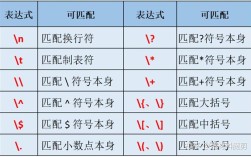
Therefore, to literally replace the character, you must escape it with a backslash (\).
However, since you're writing a Java string, a single backslash \ is an escape character itself. So, you need to use two backslashes \\ in your Java code to represent one literal backslash \ for the regex engine.
The correct way to replace is:
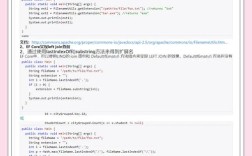
String original = "Price: $100.00 and $200.00";
String replaced = original.replaceAll("\\$", "USD ");
System.out.println(replaced);
Output:
Price: USD 100.00 and USD 200.00Detailed Explanation
Why Does This Happen? replaceAll vs. replace
It's crucial to understand the difference between replaceAll and replace.
| Method | Pattern Type | Behavior with |
|---|---|---|
replaceAll(String regex, String replacement) |
Regular Expression | Treats as a special anchor (end of line). |
replace(CharSequence target, CharSequence replacement) |
Literal String | Treats as a normal, literal character. |
Example with replace (no regex):
String original = "Price: $100.00 and $200.00";
// This works as you might intuitively expect
String replaced = original.replace("$", "USD ");
System.out.println(replaced);
// Output: Price: USD 100.00 and USD 200.00
This is often the simpler and safer choice if you are not using any other regex features.

The Regex Special Meaning of
In regular expressions, is a "zero-width anchor." It doesn't match a character but a position—the very end of the string or line.
Example: Let's see what happens if you DON'T escape it.
String original = "Price: $100.00 and $200.00";
// INCORRECT: This will NOT replace the dollar signs
String replaced = original.replaceAll("$", "USD ");
System.out.println(replaced);
// Output: Price: $100.00 and $200.00
Why? The regex engine is looking for the end of the line. It finds it after the last 0, but since there's no character at that position, nothing gets replaced. The string remains unchanged.
A more useful example of :
Let's say you want to add a at the end of every line in a multi-line string.
String multiLine = "Line 1\nLine 2\nLine 3";
// Adds a semicolon to the end of each line
String fixed = multiLine.replaceAll("$", ";");
System.out.println(fixed);
// Output:
// Line 1;
// Line 2;
// Line 3;
Other Special Characters in replaceAll
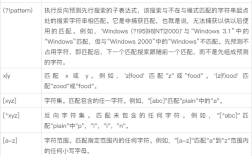
You'll need to escape other common regex metacharacters if you want to treat them as literals. The most common ones are:
| Character | Regex Meaning | How to Escape in Java |
|---|---|---|
| Any character | \\. |
|
| Zero or more of the preceding element | \\* |
|
| One or more of the preceding element | \\+ |
|
| Zero or one of the preceding element | \\? |
|
| OR (alternation) | \\| |
|
| Start of a group | \\( |
|
| End of a group | \\) |
|
[ |
Start of a character class | \\[ |
] |
End of a character class | \\] |
| Start of a quantifier | \\{ |
|
| End of a quantifier | \\} |
|
^ |
Start of the line | \\^ |
| End of the line | \\$ |
Example: Replacing a dot ()
String original = "File.txt.version.old";
// We want to replace every literal dot with a hyphen
String replaced = original.replaceAll("\\.", "-");
System.out.println(replaced);
// Output: File-txt-version-old
Summary and Best Practices
-
Use
replacefor Simple, Literal Substitutions: If you are just replacing a fixed string and don't need regex features (like wildcards or repetition),replace()is simpler and less error-prone.myString.replace("old", "new"); -
Use
replaceAllfor Regex Power: When you need to use patterns (e.g., replacing all numbers, all whitespace, etc.), usereplaceAll(). -
Always Escape Regex Metacharacters: If you use
replaceAlland your search string contains characters like.$^*+?()[]\{|}, you must escape them with a double backslash\\in your Java code.- To find a literal :
"\\$" - To find a literal dot:
"\\." - To find a literal plus sign:
"\\+"
- To find a literal :