Of course! Let's dive deep into java.io.OutputStream. This is a fundamental concept in Java for handling output, especially for binary data.
What is an OutputStream?
At its core, an OutputStream is an abstract base class in the java.io package that represents an output destination for raw bytes.
Think of it as a pipe. You put bytes into one end of the pipe, and they come out the other end at some destination (a file, a network socket, an in-memory array, etc.). The OutputStream class provides a standardized way to write data to any kind of destination without needing to know the specifics of that destination.
Key Characteristics
- Abstract Class: You cannot instantiate
OutputStreamdirectly. You must use one of its concrete subclasses. - Byte-Oriented: It deals with bytes (
byte), not characters (char). This makes it perfect for binary data like images, audio, video, or serialized objects. - Low-Level: It's a low-level stream. For writing text, it's much more convenient to use a
Writer(likeOutputStreamWriter), which handles character encoding for you.
The Most Important Methods
The OutputStream class defines several key methods for writing data. Here are the most common ones:
| Method Signature | Description |
|---|---|
void write(int b) |
Writes the specified byte to the output stream. The int argument is only the lower 8 bits. |
void write(byte[] b) |
Writes b.length bytes from the specified byte array to the output stream. |
void write(byte[] b, int off, int len) |
Writes len bytes from the byte array b, starting at offset off, to the output stream. |
void flush() |
Forces any buffered output bytes to be written to the underlying destination. This is crucial for ensuring data is actually sent, not just held in memory. |
void close() |
Closes the output stream, releasing any system resources associated with it (like file handles). It also calls flush() internally. |
Hierarchy and Common Subclasses
The power of OutputStream comes from its rich hierarchy of specialized subclasses.
java.lang.Object
   java.io.OutputStream
      java.io.ByteArrayOutputStream
      java.io.FileOutputStream
      java.io.FilterOutputStream
         java.io.BufferedOutputStream
         java.io.DataOutputStream
         java.io.PrintStream (System.out is an instance of this!)
      java.io.ObjectOutputStream
      java.io.OutputStreamWriter  <-- Important: This is a bridge to Writers
Let's look at the most important ones:
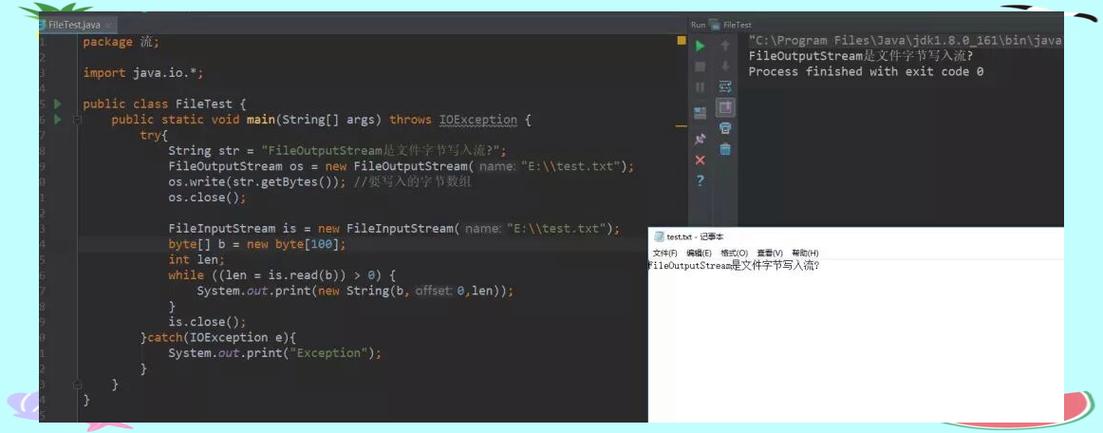
a) FileOutputStream
Used to write data to a file in the file system.
Example: Writing "Hello World" to a file.
import java.io.FileOutputStream;
import java.io.IOException;
public class FileOutputStreamExample {
    public static void main(String[] args) {
        String data = "Hello, World!";
        // try-with-resources ensures the stream is closed automatically
        try (FileOutputStream fos = new FileOutputStream("output.txt")) {
            // String to bytes (using platform's default charset)
            byte[] bytesToWrite = data.getBytes();
            fos.write(bytesToWrite);
            System.out.println("Successfully wrote to the file.");
        } catch (IOException e) {
            System.err.println("An error occurred: " + e.getMessage());
        }
    }
}
b) ByteArrayOutputStream
Used to write data into an in-memory byte array. It's very useful when you need to collect data before sending it somewhere else.
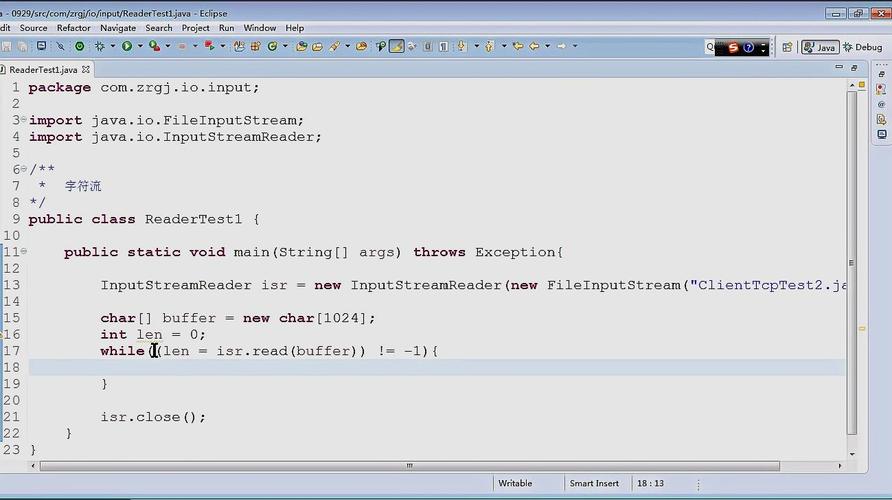
Example: Collecting data in memory.
import java.io.ByteArrayOutputStream;
import java.io.IOException;
public class ByteArrayOutputStreamExample {
    public static void main(String[] args) {
        ByteArrayOutputStream baos = new ByteArrayOutputStream();
        try {
            baos.write('J'); // Write a single byte
            baos.write('A');
            baos.write('V');
            baos.write('A');
            // Get the data as a byte array
            byte[] byteArray = baos.toByteArray();
            System.out.println("Byte array content: " + new String(byteArray));
            // You can also write the stream to another OutputStream
            baos.writeTo(System.out); // Prints "JAVA" to the console
        } catch (IOException e) {
            // This is unlikely for a ByteArrayOutputStream, but good practice
            e.printStackTrace();
        } finally {
            try {
                baos.close(); // Frees up the internal buffer
            } catch (IOException e) {
                e.printStackTrace();
            }
        }
    }
}
c) BufferedOutputStream
A "decorator" class that adds a buffer to another OutputStream. This improves performance by reducing the number of direct calls to the underlying system (like writing to a disk or network). Instead of writing one byte at a time, it writes a large block of bytes at once.
Example: Using buffering for better performance.
import java.io.BufferedOutputStream;
import java.io.FileOutputStream;
import java.io.IOException;
public class BufferedOutputStreamExample {
    public static void main(String[] args) {
        try (FileOutputStream fos = new FileOutputStream("large_output.txt");
             BufferedOutputStream bos = new BufferedOutputStream(fos)) {
            for (int i = 0; i < 100000; i++) {
                bos.write('A'); // This is fast because it's written to a buffer first
            }
            // The buffer is flushed and closed automatically by the try-with-resources statement.
            System.out.println("Finished writing 100,000 'A's.");
        } catch (IOException e) {
            e.printStackTrace();
        }
    }
}
d) ObjectOutputStream
This is a very special subclass used for serialization. It can write Java objects to a stream in a binary format, allowing them to be reconstructed later.
Example: Writing a custom object to a file.
import java.io.*;
import java.util.Date;
// The class must implement the Serializable marker interface
class MyData implements Serializable {
    private String name;
    private transient int secret; // 'transient' means this field will NOT be serialized
    private Date timestamp;
    public MyData(String name) {
        this.name = name;
        this.secret = 12345;
        this.timestamp = new Date();
    }
    @Override
    public String toString() {
        return "MyData{name='" + name + "', secret=" + secret + ", timestamp=" + timestamp + "}";
    }
}
public class ObjectOutputStreamExample {
    public static void main(String[] args) {
        MyData data = new MyData("Test Object");
        try (ObjectOutputStream oos = new ObjectOutputStream(new FileOutputStream("object.dat"))) {
            oos.writeObject(data);
            System.out.println("Object serialized successfully.");
        } catch (IOException e) {
            e.printStackTrace();
        }
    }
}
Best Practices: try-with-resources
Before Java 7, you had to manually close streams in a finally block to prevent resource leaks. This was verbose and error-prone.
The old way (not recommended):
FileOutputStream fos = null;
try {
    fos = new FileOutputStream("file.txt");
    fos.write("data".getBytes());
} catch (IOException e) {
    e.printStackTrace();
} finally {
    if (fos != null) {
        try {
            fos.close(); // Potential for another exception here
        } catch (IOException e) {
            e.printStackTrace();
        }
    }
}
The modern way: try-with-resources (highly recommended)
Since Java 7, any class that implements the AutoCloseable interface (which all OutputStream subclasses do) can be declared in a try statement. The close() method is called automatically and safely when the block is exited.
// The stream declared in the try-with-resources is closed automatically
try (FileOutputStream fos = new FileOutputStream("file.txt")) {
    fos.write("data".getBytes());
} catch (IOException e) {
    e.printStackTrace();
} // fos.close() is called here, even if an exception occurs
Summary: OutputStream vs. Writer
| Feature | OutputStream |
Writer |
|---|---|---|
| Data Type | Bytes (byte) |
Characters (char) |
| Purpose | Binary data (images, mp3s, serialized objects) | Text data (.txt, .xml, .json) |
| Encoding | Not handled (raw bytes) | Handles character encoding (UTF-8, ISO-8859-1, etc.) |
| Hierarchy | FileOutputStream, ByteArrayOutputStream, etc. |
FileWriter, BufferedWriter, PrintWriter, etc. |
| Conversion | Use OutputStreamWriter to wrap an OutputStream and write characters. |
Use it directly for text. |