Of course! The requests library in Python is the de facto standard for making HTTP requests. Here’s a comprehensive guide on how to use it with URLs, starting from the basics and moving to more advanced topics.
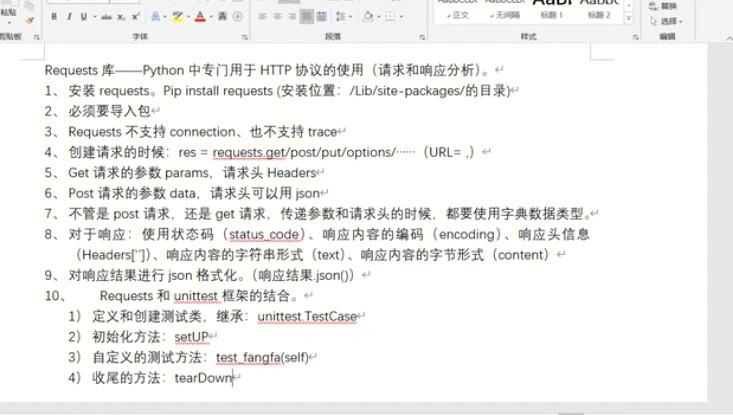
Installation
First, if you don't have it installed, open your terminal or command prompt and run:
pip install requests
Making a Simple GET Request (The Most Common Case)
A GET request is used to retrieve data from a specified resource. The requests.get() function is perfect for this.
import requests
# The URL you want to send a request to
url = 'https://api.github.com'
# Send a GET request to the URL
response = requests.get(url)
# Check if the request was successful (status code 200)
if response.status_code == 200:
    print("Request was successful!")
    # Get the response content as a string
    # .text returns the content in unicode
    print("Response Text (first 200 chars):")
    print(response.text[:200])
    # Get the response content in JSON format (if the response is JSON)
    # .json() parses the response text and returns a Python dictionary
    print("\nResponse JSON (as a Python dict):")
    data = response.json()
    print(data)
else:
    print(f"Request failed with status code: {response.status_code}")
Understanding the Response Object
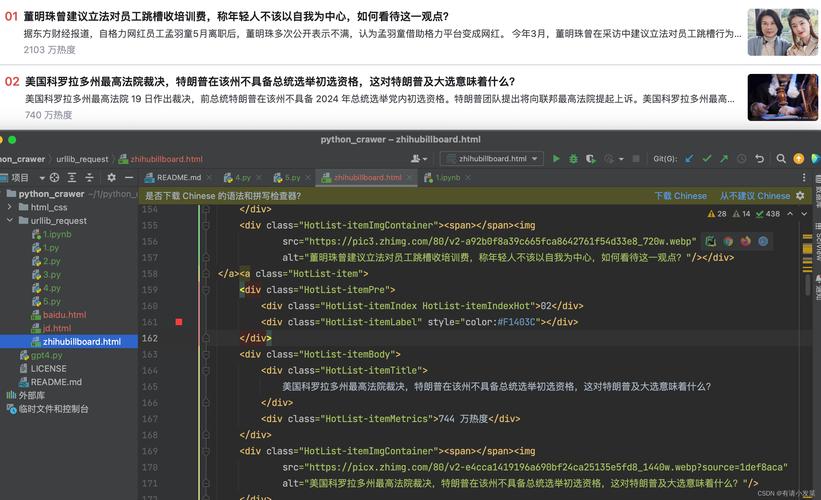
When you call requests.get(), it returns a Response object. This object contains a lot of useful information:
response.status_code: An integer representing the HTTP status code (e.g., 200 for OK, 404 for Not Found, 500 for Internal Server Error).response.text: The content of the response, as a string.response.content: The content of the response, as bytes. This is useful for non-text requests like images.response.json(): A convenience method that decodes the response content as JSON and returns it as a Python dictionary or list.response.headers: A dictionary-like object containing the response headers.response.url: The final URL after any redirects.response.history: A list ofResponseobjects from the history of redirects.
Example:
import requests
url = 'https://httpbin.org/get' # A great testing API
response = requests.get(url)
print(f"Status Code: {response.status_code}")
print(f"URL: {response.url}")
print(f"Headers: {response.headers}")
print(f"Content-Type Header: {response.headers['Content-Type']}")
# The JSON response from httpbin.org/get contains info about the request itself
data = response.json()
print("\nJSON Data:")
print(f"User Agent: {data['headers']['User-Agent']}")
print(f"Origin IP: {data['origin']}")
Adding URL Parameters (Query Strings)
Often, you need to add parameters to a URL, like ?key1=value1&key2=value2. You can do this manually by building the string, but requests has a cleaner way using the params argument.
The params argument takes a dictionary of key-value pairs. requests will correctly URL-encode them for you.
import requests
# The base URL
url = 'https://httpbin.org/get'
# The parameters you want to add
params = {
    'name': 'Alice',
    'age': 30,
    'is_student': False
}
# The 'params' argument handles the query string
response = requests.get(url, params=params)
print(f"Final URL with params: {response.url}")
# The response will echo back the params you sent
data = response.json()
print("\nReceived Params:")
print(data['args'])
Output:
Final URL with params: https://httpbin.org/get?age=30&is_student=False&name=Alice
Received Params:
{'age': '30', 'is_student': 'False', 'name': 'Alice'}
Adding Headers
You can send custom headers in your request, such as User-Agent, Accept, or Authorization.
import requests
url = 'https://httpbin.org/headers' # This endpoint echoes back the headers it receives
# Define custom headers
headers = {
    'User-Agent': 'MyCoolApp/1.0',
    'Accept': 'application/json',
    'X-Custom-Header': 'This is a custom value'
}
response = requests.get(url, headers=headers)
data = response.json()
print("Headers received by the server:")
print(data['headers'])
Handling Different HTTP Methods
requests makes it easy to use other HTTP methods like POST, PUT, DELETE, etc.
requests.post(url, data=payload): To send data to the server (e.g., submitting a form).requests.put(url, data=payload): To update a resource.requests.delete(url): To delete a resource.
Example of a POST request:
import requests
import json # Using json.dumps for a more structured payload
url = 'https://httpbin.org/post'
# Data to be sent in the request body. Can be a dict, a list of tuples, or a string.
# Using 'json' parameter automatically sets the 'Content-Type' header to 'application/json'
payload = {
    'username': 'john_doe',
    'email': 'john.doe@example.com'
}
response = requests.post(url, json=payload)
print(f"Status Code: {response.status_code}")
data = response.json()
# The 'json' key in the response contains the data we sent
print("\nData sent in the request body:")
print(data['json'])
Setting Timeouts
It's crucial to set a timeout for your requests to prevent your program from hanging indefinitely if the server is unresponsive.
timeout=5: Waits for 5 seconds for the server to send data.timeout=(3.05, 27): Waits 3.05 seconds for the server to connect, and then 27 seconds for the server to send the first byte of data.
import requests
url = 'https://httpbin.org/delay/5' # This endpoint waits 5 seconds before responding
try:
    # Set a timeout of 3 seconds. The request will fail because the server takes 5s.
    print("Sending request with a 3-second timeout...")
    response = requests.get(url, timeout=3)
    print("Request successful!")
except requests.exceptions.Timeout:
    print("The request timed out!")
Best Practice: Using a Session Object
If you are making multiple requests to the same domain, it's more efficient to use a Session object. A Session object persists certain parameters across requests and reuses the underlying TCP connection if you're making several requests to the same host, which can result in a significant performance increase.
import requests
# Create a session object
with requests.Session() as session:
    # Settings that apply to all requests made with this session
    session.headers.update({'User-Agent': 'MyApp/0.0.1'})
    # First request
    response1 = session.get('https://httpbin.org/get')
    print("First request status:", response1.status_code)
    # Second request to the same domain
    response2 = session.get('https://httpbin.org/headers')
    print("Second request status:", response2.status_code)
# The session is automatically closed when exiting the 'with' block
Summary of Key Functions
| Method | Description | Example |
|---|---|---|
requests.get(url) |
Sends an HTTP GET request. | requests.get('https://api.github.com') |
requests.post(url, data=payload) |
Sends an HTTP POST request. | requests.post(url, json={'key': 'value'}) |
requests.put(url, data=payload) |
Sends an HTTP PUT request. | requests.put(url, data={'key': 'value'}) |
requests.delete(url) |
Sends an HTTP DELETE request. | requests.delete(url) |
requests.head(url) |
Sends an HTTP HEAD request. | requests.head(url) |
requests.patch(url, data=payload) |
Sends an HTTP PATCH request. | requests.patch(url, data={'key': 'value'}) |
requests.options(url) |
Sends an HTTP OPTIONS request. | requests.options(url) |
| Argument | Description | Example |
|---|---|---|
params |
Dictionary of URL parameters. | requests.get(url, params={'key': 'value'}) |
headers |
Dictionary of HTTP headers. | requests.get(url, headers={'User-Agent': 'MyApp'}) |
json |
Dictionary to send as JSON in the body. | requests.post(url, json={'data': 'to_send'}) |
data |
Dictionary, bytes, or file-like object to send in the body. | requests.post(url, data='raw data') |
timeout |
How many seconds to wait for the server to send data. | requests.get(url, timeout=10) |
auth |
Tuple to enable HTTP Basic Auth. | requests.get(url, auth=('user', 'pass')) |