
Of course! Let's break down the package statement in Java, which is a fundamental concept for organizing code.
What is a Package?
A package in Java is a namespace that organizes a set of related classes and interfaces. Think of it like a folder or directory on your computer's file system. You use folders to group related files (e.g., all your music in a "Music" folder). Similarly, you use packages in Java to group related classes.
The primary purposes of using packages are:
- Avoiding Name Clashes: In a large project, it's common for different developers to create classes with the same name (e.g.,
DatabaseManager,User). Packages ensure that these classes have unique, fully qualified names (e.g.,com.companyA.auth.DatabaseManagervs.com.companyB.data.DatabaseManager). - Organizing Code: Packages help structure your code logically, making it easier to find, understand, and maintain.
- Access Control: Packages provide a level of access control. You can define classes and members that are only accessible within the same package using the
protectedand default (package-private) access modifiers.
The package Statement
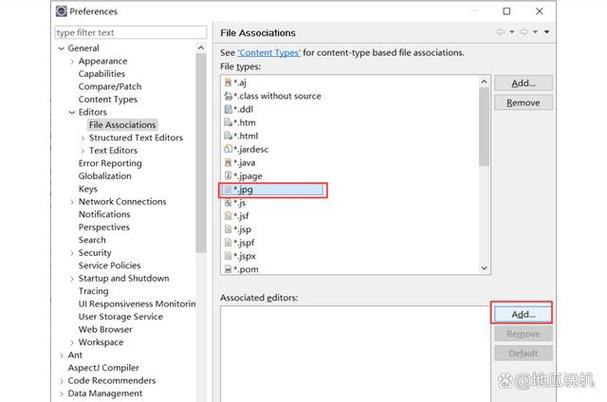
The package statement is a line of code at the very top of a Java source file (.java file). It declares which package the class in that file belongs to.
Syntax:
package <package.name>;
- It must be the first non-comment, non-blank line in the file.
- Package names are typically written in lowercase to avoid conflicts with class names.
- They use dot notation () to represent a hierarchy, similar to directory paths.
Example:
Let's say you have a file named Calculator.java. You want to place it in a package called com.example.math. The file must start with:
// File: src/com/example/math/Calculator.java
package com.example.math;
public class Calculator {
    public int add(int a, int b) {
        return a + b;
    }
}
How Packages Map to the File System
This is the most crucial part to understand. The package name directly corresponds to the directory structure on your disk.
The package com.example.math; statement in the Calculator.java file means that this file must be located in a directory path like:
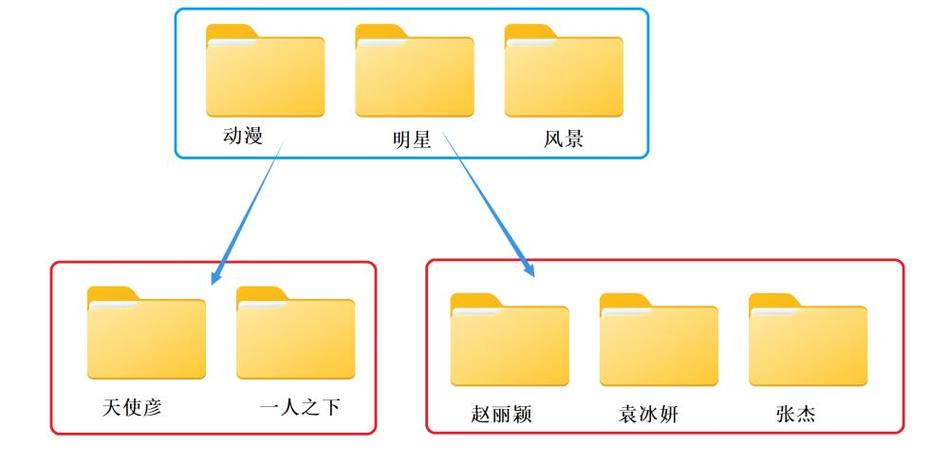
/path/to/your/project/src/com/example/math/Calculator.java- The
comdirectory is insidesrc. - The
exampledirectory is insidecom. - The
mathdirectory is insideexample. - The
Calculator.javafile is insidemath.
The root of your project (e.g., src) is often referred to as the classpath. When you compile and run your code, the Java compiler and JVM need to know where this root is to find your packages.
The import Statement
While the package statement tells the compiler where your class lives, the import statement tells the compiler which other classes you want to use from other packages.
When you want to use a class from another package, you have two options:
Option 1: Use the Fully Qualified Name (FQN)
This is the full, unambiguous path to the class. It's verbose but always works.
package com.example.app;
// Using the fully qualified name
public class MyApp {
    public static void main(String[] args) {
        // java.util is a built-in package
        java.util.List<String> names = new java.util.ArrayList<>();
        names.add("Alice");
        System.out.println(names);
    }
}
Option 2: Use the import Statement
This is much more common and readable. You import the specific class (or a whole package) at the top of your file.
package com.example.app;
// Import the ArrayList class from the java.util package
import java.util.ArrayList;
// You can also import the entire package (less common for specific classes)
// import java.util.*;
public class MyApp {
    public static void main(String[] args) {
        // Now we can use ArrayList directly
        List<String> names = new ArrayList<>(); // Note: We might also need to import java.util.List
        names.add("Bob");
        System.out.println(names);
    }
}
Key Point: The import statement is for convenience and readability. It does not affect performance or add any overhead at runtime.
Naming Conventions for Packages
There are standard conventions for naming packages to ensure uniqueness and order.
-
Reverse Domain Name: The most common convention is to use the reverse of your internet domain name as the first part of your package name.
- If your domain is
mycompany.com, your packages would start withcom.mycompany. - If your domain is
google.com, their packages start withcom.google. - This makes it highly unlikely that two different organizations will have conflicting package names.
- If your domain is
-
Lowercase Letters: Package names are almost always written in all lowercase to distinguish them from class names (which start with an uppercase letter).
-
Hierarchical Structure: After the domain part, you add descriptive names for the project, module, or functionality.
com.mycompany.projectname.moduleorg.apache.commons.lang3(Apache Commons library)
Example:
- Your Project: A web application for an online store.
- Your Domain:
beststore.com - Project Name:
ecommerce - Module:
product - Package Name:
com.beststore.ecommerce.product
Built-in Java Packages
Java comes with a rich set of standard packages that you can use without any special setup. You've already seen a few:
java.lang: Contains fundamental classes likeString,System,Math, andObject. This package is automatically imported, so you don't need to writeimport java.lang.String;.java.util: Contains utility classes likeList,Map,Set,Date, andCollections.java.io: Contains classes for input/output operations, like reading from and writing to files.java.net: Contains classes for networking, likeURL,Socket, andServerSocket.java.time: (Modern Java) Contains classes for date and time, likeLocalDate,LocalTime, andZonedDateTime.
Summary
| Concept | Description | Example |
|---|---|---|
package |
Declares the namespace for a class. Must be the first line in a .java file. |
package com.example.tools; |
| Directory Structure | The package name must match the file system path. | com/example/tools/Tool.java |
import |
Allows you to use classes from other packages without typing their full name. | import java.util.List; |
| Fully Qualified Name (FQN) | The full path to a class, including its package. | java.util.ArrayList |
| Naming Convention | Use reverse domain name to ensure uniqueness. | com.yourcompany.yourproject |











