Of course! In Python, the concept of "synchronized" is most commonly associated with controlling access to shared resources in a multi-threaded environment to prevent race conditions. This is often called thread synchronization.
While Python doesn't have a built-in synchronized keyword like Java, it provides powerful and flexible tools in its threading module to achieve the same goals.
Let's break down the main concepts and tools.
The Core Problem: Race Conditions
Imagine two threads trying to update a shared variable, like a bank account balance:
import threading
balance = 100
def deposit(amount):
    global balance
    for _ in range(100000):
        balance += amount
def withdraw(amount):
    global balance
    for _ in range(100000):
        balance -= amount
# Create threads
t1 = threading.Thread(target=deposit, args=(10,))
t2 = threading.Thread(target=withdraw, args=(10,))
t1.start()
t2.start()
t1.join()
t2.join()
print(f"Final balance: {balance}") # Expected: 100. Actual: unpredictable!
You might expect the final balance to be 100, but due to thread scheduling, the actual result will be different and unpredictable every time. This is a race condition.
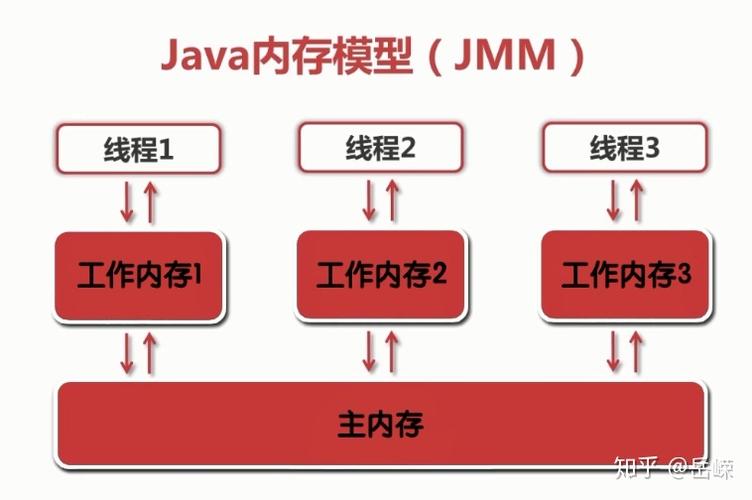
The problem occurs in this sequence of events for a single balance += amount operation:
- Read the current value of
balancefrom memory. - Calculate the new value (e.g.,
balance + 10). - Write the new value back to memory.
If both threads interleave these steps, they can read the same old value, calculate their new values based on it, and then write them back, overwriting each other's work.
The Solution: Synchronization Mechanisms
Synchronization forces threads to execute certain parts of the code (called critical sections) in a mutually exclusive way, meaning only one thread can be in the critical section at a time.
Here are the primary tools for this in Python:
Locks (threading.Lock)
This is the most fundamental synchronization primitive. A lock has two states: locked and unlocked.
acquire(): If the lock is unlocked,acquire()locks it and returns immediately. If the lock is already locked,acquire()will block (wait) until it is unlocked by another thread.release(): Unlocks the lock. Only the thread that acquired the lock can release it.
How to fix the race condition with a Lock:
We wrap the critical section (the part that reads and modifies the shared resource) in lock.acquire() and lock.release().
import threading
balance = 100
# Create a lock object
lock = threading.Lock()
def deposit(amount):
    global balance
    for _ in range(100000):
        # Acquire the lock before entering the critical section
        lock.acquire()
        try:
            balance += amount
        finally:
            # Always release the lock in a finally block to prevent deadlocks
            lock.release()
def withdraw(amount):
    global balance
    for _ in range(100000):
        lock.acquire()
        try:
            balance -= amount
        finally:
            lock.release()
# Create threads
t1 = threading.Thread(target=deposit, args=(10,))
t2 = threading.Thread(target=withdraw, args=(10,))
t1.start()
t2.start()
t1.join()
t2.join()
print(f"Final balance: {balance}") # Output: Final balance: 100
Best Practice: Use the with statement for locks. It's cleaner and automatically handles the release() call, even if an error occurs inside the block.
# A cleaner way using 'with'
def deposit(amount):
    global balance
    for _ in range(100000):
        with lock: # Acquires the lock, and releases it automatically when exiting the block
            balance += amount
RLocks (threading.RLock) - Reentrant Lock
A standard Lock is not reentrant. If a thread tries to acquire a lock it already holds, it will deadlock on itself.
An RLock (Reentrant Lock) allows a thread to acquire the same lock multiple times without deadlocking. The thread must release the lock as many times as it acquired it.
When to use it: Useful when you have functions that call other functions, and all of them need to access the same shared resource protected by the same lock.
import threading
lock = threading.RLock()
def outer_function():
    with lock:
        print("Outer function has the lock")
        inner_function() # This function can also acquire the same lock
def inner_function():
    with lock:
        print("Inner function has the lock")
t = threading.Thread(target=outer_function)
t.start()
t.join()
# This works without a deadlock. A standard Lock would deadlock here.
Semaphores (threading.Semaphore)
A semaphore controls access to a pool of resources. It maintains a counter. If the counter is greater than zero, acquire() decrements it and proceeds. If the counter is zero, acquire() blocks until another thread calls release(), which increments the counter.
Use case: Limiting the number of threads that can access a resource at the same time (e.g., limiting connections to a database).
import threading
import time
# Allow only 3 threads to access the printer at a time
printer_semaphore = threading.Semaphore(3)
def use_printer(thread_id):
    with printer_semaphore:
        print(f"Thread {thread_id} is using the printer.")
        time.sleep(2) # Simulate a long task
        print(f"Thread {thread_id} is done with the printer.")
threads = []
for i in range(10):
    t = threading.Thread(target=use_printer, args=(i,))
    threads.append(t)
    t.start()
for t in threads:
    t.join()
Conditions (threading.Condition)
A Condition is more advanced. It combines a Lock with a way for threads to wait for a specific condition to become true.
wait(): Releases the lock and blocks until another thread notifies it. Once notified, it re-acquires the lock and continues.notify()/notify_all(): Wakes up one or all threads that are waiting on this condition. The notifying thread must hold the lock.
Use case: Producer-sumer problems. One or more threads produce items, and one or more consumers consume them. Consumers should only run when items are available.
import threading
import time
import random
items = []
condition = threading.Condition()
def producer():
    global items
    for i in range(5):
        time.sleep(random.uniform(0, 1))
        with condition:
            print(f"Producer: Adding item {i}")
            items.append(i)
            condition.notify() # Notify a waiting consumer that an item is available
def consumer():
    global items
    for _ in range(5):
        with condition:
            # Wait until there is an item in the list
            while not items:
                print("Consumer: Waiting for an item...")
                condition.wait() # Releases the lock and waits
            item = items.pop(0)
            print(f"Consumer: Consumed item {item}")
p = threading.Thread(target=producer)
c = threading.Thread(target=consumer)
p.start()
c.start()
p.join()
c.join()
Higher-Level Abstraction: The queue Module
For many concurrent programming patterns, especially producer-consumer, using the queue module is highly recommended. It provides thread-safe queues (Queue, LifoQueue, PriorityQueue) that handle all the locking and synchronization for you.
This is often the best and simplest solution.
import threading
import queue
import time
# A thread-safe queue
q = queue.Queue()
def producer():
    for i in range(5):
        time.sleep(1)
        print(f"Producer: Adding item {i} to the queue")
        q.put(i) # put() is thread-safe
def consumer():
    for _ in range(5):
        item = q.get() # get() is thread-safe and blocks if the queue is empty
        print(f"Consumer: Got item {item}")
        q.task_done() # Signal that the item processing is done
p = threading.Thread(target=producer)
c = threading.Thread(target=consumer)
p.start()
c.start()
p.join()
c.join()
print("All work done!")
Summary: Which Tool to Use?
| Tool | Best For | Key Feature |
|---|---|---|
threading.Lock |
Protecting a single shared resource (critical section). | Mutual exclusion. Only one thread can proceed. |
threading.RLock |
Protecting a resource when functions call each other recursively. | Reentrancy. A thread can acquire the lock it already holds. |
threading.Semaphore |
Limiting the number of threads accessing a resource (e.g., connections). | Controls a pool of resources with a counter. |
threading.Condition |
Advanced waiting/notification scenarios (e.g., producer-consumer). | Threads can wait for a specific condition to become true. |
queue.Queue |
Recommended for producer-consumer and task distribution patterns. | High-level, thread-safe, and handles all locking for you. |