Of course! The native2ascii command is a fundamental tool in the Java world, especially for internationalization (i18n). Let's break it down in detail.
What is native2ascii?
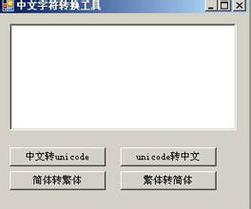
native2ascii is a command-line utility that comes bundled with the Java Development Kit (JDK). Its primary purpose is to convert files containing characters from a specific locale (e.g., Chinese, Japanese, Russian) into a form that can be used by the Java compiler and runtime environment.
The problem it solves is that Java source code (.java files) and property files (.properties files) historically had to be encoded in ASCII or ISO-8859-1 (Latin-1). These encodings cannot represent characters from other languages like , , , , or 汉字.
native2ascii bridges this gap by taking a file with "native" characters (e.g., UTF-8 encoded) and converting any non-ASCII character into its corresponding Unicode escape sequence (\uxxxx).
Why is it Needed? (The Core Problem)
Imagine you have a Java properties file for a Spanish application:
messages_es.properties (in UTF-8 encoding)
welcome.message=Bienvenido a la aplicación
error.message=Error de usuario no encontrado
If you try to compile this or load it with the standard java.util.Properties class without special handling, it will fail because the characters and are not valid in the default ISO-8859-1 encoding that Java's Properties class expects by default.
native2ascii solves this by converting the file to a pure ASCII format that Java can understand:
messages_es_ascii.properties (after conversion)
welcome.message=Bienvenido a la aplicaci\u00f3n
error.message=Error de usuario no encontrado
Now, when the Java runtime reads this file, it automatically translates the \u00f3 escape sequence back into the character.
How to Use native2ascii
The tool is located in the JDK's bin directory (e.g., C:\Program Files\Java\jdk-17.0.2\bin\native2ascii.exe on Windows or /usr/lib/jvm/jdk-17.0.2/bin/native2ascii on Linux/macOS).
Basic Syntax
native2ascii [options] [inputfile [outputfile]]
inputfile: The source file to convert. If not specified, it reads from standard input.outputfile: The destination file for the converted content. If not specified, it writes to standard output.options: Configuration flags for the conversion.
Common Options
| Option | Description |
|---|---|
-encoding |
This is the most important option. It specifies the encoding of the input file. The default is the system's default encoding, which can be unpredictable. It's best to always specify it, commonly as UTF-8. |
-reverse |
Performs the reverse operation: it converts a file with Unicode escape sequences back into a "native" encoded file. You must use -encoding to specify the desired output encoding. |
-J |
Passes an option to the underlying Java Virtual Machine (JVM). For example, -J-Xms8m sets the initial heap size. |
Practical Examples
Let's assume you have a file named greetings.properties encoded in UTF-8:
greetings.properties (UTF-8)
hello.hello=Hello
hello.goodbye=Goodbye
hello.german=Grüß Gott
hello.french=Bonjour
hello.chinese=你好
Example 1: Basic Conversion (UTF-8 to ASCII Escapes)
This command converts greetings.properties and saves the result to greetings_ascii.properties.
native2ascii -encoding UTF-8 greetings.properties greetings_ascii.properties
Result: greetings_ascii.properties
hello.hello=Hello
hello.goodbye=Goodbye
hello.german=Gr\u00fc\u00df Gott
hello.french=Bonjour
hello.chinese=\u4f60\u597d
Example 2: Reverse Conversion (ASCII Escapes back to UTF-8)
This command converts the escaped file back into a UTF-8 file.
native2ascii -reverse -encoding UTF-8 greetings_ascii.properties greetings_reverted.properties
Result: greetings_reverted.properties
This file will have the exact same content as the original greetings.properties and will be encoded in UTF-8.
Example 3: Using Standard Input/Output
You can pipe data directly to native2ascii. This is useful in shell scripts.
# Create a string with a non-ASCII character and pipe it to native2ascii
echo "my.key=value with é" | native2ascii -encoding UTF-8
# Output:
# my.key=value with \u00e9
Modern Alternatives and Best Practices
While native2ascii works, it's considered a legacy tool. The modern, recommended approach is to handle encoding directly.
For Java Source Code (.java files)
Since Java 6, the Java compiler (javac) has full support for reading source files in UTF-8 by default. You no longer need to use native2ascii for your .java files.
Just ensure your IDE (like IntelliJ, Eclipse, VS Code) is configured to save your source files as UTF-8.
For Property Files (.properties files)
This is where native2ascii is still sometimes seen, but modern Java offers a better solution.
The Old Way (using native2ascii):
- Create your
.propertiesfile in UTF-8 (e.g.,messages_en.properties). - Run
native2asciito create a second, ASCII-only version (e.g.,messages_en_ascii.properties). - Package the ASCII-only version into your final application JAR.
- In your code, load the ASCII-only file.
The Modern Way (using ResourceBundle.Control):
Since Java 7, you can tell Java to load property files using a specific encoding, like UTF-8, without any conversion step.
Step 1: Create your UTF-8 property file.
messages_en.properties (UTF-8)
greeting=Hello
farewell=Goodbye
special.char=This has an é
Step 2: Write Java code to load it with UTF-8 support.
import java.util.Locale;
import java.util.ResourceBundle;
import java.util.ResourceBundle.Control;
public class ModernPropertyLoader {
    public static void main(String[] args) {
        // Define a custom control that uses UTF-8 for properties files
        Control control = new ResourceBundle.Control() {
            @Override
            public List<String> getFormats(String baseName) {
                // Only return "properties" format
                return Collections.singletonList("properties");
            }
            @Override
            public newBundle(String baseName, Locale locale, String format, ClassLoader loader, boolean reload)
                    throws IllegalAccessException, InstantiationException, IOException {
                // The key part: specify UTF-8 as the encoding
                String bundleName = toBundleName(baseName, locale);
                String resourceName = toResourceName(bundleName, "properties");
                InputStream stream = null;
                if (reload) {
                    URL url = loader.getResource(resourceName);
                    if (url != null) {
                        URLConnection connection = url.openConnection();
                        if (connection != null) {
                            connection.setUseCaches(false);
                            stream = connection.getInputStream();
                        }
                    }
                } else {
                    stream = loader.getResourceAsStream(resourceName);
                }
                ResourceBundle bundle = null;
                if (stream != null) {
                    try {
                        // Use UTF-8 to read the properties file
                        bundle = new PropertyResourceBundle(new InputStreamReader(stream, "UTF-8"));
                    } finally {
                        stream.close();
                    }
                }
                return bundle;
            }
        };
        // Load the resource bundle using our custom control
        ResourceBundle messages = ResourceBundle.getBundle("messages", Locale.ENGLISH, control);
        // Use the values
        System.out.println(messages.getString("greeting")); // Output: Hello
        System.out.println(messages.getString("special.char")); // Output: This has an é
    }
}
Summary: native2ascii vs. Modern Approach
| Feature | native2ascii |
Modern Approach (UTF-8 Source/Properties) |
|---|---|---|
| How it Works | Converts non-ASCII chars to \uxxxx escapes. |
Files are stored in UTF-8; Java reads them as UTF-8. |
| File Encoding | Input file can be any encoding (usually UTF-8). Output is pure ASCII. | Source code and property files are stored as UTF-8. |
| Readability | .properties files become hard to read and edit manually. |
.properties files are fully readable and editable. |
| Tooling | Requires an extra manual step or build script. | Works out-of-the-box with modern IDEs and javac. |
| Recommendation | Legacy. Only necessary for maintaining very old projects or for environments where you cannot control the build process. | Best Practice. The standard for all new Java development. |
Conclusion: Use native2ascii if you absolutely must support a build environment that cannot handle UTF-8 property files directly. For any new project, configure your IDE and build tools to use UTF-8 natively and avoid the tool altogether.