Of course! This is a very common point of confusion for Java developers, especially those coming from languages like SQL or C. Let's break down the differences between if-else if-else, switch, and the ternary operator (), and when to use each.
The Short Answer (TL;DR)
if-else if-else: Use this for complex conditions involving ranges (>,<,>=,<=), multiple variables, or boolean logic (&&, , ). It's the most flexible.switch: Use this when you are checking a single variable against a series of discrete, constant values. It's often more readable for this specific case.- Ternary Operator (): Use this as a concise, one-line replacement for a simple
if-elsestatement when you need to assign a value to a variable based on a condition.
The if-else if-else Statement
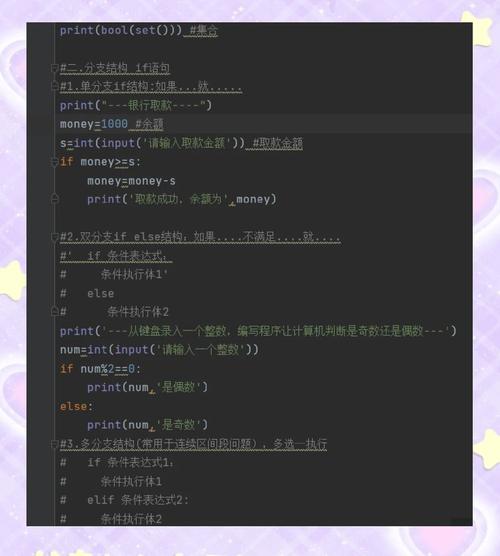
This is the most fundamental and flexible conditional statement in Java. It evaluates a boolean expression and executes a block of code if that expression is true.
Key Characteristics:
- Flexibility: Can check any boolean expression (ranges, multiple variables, complex logic).
- Order Matters: The conditions are evaluated in order. Once a condition is
true, its block is executed, and the rest of theelse iforelseblocks are skipped. elseis Optional: The finalelseblock is optional and acts as a "catch-all" if none of the previous conditions are met.
Syntax:
if (condition1) {
    // code to execute if condition1 is true
} else if (condition2) {
    // code to execute if condition1 is false and condition2 is true
} else if (condition3) {
    // code to execute if condition1 and condition2 are false and condition3 is true
} else {
    // code to execute if all previous conditions are false
}
Example:
This is a perfect use case for if-else if-else because we are checking ranges.
int score = 85;
if (score >= 90) {
    System.out.println("Grade: A");
} else if (score >= 80) { // This is only checked if score is < 90
    System.out.println("Grade: B");
} else if (score >= 70) { // This is only checked if score is < 80
    System.out.println("Grade: C");
} else {
    System.out.println("Grade: F");
}
// Output: Grade: B
The switch Statement
A switch statement is a control flow statement that transfers execution to one of several case statements based on the value of a single variable.
Key Characteristics:
- Discrete Values: It works best with a single variable that can have a finite set of values.
- Constant Cases: The
caselabels must be constants (literals,finalvariables, or enum constants). They cannot be ranges or expressions. breakis Crucial: If you don't include abreak;statement at the end of acaseblock, execution will "fall through" to the nextcase. This is a common source of bugs.defaultis Optional: Thedefaultcase acts like theelsein anif-elsestatement and is executed if nocasematches.
Syntax:
switch (expression) {
    case value1:
        // code to execute if expression == value1
        break;
    case value2:
        // code to execute if expression == value2
        break;
    case value3:
        // code to execute if expression == value3
        break;
    default:
        // code to execute if expression doesn't match any case
        break;
}
Example:
This is a great use case for switch because we are checking a single variable against a set of discrete values.
String day = "Wednesday";
switch (day) {
    case "Monday":
        System.out.println("Start of the work week.");
        break;
    case "Wednesday":
        System.out.println("Hump day!");
        break;
    case "Friday":
        System.out.println("TGIF!");
        break;
    default:
        System.out.println("It's a regular day.");
        break;
}
// Output: Hump day!
Advanced switch (Java 14+ - Pattern Matching for switch)
Modern Java has significantly improved the switch statement. It can now return values, use -> for concise syntax, and even handle types (not just primitives).
// Using switch expression (Java 14+)
String result = switch (day) {
    case "Monday", "Tuesday" -> "Start of the work week.";
    case "Wednesday" -> "Hump day!";
    case "Friday" -> "TGIF!";
    default -> "It's a regular day.";
};
System.out.println(result); // Output: Hump day!
The Ternary Operator ()
This is not a statement but a conditional operator. It's a compact way to write a simple if-else expression.
Key Characteristics:
- For Assignments: It's used to assign a value to a variable based on a condition.
- One Line: It must be written on a single line.
- Not for Logic: It should not be used for executing multiple statements or
if-else if-elselogic.
Syntax:
variable = (condition) ? value_if_true : value_if_false;
Example:
Let's rewrite a simple if-else using the ternary operator.

int age = 20;
// Using if-else
String status;
if (age >= 18) {
    status = "Adult";
} else {
    status = "Minor";
}
// Using the ternary operator (more concise)
String statusTernary = (age >= 18) ? "Adult" : "Minor";
System.out.println(status);      // Output: Adult
System.out.println(statusTernary); // Output: Adult
Comparison and When to Use Which
| Feature | if-else if-else |
switch (Traditional) |
Ternary Operator () |
|---|---|---|---|
| Purpose | General-purpose branching for any boolean logic. | Branching based on a single variable's value. | Concise value assignment based on a condition. |
| Condition Type | Ranges (x > 5), complex logic (a && b), any boolean. |
Discrete, constant values (case 1:, case "RED":). |
A single boolean expression. |
| Flexibility | Highest. Can check anything. | Medium. Limited to constant values. | Lowest. Only for simple true/false value assignment. |
| Readability | Can get verbose with many conditions. | Excellent for checking many values of one variable. | Excellent for simple, one-line assignments. |
| Example Use Case | if (score > 90) { ... } else if (score > 80) { ... } |
switch (dayOfWeek) { case 1: ... break; ... } |
String name = (isMale) ? "Mr. Smith" : "Ms. Smith"; |
Summary and Recommendation
- Use
if-else if-elsewhen you need to check for ranges (>,<) or complex logical conditions involving multiple variables. This is your most versatile tool. - Use
switchwhen you are checking a single variable against a list of constant values. It often makes the code cleaner and more readable than a long chain ofelse if. Prefer the modern switch expression (Java 14+) for its conciseness. - Use the Ternary Operator for simple, one-line assignments where you need to choose between two values based on a condition. Avoid using it for complex logic that would normally require an
if-elseblock.