Of course. Let's break down the relationship between Python 2.7.13 and NumPy. This is a very specific combination, as Python 2.7 is long past its end-of-life.

Here’s a complete guide covering installation, compatibility, best practices, and why this combination is generally not recommended today.
Compatibility: Does NumPy Work with Python 2.7.13?
Yes, absolutely. Python 2.7.13 was a stable release from the 2.7 series, and NumPy had full support for it. The last version of NumPy to officially support Python 2.7 was NumPy 1.16.6.
If you install numpy==1.16.6 on Python 2.7.13, it will work correctly and provide the core NumPy functionality.
How to Install NumPy for Python 2.7.13
You have two primary methods: pip or conda. The key is to specify the exact version of NumPy.
Method 1: Using pip (Most Common)
The pip that comes with your Python 2.7 installation is pip version 9 or older. The command syntax is slightly different from modern pip.
# Navigate to your Python 2.7 environment (if you have one)
# For example, on Linux/macOS, it might be:
# /path/to/your/python2.7/bin/
# Install the last compatible version of NumPy
pip install numpy==1.16.6
Note: If you have both Python 2 and Python 3 installed, you should use pip2 to be explicit:
pip2 install numpy==1.16.6
Method 2: Using conda
If you use Anaconda or Miniconda, you can create a dedicated environment for this. This is often the cleanest approach.
# Create a new environment named py27-env with Python 2.7
conda create -n py27-env python=2.7
# Activate the environment
# On macOS/Linux:
source activate py27-env
# On Windows:
activate py27-env
# Install the last compatible version of NumPy into this environment
conda install numpy=1.16.6
Why This Combination is Strongly Discouraged
While it works, you should be very careful before using this stack in any new project. Here are the critical reasons:

Python 2.7 is End-of-Life (EOL)
Since January 1, 2025, Python 2.7 has no longer received official support. This means:
- No Security Updates: Vulnerabilities discovered in Python 2.7 will not be patched. This is a major security risk.
- No Bug Fixes: If you encounter a bug in the interpreter itself, it will not be fixed.
- No New Features: You are frozen in time with the technology from 2025.
NumPy 1.16 is Also Old
The last NumPy version for Python 2.7 (1.16.6) was released in 2025. You are missing out on over 4 years of improvements:
- Performance Gains: Newer NumPy versions have significant performance optimizations.
- New Features: Many new functions, data types, and functionalities have been added.
- Bug Fixes: Countless bugs have been fixed since 1.16.
Dependency Hell
Any modern third-party library you try to install will almost certainly require Python 3.5+ and a modern version of NumPy (e.g., numpy>=1.20). Attempting to install a modern library into your Python 2.7 environment will fail immediately. This makes your environment an isolated island.
The Python 2 to 3 Migration is Over
The "2to3" tool and the long migration period are in the past. The scientific Python ecosystem has fully moved to Python 3. Libraries like Pandas, Matplotlib, SciPy, Scikit-learn, TensorFlow, and PyTorch have all dropped support for Python 2.7. You cannot use them with this setup.
Practical Example: Running Code
Let's say you have successfully installed numpy==1.16.6 on Python 2.7.13. Here's how you'd use it.
example.py
# -*- coding: utf-8 -*-
import numpy as np
import sys
# Print Python and NumPy versions for verification
print "Python Version:", sys.version
print "NumPy Version:", np.__version__
# --- Basic NumPy Operations ---
# 1. Create a NumPy array
a = np.array([1, 2, 3, 4, 5])
print "\nArray 'a':", a
print "Type of 'a':", type(a)
# 2. Create a 2D array (matrix)
b = np.array([[1, 2, 3], [4, 5, 6]])
print "\n2D Array 'b':\n", b
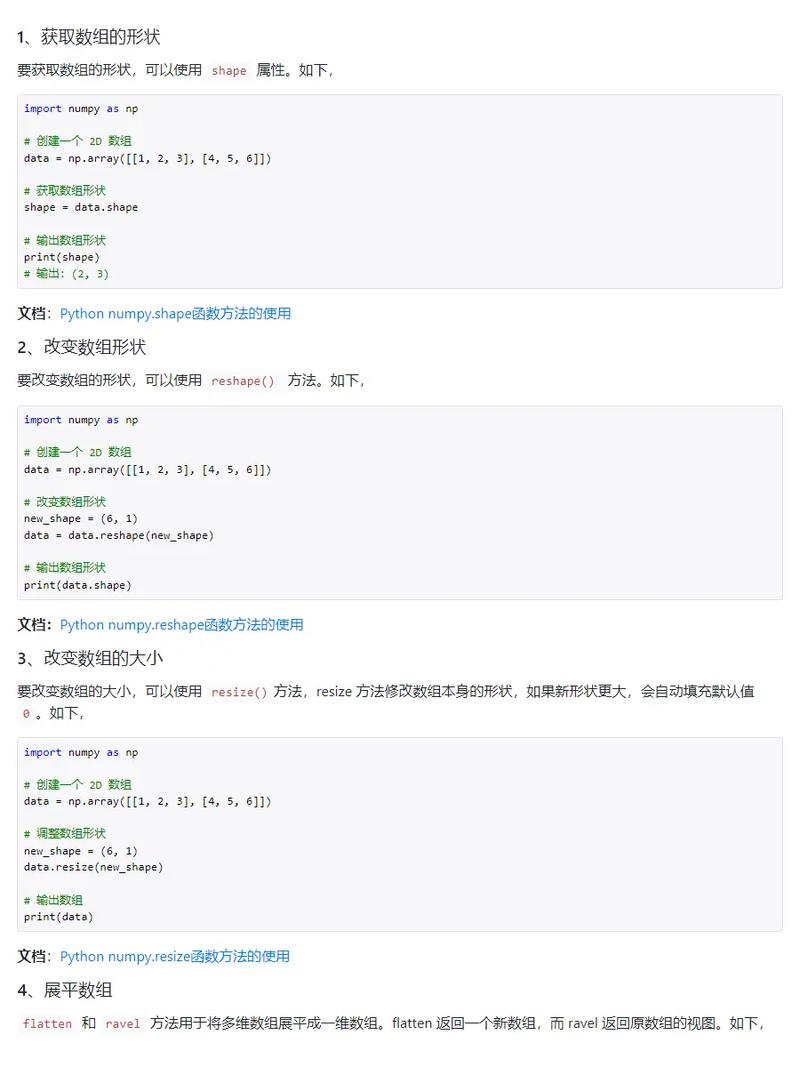
print "Shape of 'b':", b.shape
# 3. Perform mathematical operations (vectorization)
c = a * 2
d = a ** 2
print "\n'c' (a * 2):", c
print "'d' (a ** 2):", d
# 4. Use NumPy's mathematical functions
mean_val = np.mean(a)
sum_val = np.sum(b)
print "\nMean of 'a':", mean_val
print "Sum of 'b':", sum_val
To run this:
python example.py
Expected Output:
Python Version: 2.7.13 (default, Jul 22 2025, 12:07:55)
[GCC 4.2.1 Compatible Apple LLVM 8.0.0 (clang-800.0.42.1)]
NumPy Version: 1.16.6
Array 'a': [1 2 3 4 5]
Type of 'a': <type 'numpy.ndarray'>
2D Array 'b':
[[1 2 3]
 [4 5 6]]
Shape of 'b': (2, 3)
'c' (a * 2): [ 2  4  6  8 10]
'd' (a ** 2): [ 1  4  9 16 25]
Mean of 'a': 3.0
Sum of 'b': 21
(Note: The print statements use Python 2 syntax, which is why there are no parentheses around the output.)
Summary and Recommendation
| Feature | Status with Python 2.7.13 & NumPy 1.16.6 | Recommendation |
|---|---|---|
| Compatibility | ✅ Works. The versions are compatible. | Acceptable for legacy code only. |
| Security | ❌ High Risk. Python 2.7 and its dependencies (like OpenSSL) are unpatched. | Do not use for new projects, especially those handling data or exposed to the internet. |
| Performance | ⚠️ Outdated. You are missing years of performance optimizations. | Unacceptable for performance-critical new work. |
| Ecosystem Access | ❌ Isolated. You cannot use any modern scientific libraries (Pandas, Scikit-learn, etc.) or deep learning frameworks. | This is the biggest limitation. The entire Python data science ecosystem has moved on. |
| Maintenance | ❌ Impossible. No official support. Finding help or developers for this stack is extremely difficult. | Unmaintainable in the long term. |
Final Verdict:
Only use Python 2.7.13 and NumPy 1.16.6 if you are maintaining an old, legacy system that cannot be upgraded.
For any new project, you should immediately migrate to a modern Python 3 version (Python 3.8+ is recommended) and the latest stable version of NumPy. The transition is smoother than ever, and the benefits in security, performance, and access to the latest tools are immense.