Of course! "Java IntelliJ IDEA" is a powerful combination that forms the standard for professional Java development. Let's break it down into what each part is and why they work so well together.
Java: The Programming Language
First, a quick refresher on Java.
- What it is: A high-level, class-based, object-oriented programming language designed to have as few implementation dependencies as possible.
- Key Features:
- "Write Once, Run Anywhere" (WORA): This is Java's famous motto. Java code is compiled into an intermediate format called bytecode, which can then run on any device that has a Java Virtual Machine (JVM) installed. This makes it highly portable.
- Strongly Typed: You must declare the type of a variable (e.g.,
int,String), which helps catch errors at compile time. - Object-Oriented: Encourages organizing code into reusable "objects" that contain both data (fields) and methods (functions).
- Rich Standard Library: Comes with a vast set of pre-built tools for everything from networking and data structures to GUI development.
- Automatic Memory Management: Uses a process called garbage collection to automatically manage memory, freeing developers from the error-prone task of manual memory allocation/deallocation.
Common Uses of Java:
- Enterprise-level backend services (using frameworks like Spring Boot)
- Android app development
- Big Data technologies (Hadoop, Spark, Kafka)
- Scientific computing applications
- Web applications
IntelliJ IDEA: The Integrated Development Environment (IDE)
An IDE is a software application that provides comprehensive facilities to computer programmers for software development. In simple terms, it's your workbench, your toolbox, and your all-in-one workspace for writing code.
IntelliJ IDEA, created by JetBrains, is widely considered the best IDE for Java development. It goes far beyond a simple text editor.
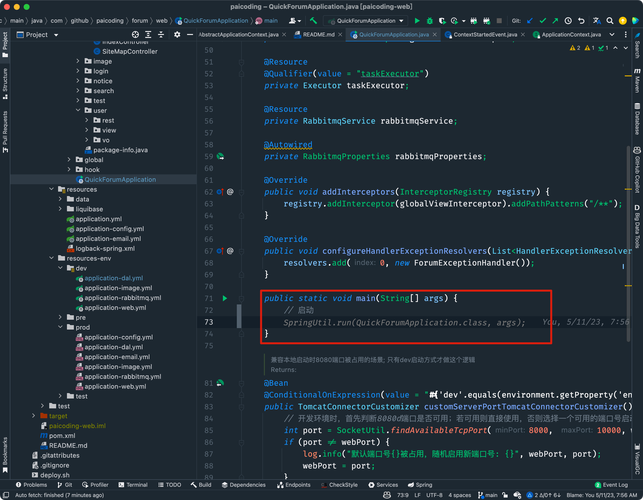
Why Use an IDE like IntelliJ IDEA?
Imagine building a car with just a wrench and a screwdriver. You could do it, but it would be incredibly slow and difficult. An IDE is your entire, professional-grade mechanic's toolbox. Here's what it provides:
| Feature | What it is | Why it's Awesome |
|---|---|---|
| Smart Code Editor | A text editor that understands your code's structure, syntax, and context. | IntelliSense/Code Completion: As you type, it suggests variable names, method names, and even entire lines of code. It's like having a psychic assistant. |
| Refactoring Tools | Tools that allow you to restructure your code without changing its external behavior. | "Renapocalypse" No More: Need to rename a variable used in 50 different files? IntelliJ does it instantly and correctly across your entire project. This saves hours of tedious work and prevents bugs. |
| Integrated Debugger | A tool that lets you pause your program's execution, inspect variables, and step through your code line by line. | Find Bugs Visually: When your code doesn't work as expected, you can "freeze time" and see exactly what's happening inside your program. You can watch variables change and pinpoint the exact line causing the issue. |
| Build Tools Integration | Seamless integration with tools like Maven and Gradle. | Dependency Management: Easily add external libraries (JAR files) to your project, manage project versions, and build your application with a single click. |
| Version Control (VCS) | Built-in support for Git, SVN, Mercurial, etc. | Git Made Easy: Commit changes, view history, resolve merge conflicts, and create pull branches—all without leaving the IDE. The "Changes" tool window is a game-changer. |
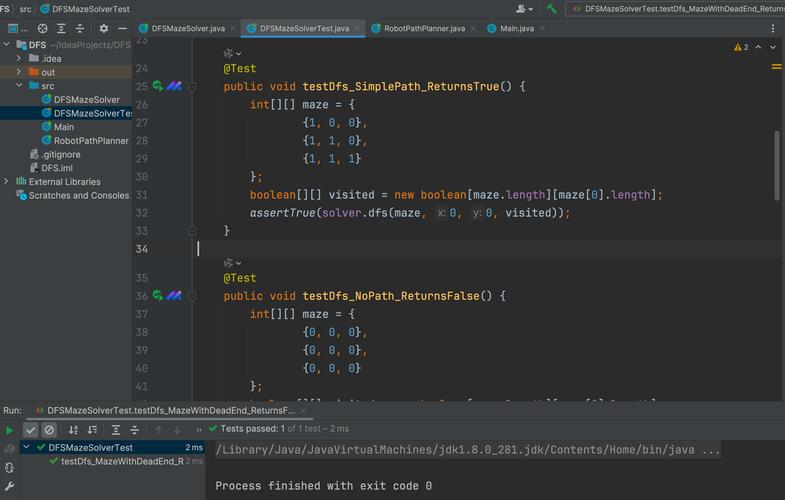
| Testing Frameworks | Native support for JUnit and TestNG. | Run Tests Instantly: Run all your tests, a single test class, or just one method with a right-click. See results directly in the IDE. |
| Plugin Ecosystem | A vast marketplace of plugins to extend the IDE's functionality. | Customize Your Workflow: Add support for other languages (Python, JavaScript, Go), databases, Docker, or tools specific to your company's workflow. |
The Synergy: Java + IntelliJ IDEA
This is where the magic happens. IntelliJ IDEA isn't just a text editor that happens to support Java; it's built from the ground up to understand the Java language and its ecosystem.
- Deep Language Understanding: IntelliJ understands Java's type system, design patterns, and best practices. This allows for incredibly accurate code analysis and refactoring.
- Framework-Specific Support: It has special, deep integrations for major Java frameworks. For example, with Spring Boot, IntelliJ can:
- Detect Spring annotations and provide context-aware help.
- Start and debug your application directly from the IDE.
- Navigate between a controller and its corresponding service class with a single click.
- Ultimate Productivity: The combination of smart code completion, powerful refactoring, and an integrated debugger drastically reduces the time and cognitive load required to write, maintain, and debug Java code.
How to Get Started
- Install the Java Development Kit (JDK): You can't run Java code without the JDK, which includes the compiler (
javac) and the JVM. Download it from Adoptium (Eclipse Temurin) or Oracle. Make sure to set theJAVA_HOMEenvironment variable. - Download and Install IntelliJ IDEA:
- Go to the IntelliJ IDEA Website.
- You'll see two versions:
- Community Edition: Free and Open Source. Perfect for pure Java development, Android development, and learning. This is the best place to start.
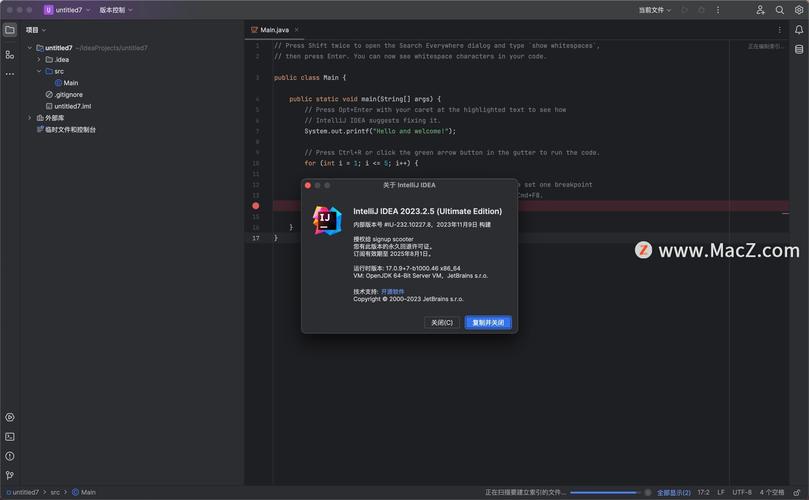
- Ultimate Edition: Paid. Includes everything in the Community Edition, plus advanced support for web development (JavaScript, TypeScript, front-end frameworks), databases, scientific tools, and more. Many companies provide a license for their developers.
- Create Your First Project:
- Open IntelliJ IDEA.
- Click "New Project".
- Select "Java" from the left-hand menu.
- Choose your JDK installation (it should be detected automatically).
- Give your project a name and click "Create".
- IntelliJ will set up a standard Maven/Gradle project structure for you.
You'll see a src folder. Right-click it, go to New > Java Class, and start writing your first public class Main { public static void main(String[] args) { ... } }. As you type, you'll immediately see the power of IntelliJ's code completion.
Summary
| Java | IntelliJ IDEA | |
|---|---|---|
| Role | The language and platform. | The tool (IDE) for writing that language. |
| Analogy | The English language. | A professional writer's full-featured word processor with spell-check, grammar, and style analysis. |
| Key Benefit | Portability, robustness, and a massive ecosystem. | Unmatched productivity, smart assistance, and powerful debugging/refactoring tools. |
Together, Java and IntelliJ IDEA provide a professional, efficient, and enjoyable environment for building robust applications. For anyone serious about Java development, learning to use IntelliJ IDEA is an essential skill.