Of course! Converting a Java Object to an int is a common task, but it's not as simple as a direct cast because an Object could be anything (a String, a Double, a custom class, etc.). You need to check the object's type and then perform the appropriate conversion.
Here’s a comprehensive guide covering the most common scenarios, from safe and robust methods to quick and dirty ones.
Summary of Methods
| Method | When to Use | Key Feature |
|---|---|---|
Integer.parseInt() |
When the object is a String representing an integer. |
Most Common. Throws NumberFormatException on failure. |
Number.intValue() |
When the object is a Number subclass (Integer, Double, Long, etc.). |
Most Robust for Numbers. Handles all numeric types. |
Object.toString() |
As a last resort or for logging. | Converts the object to its String representation first. |
| Custom Casting | When you know the object is a specific type (e.g., your own class). | Fastest if you are certain of the type. |
| Java 8 Streams | For converting a collection of objects to integers. | Modern, functional approach. |
Method 1: The Common Case - Object is a String
This is the most frequent scenario. You have an Object that you know (or hope) is a String containing digits.
How it works: You first cast the Object to a String, then use the static Integer.parseInt() method to convert the String to an int.
Code Example:
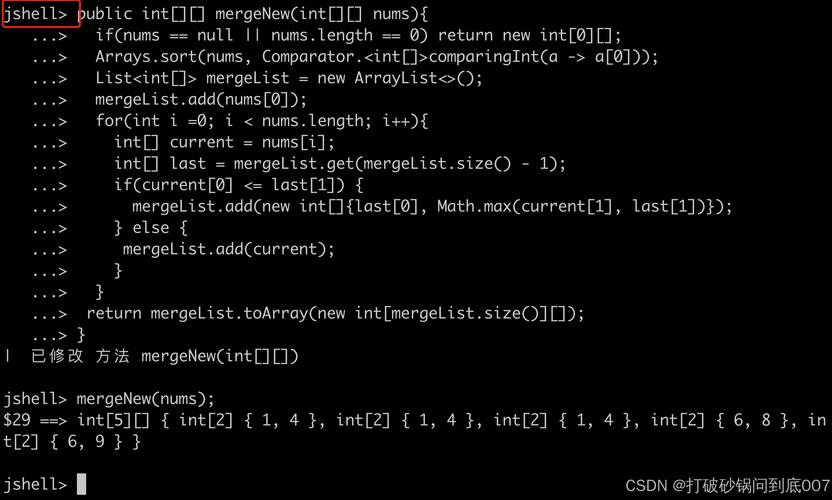
public class StringToIntConverter {
    public static void main(String[] args) {
        Object myObject = "12345"; // This is a String object
        try {
            // 1. Cast the Object to a String
            String myString = (String) myObject;
            // 2. Parse the String to an int
            int myInt = Integer.parseInt(myString);
            System.out.println("Successfully converted: " + myInt);
            System.out.println("Type of myInt: " + ((Object)myInt).getClass().getSimpleName()); // Prints "Integer"
        } catch (ClassCastException e) {
            System.err.println("Error: The object is not a String.");
        } catch (NumberFormatException e) {
            System.err.println("Error: The String does not contain a valid integer.");
        }
    }
}
Output:
Successfully converted: 12345
Type of myInt: Integer
Important Considerations:
ClassCastException: IfmyObjectwas not actually aString(e.g.,myObject = 123.45;), the cast(String) myObjectwould fail.NumberFormatException: If theStringcannot be parsed as a number (e.g.,"hello"),Integer.parseInt()will throw this exception.- Primitive
intvs. WrapperInteger:Integer.parseInt()returns a primitiveint. Theintvalue is stored directly. TheIntegerclass is a "wrapper" that can hold anintvalue but is also anObjectitself.
Method 2: The Robust Case - Object is a Number (Integer, Double, etc.)
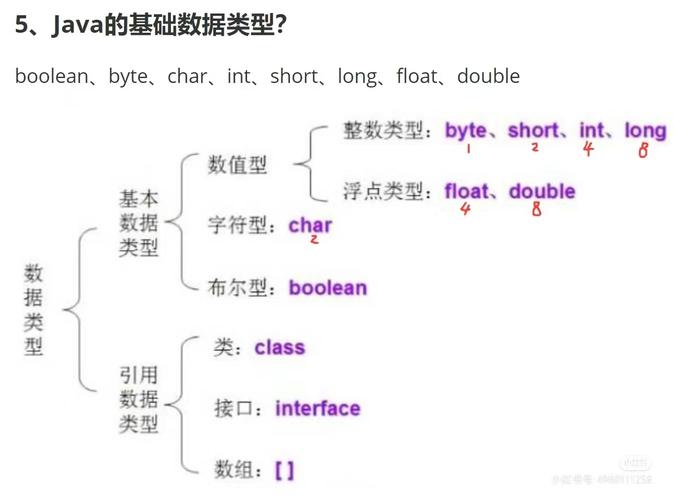
If your Object could be any numeric type (Integer, Double, Float, Long, etc.), you should avoid parseInt. Instead, you should cast the Object to the Number class and call the .intValue() method. This is the safest and most correct way to handle any numeric object.
How it works: The Number class is the parent class for all Java numeric wrapper classes. Casting to Number is safe for any of them, and .intValue() performs a safe truncation (e.g., 9 becomes 10).
Code Example:
public class NumberToIntConverter {
    public static void main(String[] args) {
        // Example with a Double
        Object doubleObject = 98.6;
        convertToInt(doubleObject);
        // Example with a Long
        Object longObject = 999999999L;
        convertToInt(longObject);
        // Example with an Integer
        Object integerObject = 42;
        convertToInt(integerObject);
        // Example with a non-Number (will fail)
        Object stringObject = "123";
        convertToInt(stringObject);
    }
    public static void convertToInt(Object obj) {
        System.out.println("\nAttempting to convert: " + obj + " (Type: " + obj.getClass().getSimpleName() + ")");
        try {
            // Cast to the Number class
            Number number = (Number) obj;
            // Get the int value. This will truncate decimals.
            int intValue = number.intValue();
            System.out.println("  -> Success! Converted to int: " + intValue);
        } catch (ClassCastException e) {
            System.err.println("  -> Error: Cannot cast object of type " + obj.getClass().getName() + " to Number.");
        }
    }
}
Output:
Attempting to convert: 98.6 (Type: Double)
  -> Success! Converted to int: 98
Attempting to convert: 999999999 (Type: Long)
  -> Success! Converted to int: 999999999
Attempting to convert: 42 (Type: Integer)
  -> Success! Converted to int: 42
Attempting to convert: 123 (Type: String)
  -> Error: Cannot cast object of type java.lang.String to Number.
Method 3: The Last Resort - Object's toString()
If an object doesn't have a sensible numeric representation, but you want to try and convert its text-based identity to an int, you can use its toString() method first.
How it works: Call toString() on the object, then parse the resulting string.
Code Example:
public class ToStringToIntConverter {
    public static void main(String[] args) {
        // A custom object
        class Person {
            String name;
            Person(String name) { this.name = name; }
            @Override public String toString() { return name + "-123"; }
        }
        Object personObject = new Person("Alice");
        try {
            String stringValue = personObject.toString(); // Results in "Alice-123"
            int id = Integer.parseInt(stringValue.split("-")[1]); // Get the part after the hyphen
            System.out.println("Extracted ID: " + id); // Prints 123
        } catch (Exception e) {
            System.err.println("Failed to convert object's toString() to int.");
        }
    }
}
Warning: This is brittle. It will fail if the toString() format changes or if the resulting string is not a valid number. Use only when you control the object's format.
Method 4: Custom Casting (When You Know the Type)
If you are writing the code and you know for a fact that the Object is an instance of a specific class you created, you can perform a direct cast.
How it works: Use the instanceof operator to check the type, then cast and call a getter method.
Code Example:
// A custom class that holds an integer value
class MyData {
    private int value;
    public MyData(int value) { this.value = value; }
    public int getValue() { return value; }
}
public class CustomObjectToIntConverter {
    public static void main(String[] args) {
        Object dataObject = new MyData(100);
        if (dataObject instanceof MyData) {
            // Safe to cast
            MyData myData = (MyData) dataObject;
            int myInt = myData.getValue();
            System.out.println("Converted from custom object: " + myInt);
        } else {
            System.out.println("Object is not of type MyData");
        }
    }
}
Output:
Converted from custom object: 100Method 5: Using Java 8 Streams (For Collections)
If you have a Collection<Object> and want to convert all valid elements to ints, Java 8 Streams are a great, functional way to do it.
How it works: Create a stream, filter out invalid elements, map the valid ones to int, and collect the results.
Code Example:
import java.util.Arrays;
import java.util.List;
import java.util.stream.Collectors;
public class StreamToIntConverter {
    public static void main(String[] args) {
        List<Object> mixedList = Arrays.asList("10", 25, "hello", 3.14, "99", new MyData(500));
        List<Integer> integers = mixedList.stream()
            // Keep only objects that are either a String or a Number
            .filter(obj -> obj instanceof String || obj instanceof Number)
            // Map the filtered objects to an Integer
            .map(obj -> {
                if (obj instanceof String) {
                    try {
                        return Integer.parseInt((String) obj);
                    } catch (NumberFormatException e) {
                        return null; // This filter will catch it
                    }
                } else { // It's a Number
                    return ((Number) obj).intValue();
                }
            })
            // Filter out any nulls that resulted from failed parses
            .filter(i -> i != null)
            // Collect the results into a new List
            .collect(Collectors.toList());
        System.out.println("Converted Integers: " + integers);
    }
}
Output:
Converted Integers: [10, 25, 99, 500]Which Method Should I Choose?
If your Object is a... |
Use this method... | Why? |
|---|---|---|
String |
Integer.parseInt() |
It's the standard, most direct way. |
Integer, Double, Long, etc. |
Cast to Number and use .intValue() |
It's robust, type-safe, and handles all numeric types correctly. |
| A custom class with a number | Custom casting with instanceof |
It's the most efficient and safest if you know the type. |
| A collection of mixed objects | Java 8 Streams | It's a clean, modern, and declarative way to process and filter collections. |
| Anything else (as a last resort) | toString() then parseInt() |
Use with extreme caution, as it's very fragile. |