- 前端 (HTML):创建一个用户可以选择和提交文件的表单。
- 后端 (Java):接收前端传来的文件数据,并将其保存到服务器的指定目录中。
第一步:前端实现 (HTML)
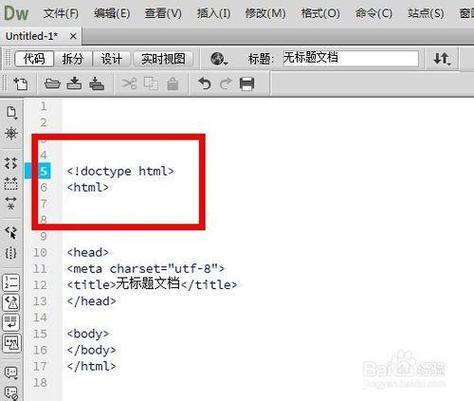
前端的核心是使用一个 <form> 标签,并设置几个关键属性。
(图片来源网络,侵删)
关键点:
method="post":文件上传必须使用 POST 方法,因为 GET 方法有 URL 长度限制,且不安全。enctype="multipart/form-data":这是最关键的一步,这个属性告诉浏览器,表单中包含文件等二进制数据,需要使用特殊的 MIME 类型进行编码,没有它,后端将无法正确接收文件。<input type="file">:标准的文件选择输入控件。
示例代码 (upload.html)
<!DOCTYPE html>
<html lang="zh-CN">
<head>
    <meta charset="UTF-8">文件上传示例</title>
    <style>
        body { font-family: sans-serif; padding: 20px; }
        .container { max-width: 600px; margin: auto; border: 1px solid #ccc; padding: 20px; border-radius: 8px; }
        h2 { text-align: center; }
        input[type="file"] { width: 100%; padding: 8px; margin-bottom: 10px; }
        input[type="submit"] { background-color: #007bff; color: white; padding: 10px 15px; border: none; border-radius: 4px; cursor: pointer; width: 100%; }
        input[type="submit"]:hover { background-color: #0056b3; }
    </style>
</head>
<body>
    <div class="container">
        <h2>上传文件</h2>
        <form action="upload" method="post" enctype="multipart/form-data">
            <!--
              action="upload": 指定表单提交到的后端URL。
              在Servlet中,这通常对应一个@WebServlet("/upload")的类。
              在Spring Boot中,这通常对应一个 @PostMapping("/upload") 的方法。
            -->
            <label for="file">请选择文件:</label>
            <input type="file" id="file" name="file" required> <!-- name="file" 是后端用来识别这个文件的key -->
            <input type="submit" value="上传文件">
        </form>
    </div>
</body>
</html>
说明:
action="upload":这个值取决于你使用的后端技术,我们假设后端有一个处理/upload路径的接口。name="file":这个name属性非常重要,后端代码会通过这个名称来获取上传的文件对象,你可以把它想象成一个“键”,前端把文件数据作为“值”发送过去。
第二步:后端实现 (Java)
后端负责解析 multipart/form-data 格式的请求数据,并提取出文件,我们将介绍两种主流的 Java 后端实现方式:
- 传统 Servlet (Java EE / Jakarta EE)
- 现代 Spring Boot
使用传统 Servlet
你需要一个支持 Servlet 3.0+ 的服务器(如 Tomcat 9, Jetty 9)。
(图片来源网络,侵删)
创建 Maven 项目并添加依赖
在 pom.xml 中添加 javax.servlet-api 依赖。
<dependencies>
    <!-- Jakarta Servlet API (对于 Tomcat 10+) -->
    <dependency>
        <groupId>jakarta.servlet</groupId>
        <artifactId>jakarta.servlet-api</artifactId>
        <version>6.0.0</version>
        <scope>provided</scope> <!-- 服务器会提供,所以打包时不需要 -->
    </dependency>
</dependencies>
创建上传目录
在你的项目根目录下(src/main/webapp 旁边),创建一个目录来存放上传的文件,uploads。
(图片来源网络,侵删)
编写 Servlet 类
创建一个 Java 类来处理文件上传请求。
import jakarta.servlet.ServletException;
import jakarta.servlet.annotation.MultipartConfig; // 声明这是一个支持文件上传的Servlet
import jakarta.servlet.annotation.WebServlet;
import jakarta.servlet.http.HttpServlet;
import jakarta.servlet.http.HttpServletRequest;
import jakarta.servlet.http.HttpServletResponse;
import jakarta.servlet.http.Part;
import java.io.File;
import java.io.IOException;
import java.io.InputStream;
import java.nio.file.Files;
import java.nio.file.Path;
import java.nio.file.Paths;
import java.nio.file.StandardCopyOption;
@WebServlet("/upload") // 对应HTML中form的action属性
@MultipartConfig // 必须添加此注解,Servlet才能处理Part对象
public class FileUploadServlet extends HttpServlet {
    // 定义上传文件的存储目录
    private static final String UPLOAD_DIR = "uploads";
    @Override
    protected void doPost(HttpServletRequest request, HttpServletResponse response)
            throws ServletException, IOException {
        // 1. 获取上传目录的绝对路径
        // getServletContext().getRealPath() 获取 webapp 目录的路径
        String applicationPath = getServletContext().getRealPath("");
        String uploadFilePath = applicationPath + File.separator + UPLOAD_DIR;
        // 2. 如果目录不存在,则创建
        File uploadDir = new File(uploadFilePath);
        if (!uploadDir.exists()) {
            uploadDir.mkdirs();
        }
        // 3. 从请求中获取 Part 对象(对应前端的 <input type="file">)
        // name="file" 必须和HTML中的input的name属性一致
        Part filePart = request.getPart("file");
        if (filePart == null) {
            response.getWriter().println("错误:没有选择文件!");
            return;
        }
        // 4. 获取文件名
        String fileName = filePart.getSubmittedFileName();
        if (fileName == null || fileName.isEmpty()) {
            response.getWriter().println("错误:文件名为空!");
            return;
        }
        // 5. 构建目标文件的完整路径
        Path targetPath = Paths.get(uploadFilePath, fileName);
        // 6. 将上传的文件内容写入到服务器硬盘
        // 使用 try-with-resources 确保 InputStream 被正确关闭
        try (InputStream inputStream = filePart.getInputStream()) {
            Files.copy(inputStream, targetPath, StandardCopyOption.REPLACE_EXISTING);
        }
        // 7. 返回成功信息
        response.getWriter().println("文件 " + fileName + " 上传成功!保存在: " + targetPath);
    }
}
代码解释:
@WebServlet("/upload"):将这个 Servlet 映射到/uploadURL。@MultipartConfig:必需,这个注解告诉容器,这个 Servlet 可以处理multipart/form-data请求,并提供了getPart()方法。request.getPart("file"):根据前端input的name属性获取Part对象,Part封装了上传文件的所有信息(内容、文件名、大小等)。filePart.getInputStream():获取文件的输入流,我们可以将其写入到服务器的文件系统中。Files.copy(...):一个非常方便的 NIO 工具,用于将输入流的内容复制到目标文件。
使用 Spring Boot (更推荐)
Spring Boot 简化了配置,处理文件上传非常方便。
创建 Spring Boot 项目
使用 Spring Initializr 创建一个新项目,添加以下依赖:
- Spring Web: 用于构建 Web 应用。
- Spring Boot DevTools: (可选) 用于热部署。
配置上传目录
在 src/main/resources 目录下创建 application.properties 或 application.yml 文件。
application.properties:
# 设置单个文件的最大大小 (5MB)
spring.servlet.multipart.max-file-size=5MB
# 设置总请求的最大大小 (包含多个文件,10MB)
spring.servlet.multipart.max-request-size=10MB
编写 Controller
创建一个 Controller 来处理文件上传请求。
import org.springframework.stereotype.Controller;
import org.springframework.web.bind.annotation.PostMapping;
import org.springframework.web.bind.annotation.RequestParam;
import org.springframework.web.multipart.MultipartFile;
import org.springframework.web.servlet.mvc.support.RedirectAttributes;
import java.io.File;
import java.io.IOException;
import java.nio.file.Files;
import java.nio.file.Path;
import java.nio.file.Paths;
import java.util.UUID;
@Controller
public class FileUploadController {
    // 定义上传文件的存储目录,放在项目根目录下
    private static final String UPLOADED_FOLDER = "uploads/";
    @PostMapping("/upload") // 对应HTML中form的action属性
    public String handleFileUpload(@RequestParam("file") MultipartFile file,
                                   RedirectAttributes redirectAttributes) {
        if (file.isEmpty()) {
            redirectAttributes.addFlashAttribute("message", "请选择一个文件上传");
            return "redirect:uploadStatus"; // 重定向到上传状态页面
        }
        try {
            // 确保上传目录存在
            Path uploadPath = Paths.get(UPLOADED_FOLDER);
            if (!Files.exists(uploadPath)) {
                Files.createDirectories(uploadPath);
            }
            // 为了防止文件名冲突,可以生成一个唯一的文件名
            String originalFilename = file.getOriginalFilename();
            String uniqueFilename = UUID.randomUUID().toString() + "_" + originalFilename;
            // 将文件保存到目标路径
            Path targetPath = uploadPath.resolve(uniqueFilename);
            Files.copy(file.getInputStream(), targetPath, StandardCopyOption.REPLACE_EXISTING);
            redirectAttributes.addFlashAttribute("message",
                    "文件 '" + uniqueFilename + "' 上传成功!");
        } catch (IOException e) {
            e.printStackTrace();
            redirectAttributes.addFlashAttribute("message", "上传失败: " + e.getMessage());
        }
        return "redirect:/uploadStatus"; // 重定向到上传状态页面
    }
    // 一个简单的页面,用于显示上传结果
    @GetMapping("/uploadStatus")
    public String uploadStatus() {
        return "uploadStatus"; // 返回一个 Thymeleaf 或其他模板引擎的HTML页面
    }
}
创建上传状态页面 (src/main/resources/templates/uploadStatus.html)
如果你使用 Thymeleaf,可以创建一个页面来显示消息。
<!DOCTYPE html>
<html lang="zh" xmlns:th="http://www.thymeleaf.org">
<head>
    <meta charset="UTF-8">上传状态</title>
</head>
<body>
    <h1>上传结果</h1>
    <p th:if="${message}" th:text="${message}"></p>
    <a href="/">返回上传页面</a>
</body>
</html>
Spring Boot 代码解释:
@Controller:声明这是一个 Spring MVC 的控制器。@PostMapping("/upload"):处理 POST 请求到/upload路径。@RequestParam("file") MultipartFile file:Spring Boot 会自动将请求中的文件数据绑定到MultipartFile对象。MultipartFile是 Spring 封装的上传文件接口,比 Servlet 的Part更易用。file.getOriginalFilename():获取原始文件名。file.getInputStream():获取文件的输入流。redirectAttributes.addFlashAttribute():用于在重定向时传递消息,消息只存在于下一次请求中。return "redirect:/uploadStatus":使用重定向可以防止用户刷新页面导致文件重复上传。
总结与对比
| 特性 | 传统 Servlet | Spring Boot |
|---|---|---|
| 依赖 | 需要 servlet-api,由服务器提供 |
spring-boot-starter-web |
| 配置 | 需要手动创建目录,代码中处理 | 在 application.properties 中简单配置文件大小限制 |
| 核心类 | @Part |
MultipartFile |
| 代码量 | 较多,需要手动处理路径、创建目录等 | 较少,Spring 自动处理很多底层细节 |
| 推荐度 | 适合学习 Servlet 原理或在不使用框架的旧项目中 | 强烈推荐,开发效率高,代码简洁,功能强大 |
对于现代 Web 开发,Spring Boot 是首选方案,它极大地简化了文件上传及其他许多常见任务,而传统的 Servlet 方式则有助于理解 Web 请求和响应的底层机制。