Of course! Let's break down the Python string method split("_").
The Short Answer
split("_") is a Python string method that breaks a string into a list of smaller strings. It does this by using the underscore character (_) as a delimiter—a marker where the splits should happen.
Example:
my_string = "apple_banana_cherry"
my_list = my_string.split("_")
print(my_list)
Output:
['apple', 'banana', 'cherry']Detailed Explanation
The Syntax
The method is called on a string object:
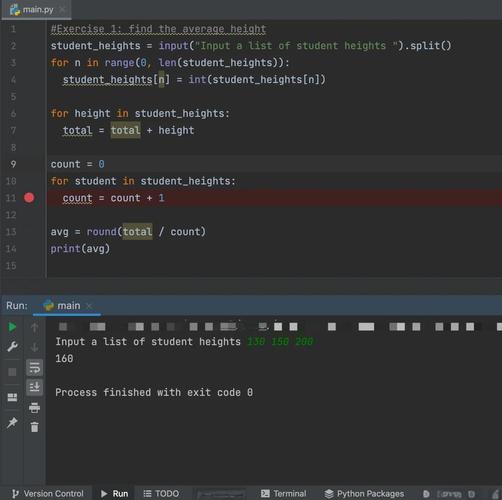
string_variable.split(separator)
In your case, split("_"), the separator is the underscore character _.
How It Works
The split() method scans the string from left to right. Every time it encounters the separator (_), it cuts the string at that point. The part of the string before the separator becomes one item in the new list, and the search continues for the next separator.
"apple_banana_cherry"-> finds_-> splits into"apple"and"banana_cherry""banana_cherry"-> finds_-> splits into"banana"and"cherry"- The end of the string is reached.
The final result is a list containing all the parts: ['apple', 'banana', 'cherry'].
Handling Edge Cases
Understanding what happens in special situations is key to using split() effectively.
a) No Separator Found
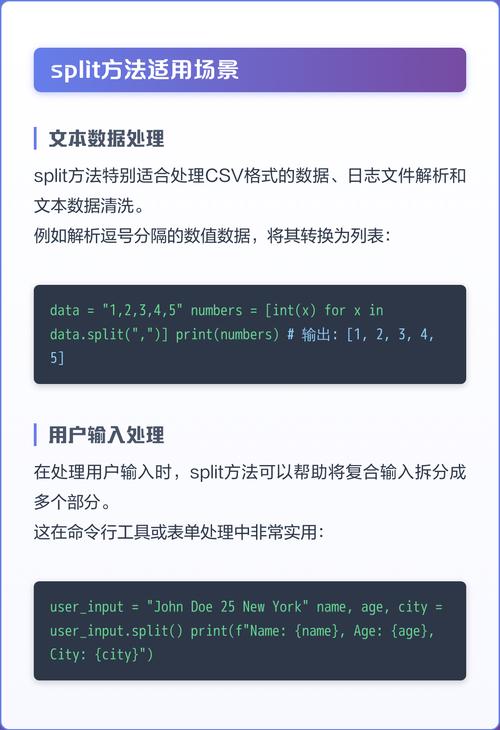
If the separator is not in the string, split() returns a list containing the original string as its only item.
text = "hello world"
result = text.split("_")
print(result)
Output:
['hello world']b) Separator at the Beginning or End If the string starts or ends with the separator, empty strings are included in the list for those positions.
text = "_apple_banana_"
result = text.split("_")
print(result)
Output:
['', 'apple', 'banana', '']- The split at the very beginning creates an empty string before
'apple'. - The split at the very end creates an empty string after
'banana'.
c) Multiple Separators in a Row If there are two or more separators next to each other, an empty string is created for the "gap" between them.
text = "apple__banana" # Two underscores
result = text.split("_")
print(result)
Output:
['apple', '', 'banana']- The split happens at the first
_, creating'apple'. - The split happens at the second
_, but there's nothing between them, so an empty string is added to the list.
The maxsplit Parameter
The split() method has an optional second parameter, maxsplit, which limits the number of splits.
- If
maxsplitis not provided, it splits all occurrences (the default behavior). - If
maxsplitis a positive integer, it will perform at most that many splits.
Example with maxsplit=1:
text = "apple_banana_cherry"
# Only split once, from the left
result = text.split("_", 1)
print(result)
Output:
['apple', 'banana_cherry']The string was split only once, so the result is a list with two elements.
Common Use Cases
-
Parsing File Paths: Splitting a path by the or
\separator to get the directory and filename.path = "/home/user/documents/report.txt" parts = path.split("/") print(parts) # ['', 'home', 'user', 'documents', 'report.txt'] -
Parsing CSV-like Data: Splitting a line of data by a comma.
csv_line = "John,Doe,30,New York" data = csv_line.split(",") print(data) # ['John', 'Doe', '30', 'New York'] -
Getting File Extension: Splitting a filename by the character.
filename = "image.png"
name_parts = filename.split(".")
if len(name_parts) > 1:
    extension = name_parts[-1] # Get the last part
    print(f"Extension: {extension}") # Extension: png
Important: split() vs. splitlines()
Don't confuse split("_") with splitlines().
split("_"): Splits a string based on a specific character you provide.splitlines(): Splits a string based on line boundaries (\n,\r\n, etc.). It's specifically for breaking a multi-line string into a list of single-line strings.
multi_line_string = "First line\nSecond line\nThird line"
lines = multi_line_string.splitlines()
print(lines)
# Output: ['First line', 'Second line', 'Third line']