
Of course! Here is a comprehensive guide to using UDP sockets in Java, covering the core concepts, code examples, best practices, and a comparison with TCP.
What is UDP?
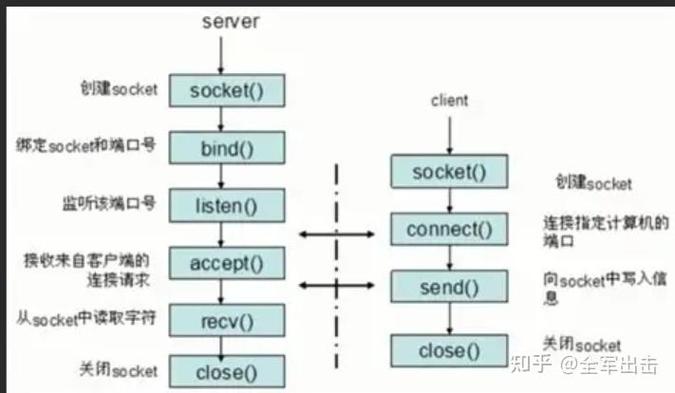
UDP (User Datagram Protocol) is one of the core protocols of the Internet Protocol (IP) suite. It's a connectionless protocol, which means:
- No Connection Setup: You don't need to establish a connection before sending data, unlike TCP.
- Unreliable: There's no guarantee that your data will arrive, that it will arrive in the correct order, or that it won't be duplicated.
- Datagram-Based: Data is sent in discrete units called datagrams. Each datagram is like a self-contained package with its own destination address.
- Fast and Lightweight: Because of the lack of connection management and error checking, UDP is much faster and has lower overhead than TCP.
When to use UDP:
- Real-time applications like video streaming, online gaming, and VoIP (where a lost packet is better than a delayed one).
- Broadcasting messages to multiple clients.
- Simple queries where you don't need a complex request-response cycle.
- When speed is more critical than absolute reliability.
Key Java Classes for UDP
Java's networking API, found in the java.net package, provides two main classes for UDP:
java.net.DatagramSocket: Represents a socket for sending and receiving datagram packets. It's the endpoint for your communication.java.net.DatagramPacket: Represents a datagram packet. It contains the data to be sent or received, along with the IP address and port number of the destination or sender.
Example: A Simple UDP Client-Server Application
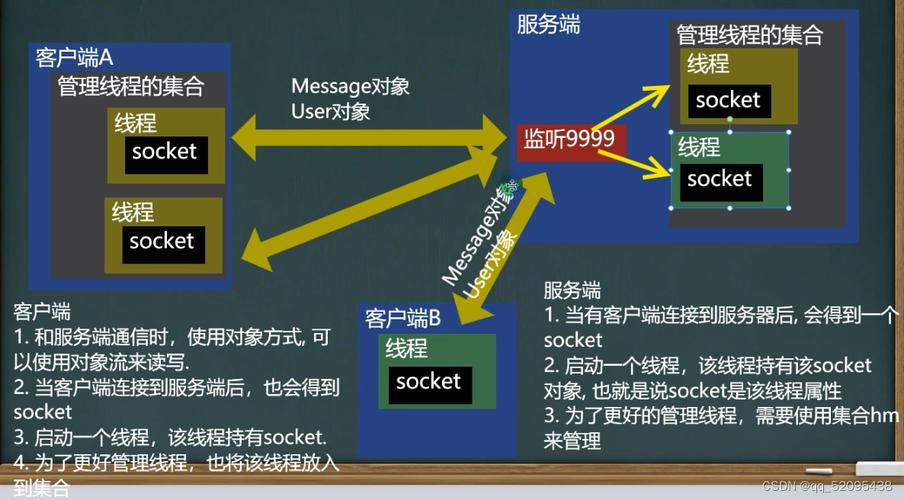
Let's build a classic "Echo Server" application. The client will send a message to the server, and the server will send the exact same message back.
The UDP Server
The server's job is to:
- Create a
DatagramSocketon a specific port to listen for incoming packets. - Create a
DatagramPacketto hold the incoming data. - Wait (block) until a packet is received.
- Process the data.
- Send a new
DatagramPacketback to the client's address and port.
// UDPEchoServer.java
import java.io.IOException;
import java.net.DatagramPacket;
import java.net.DatagramSocket;
import java.net.SocketException;
public class UDPEchoServer {
    private static final int PORT = 9876; // The port to listen on
    private static final int BUFFER_SIZE = 1024; // Size of the receive buffer
    public static void main(String[] args) {
        DatagramSocket socket = null;
        try {
            // 1. Create a DatagramSocket and bind it to a port.
            // This socket will listen for incoming packets on this port.
            socket = new DatagramSocket(PORT);
            System.out.println("Server is listening on port " + PORT);
            while (true) {
                // 2. Create a byte buffer to receive data.
                byte[] receiveBuffer = new byte[BUFFER_SIZE];
                // 3. Create a DatagramPacket to hold the received data.
                // The packet will store the data and the sender's address/port.
                DatagramPacket receivePacket = new DatagramPacket(receiveBuffer, receiveBuffer.length);
                // 4. Receive the packet (this is a blocking call).
                // The program will pause here until a packet is received.
                socket.receive(receivePacket);
                // 5. Extract the data from the packet.
                String receivedMessage = new String(receivePacket.getData(), 0, receivePacket.getLength());
                System.out.println("Received from " + receivePacket.getAddress() + ":" + receivePacket.getPort()
                        + " -> " + receivedMessage);
                // 6. Echo the message back to the client.
                // We reuse the same data and create a new packet to send back.
                byte[] sendBuffer = receivedMessage.getBytes();
                DatagramPacket sendPacket = new DatagramPacket(
                        sendBuffer, sendBuffer.length,
                        receivePacket.getAddress(), receivePacket.getPort());
                socket.send(sendPacket);
                System.out.println("Echoed back to client.");
            }
        } catch (SocketException e) {
            System.err.println("Socket Error: " + e.getMessage());
        } catch (IOException e) {
            System.err.println("I/O Error: " + e.getMessage());
        } finally {
            // 7. Close the socket.
            if (socket != null && !socket.isClosed()) {
                socket.close();
                System.out.println("Server socket closed.");
            }
        }
    }
}
The UDP Client
The client's job is to:
- Create a
DatagramSocket(it can use any available port). - Create a
DatagramPacketwith the message to send and the server's address/port. - Send the packet.
- Create a new
DatagramPacketto receive the response. - Wait for the response.
- Process the received data.
// UDPClient.java
import java.io.IOException;
import java.net.DatagramPacket;
import java.net.DatagramSocket;
import java.net.InetAddress;
import java.net.SocketException;
import java.net.UnknownHostException;
public class UDPClient {
    private static final String SERVER_ADDRESS = "localhost"; // or "127.0.0.1"
    private static final int SERVER_PORT = 9876; // Must match the server's port
    private static final int BUFFER_SIZE = 1024;
    public static void main(String[] args) {
        DatagramSocket socket = null;
        try {
            // 1. Create a DatagramSocket.
            // The operating system will assign an available port.
            socket = new DatagramSocket();
            // 2. Get the server's IP address.
            InetAddress serverIPAddress = InetAddress.getByName(SERVER_ADDRESS);
            // 3. Prepare the message to send.
            String message = "Hello, UDP Server!";
            byte[] sendBuffer = message.getBytes();
            // 4. Create a DatagramPacket to send.
            DatagramPacket sendPacket = new DatagramPacket(
                    sendBuffer, sendBuffer.length,
                    serverIPAddress, SERVER_PORT);
            // 5. Send the packet.
            System.out.println("Sending to server: " + message);
            socket.send(sendPacket);
            // 6. Prepare a buffer to receive the response.
            byte[] receiveBuffer = new byte[BUFFER_SIZE];
            DatagramPacket receivePacket = new DatagramPacket(receiveBuffer, receiveBuffer.length);
            // 7. Receive the response (blocking call).
            socket.receive(receivePacket);
            // 8. Extract and display the response.
            String receivedMessage = new String(receivePacket.getData(), 0, receivePacket.getLength());
            System.out.println("Received from server: " + receivedMessage);
        } catch (UnknownHostException e) {
            System.err.println("Unknown host: " + SERVER_ADDRESS);
        } catch (SocketException e) {
            System.err.println("Socket Error: " + e.getMessage());
        } catch (IOException e) {
            System.err.println("I/O Error: " + e.getMessage());
        } finally {
            // 9. Close the socket.
            if (socket != null && !socket.isClosed()) {
                socket.close();
            }
        }
    }
}
How to Run the Example
-
Save the two code blocks above as
UDPEchoServer.javaandUDPClient.java. -
Compile both files:
 (图片来源网络,侵删)
javac UDPEchoServer.java UDPClient.java
-
First, run the server:
java UDPEchoServer
You will see the output:
Server is listening on port 9876.The program will now wait for a client. -
In a separate terminal, run the client:
java UDPClient
Expected Output:
Server Terminal:
Server is listening on port 9876
Received from /127.0.0.1:54321 -> Hello, UDP Server!
Echoed back to client.
Client Terminal:
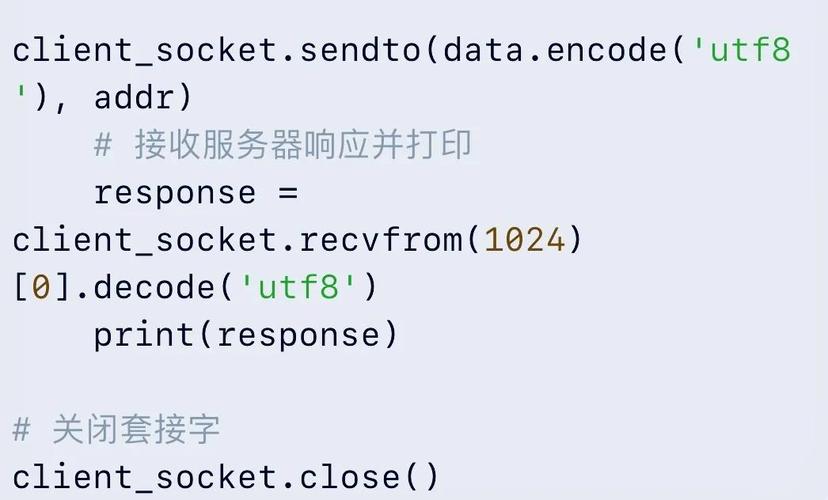
Sending to server: Hello, UDP Server!
Received from server: Hello, UDP Server!
UDP vs. TCP: A Quick Comparison
| Feature | UDP (User Datagram Protocol) | TCP (Transmission Control Protocol) |
|---|---|---|
| Connection | Connectionless. No handshake. | Connection-oriented. 3-way handshake (SYN, SYN-ACK, ACK). |
| Reliability | Unreliable. No guarantees on delivery, order, or duplicates. | Reliable. Guarantees ordered, error-free, and duplicate-free delivery. |
| Speed | Faster. Low overhead. | Slower. Higher overhead due to connection management and error checking. |
| Data Unit | Datagrams. Fixed-size packets. | Byte Stream. No inherent message boundaries. |
| Use Cases | Video streaming, online gaming, VoIP, DNS, broadcasting. | Web browsing (HTTP/HTTPS), File Transfer (FTP), Email (SMTP). |
| Java Classes | DatagramSocket, DatagramPacket |
Socket, ServerSocket, InputStream, OutputStream |
Important Considerations and Best Practices
-
Packet Size: UDP datagrams have a maximum theoretical size of 65,507 bytes (65,535 - 8 bytes for the UDP header). In practice, the maximum size is often smaller due to network Maximum Transmission Unit (MTU) limitations. If you need to send large amounts of data, you must split it into multiple smaller packets and handle reassembly yourself.
-
Error Handling: Since UDP is unreliable, you must implement your own error-checking and recovery mechanism if you need it. A common pattern is to use a simple Acknowledgment (ACK) system where the receiver sends back a small packet to confirm receipt. If the sender doesn't get an ACK within a timeout, it resends the data.
-
Concurrency: A single-threaded server like the example above can only handle one client at a time. To handle multiple clients concurrently, you need to use threading. A common pattern is for the main server loop to accept a packet and then pass it to a new
Thread(or a thread from a thread pool) to be processed, while the main loop goes back to listening. -
Security: UDP is inherently less secure than TCP. It's vulnerable to:
- IP Spoofing: An attacker can fake the source IP address.
- Denial of Service (DoS): It's easy to flood a server with packets.
- Eavesdropping: Packets are sent in clear text. Always use security measures like firewalls and, for sensitive data, encrypt your payload (e.g., using libraries like Bouncy Castle or Java Cryptography Architecture).


