Of course! Sending mail from a Python script on a Linux server is a very common and powerful task, often used for notifications, alerts, or automated reports. Here’s a comprehensive guide covering the most common methods, from the simplest to the most robust.
The Short Answer: The smtplib Library
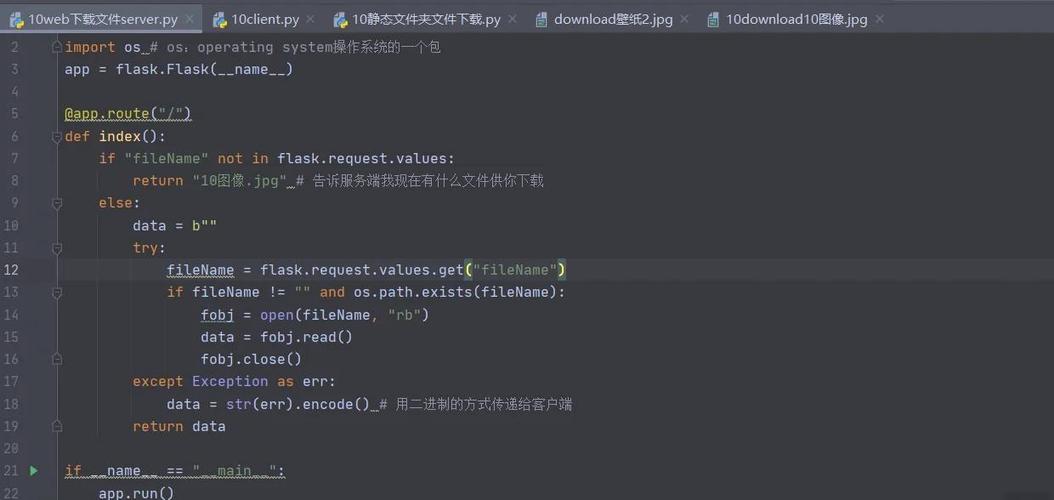
The standard, built-in Python way to send email is by using the smtplib library to communicate with an SMTP (Simple Mail Transfer Protocol) server.
Here is a complete, commented example that sends an email via Gmail. Note: You should not hardcode your password. We'll cover the secure way to handle credentials later.
import smtplib
from email.mime.text import MIMEText
from email.mime.multipart import MIMEMultipart
# --- Configuration ---
# It's best practice to use environment variables for credentials
# For this example, we'll define them here.
# IMPORTANT: For Gmail, you need to use an "App Password" if you have 2-Factor Authentication enabled.
# Your regular Google password will not work.
sender_email = "your_email@gmail.com"
sender_password = "your_gmail_app_password" # Use an App Password for Gmail
receiver_email = "recipient_email@example.com"
subject = "Test Email from Python"
# --- Create the Message ---
# Create a multipart message and set headers
message = MIMEMultipart()
message["From"] = sender_email
message["To"] = receiver_email
message["Subject"] = subject
# Add body to the email
body = """
This is a test email sent from a Python script on a Linux server.
It can contain plain text or HTML.
"""
message.attach(MIMEText(body, "plain")) # Use "html" for HTML content
# --- Send the Email ---
try:
    # Connect to the Gmail SMTP server using SSL
    # The port for SSL is 465. For TLS, it would be 587.
    with smtplib.SMTP_SSL("smtp.gmail.com", 465) as server:
        # Login to your account
        server.login(sender_email, sender_password)
        # Send the email
        server.sendmail(sender_email, receiver_email, message.as_string())
    print("Email sent successfully!")
except Exception as e:
    print(f"Failed to send email. Error: {e}")
Detailed Breakdown and Best Practices
Let's break down the components and explore better ways to handle this.
The Core Components: smtplib and email
smtplib: This library handles the communication with the mail server. You connect, log in, and send the message.email: This library is for constructing the email message itself. It's crucial because an email is more than just a subject and body. It has headers (From, To, CC, Subject), a body, and can have attachments.
Choosing an SMTP Server
You need a server to relay your mail. You can't just send it directly to the recipient's server without one.
| Method | Pros | Cons | Best For |
|---|---|---|---|
| Your Personal Email (Gmail, Outlook, etc.) | Easy to set up. You already have an account. | Has sending limits (e.g., 500 emails/day for Gmail). Requires App Passwords if 2FA is on. Can get flagged as spam. | Personal notifications, simple scripts, low-volume alerts. |
| Your Own Mail Server (Postfix, Exim) | Full control. No sending limits. Looks professional. | Complex setup and maintenance. Requires server administration knowledge. High responsibility for deliverability. | Businesses, applications with high-volume email needs, full control over the mail infrastructure. |
| Transaction Email Service (SendGrid, Mailgun, Amazon SES) | Extremely reliable. High deliverability rates. Easy to track opens/clicks. Scalable. Often has a free tier. | Costs money after the free tier. Adds a third-party dependency. | Production applications, e-commerce, newsletters, any application where email deliverability is critical. |
For most developers starting out, using a service like Gmail or a transactional service is the best choice.
Handling Credentials Securely (CRITICAL)
NEVER hardcode passwords or API keys in your script. If you commit your code to a public repository (like GitHub), your credentials will be exposed.
The best practice on a Linux server is to use environment variables.
-
Set the environment variable in your shell:
export EMAIL_USER="your_email@gmail.com"
export EMAIL_PASS="your_gmail_app_password"
-
Load them in your Python script:
import os import smtplib from email.mime.text import MIMEText sender_email = os.environ.get("EMAIL_USER") sender_password = os.environ.get("EMAIL_PASS") if not sender_email or not sender_password: print("Error: EMAIL_USER and EMAIL_PASS environment variables not set.") exit() # ... rest of your script -
Run your script:
python your_script.py
The script will now use the credentials from the environment variables.
Sending Different Types of Emails
Plain Text Email
This is the simplest case, as shown in the main example.
body = "This is a plain text email."
msg = MIMEText(body, 'plain')
msg['Subject'] = 'Plain Text Subject'
msg['From'] = sender_email
msg['To'] = receiver_email
HTML Email
HTML emails allow for rich formatting, images, and links.
html_body = """
<html>
  <body>
    <h1>This is an HTML Email</h1>
    <p>You can use <strong>bold</strong> and <em>italic</em> text.</p>
    <a href="https://www.python.org">Click here to visit Python's website</a>
  </body>
</html>
"""
msg = MIMEText(html_body, 'html')
msg['Subject'] = 'HTML Email Subject'
# ... attach and send as before
Email with Attachments
This is more complex and requires the email.mime.base module.
import smtplib
from email.mime.multipart import MIMEMultipart
from email.mime.text import MIMEText
from email.mime.base import MIMEBase
from email import encoders
import os
sender_email = os.environ.get("EMAIL_USER")
sender_password = os.environ.get("EMAIL_PASS")
receiver_email = "recipient@example.com"
# Create the root message and set the headers
msg = MIMEMultipart()
msg['From'] = sender_email
msg['To'] = receiver_email
msg['Subject'] = 'Email with Attachment'
# Attach the body
body = "Please find the attached file."
msg.attach(MIMEText(body, 'plain'))
# --- Attach a file ---
filename = "my_document.pdf" # The file you want to attach
path = "/path/to/your/files/" # The directory where the file is located
try:
    with open(os.path.join(path, filename), "rb") as attachment:
        # Create a MIMEBase object and set the maintype and subtype
        part = MIMEBase("application", "octet-stream")
        part.set_payload(attachment.read())
    # Encode the file in Base64 to make it ASCII safe
    encoders.encode_base64(part)
    # Add header as key/value pair to attachment part
    part.add_header(
        "Content-Disposition",
        f"attachment; filename= {filename}",
    )
    # Attach the file to the message
    msg.attach(part)
    # --- Send the email ---
    with smtplib.SMTP_SSL("smtp.gmail.com", 465) as server:
        server.login(sender_email, sender_password)
        server.sendmail(sender_email, receiver_email, msg.as_string())
    print(f"Email with attachment '{filename}' sent successfully!")
except Exception as e:
    print(f"Failed to send email. Error: {e}")
Method 2: Using a Command-Line Tool (mail or sendmail)
If you just need to send a simple text email and don't want to write Python code, you can use the system's built-in mail command. This is often simpler for quick, one-off tasks.
The mailutils package provides the mail command.
# Install it if you don't have it
sudo apt-get install mailutils  # For Debian/Ubuntu
sudo yum install mailx         # For CentOS/RHEL
Example: Send an email from the command line
echo "This is the body of my email." | mail -s "This is the subject" recipient@example.com
You can also read the body from a file:
mail -s "Log File Report" admin@example.com < /var/log/myapp.log
Pros:
- Extremely simple for basic text emails.
- No Python code required.
Cons:
- Not suitable for programmatic control within a Python application.
- Handling attachments and HTML is much more complex.
- Configuration is done at the system level (e.g., in
/etc/postfix/main.cf), which can be complicated.
Summary and Recommendation
| Method | When to Use |
|---|---|
Python smtplib |
This is the recommended approach for almost all Python applications. It's flexible, secure (when using environment variables), and allows for complex emails (HTML, attachments). |
Linux mail command |
Quick, simple, non-Python tasks or simple text-based alerts from a shell script. |
| Own Mail Server | When you need full control, have high volume, and have the expertise to manage it. |
| Transactional Service (SendGrid, etc.) | For production applications where email deliverability is paramount. |
For your needs as a Python developer on Linux, mastering smtplib with secure credential management is the key skill.