Of course! In Python, "JSON ident" most likely refers to pretty-printing or indenting JSON data to make it human-readable.
The primary tool for this is Python's built-in json module. The key parameter is indent.
Here’s a complete guide covering the basics, advanced options, and common use cases.
The json.dumps() Method
The json.dumps() (dump string) function converts a Python object into a JSON formatted string. The indent argument controls the spacing.
Basic Usage
- If you don't provide
indent, the output is a compact, single-line string. - If you provide
indent, it formats the output with newlines and spaces.
import json
# A Python dictionary
data = {
    "name": "John Doe",
    "age": 30,
    "isStudent": False,
    "courses": [
        {"title": "History", "credits": 3},
        {"title": "Math", "credits": 4}
    ],
    "address": {
        "street": "123 Main St",
        "city": "Anytown"
    }
}
# --- 1. No Indentation (Compact) ---
compact_json = json.dumps(data)
print("--- Compact JSON (No Indent) ---")
print(compact_json)
print("\n" + "="*40 + "\n")
# --- 2. With Indentation (Pretty-Printed) ---
# Using an integer for indent specifies the number of spaces per level.
pretty_json = json.dumps(data, indent=4)
print("--- Pretty-Printed JSON (Indent=4) ---")
print(pretty_json)
print("\n" + "="*40 + "\n")
# You can use any integer, like 2 or 8
pretty_json_indent_2 = json.dumps(data, indent=2)
print("--- Pretty-Printed JSON (Indent=2) ---")
print(pretty_json_indent_2)
Output:
--- Compact JSON (No Indent) ---
{"name": "John Doe", "age": 30, "isStudent": false, "courses": [{"title": "History", "credits": 3}, {"title": "Math", "credits": 4}], "address": {"street": "123 Main St", "city": "Anytown"}}
========================================
--- Pretty-Printed JSON (Indent=4) ---
{
    "name": "John Doe",
    "age": 30,
    "isStudent": false,
    "courses": [
        {
            "title": "History",
            "credits": 3
        },
        {
            "title": "Math",
            "credits": 4
        }
    ],
    "address": {
        "street": "123 Main St",
        "city": "Anytown"
    }
}
========================================
--- Pretty-Printed JSON (Indent=2) ---
{
  "name": "John Doe",
  "age": 30,
  "isStudent": false,
  "courses": [
    {
      "title": "History",
      "credits": 3
    },
    {
      "title": "Math",
      "credits": 4
    }
  ],
  "address": {
    "street": "123 Main St",
    "city": "Anytown"
  }
}
Other Useful Arguments for json.dumps()
Often, you'll use indent along with other arguments for better control.
sort_keys=True
This sorts the keys of all dictionaries alphabetically. This is great for creating consistent, comparable JSON output.
import json
data = {"b": 2, "a": 1, "c": 3}
# Without sort_keys
print(json.dumps(data, indent=4))
# Output:
# {
#     "b": 2,
#     "a": 1,
#     "c": 3
# }
# With sort_keys
print(json.dumps(data, indent=4, sort_keys=True))
# Output:
# {
#     "a": 1,
#     "b": 2,
#     "c": 3
# }
ensure_ascii=False
By default, json.dumps() escapes all non-ASCII characters (e.g., becomes \u00fc). If you want to output Unicode characters directly (e.g., for accented characters or emojis), set ensure_ascii=False.
import json
data = {
    "language": "Français",
    "emoji": "😊"
}
# Default behavior (ASCII)
print(json.dumps(data, indent=4))
# Output:
# {
#     "language": "Fran\u00e7ais",
#     "emoji": "\ud83d\ude0a"
# }
# With ensure_ascii=False
print(json.dumps(data, indent=4, ensure_ascii=False))
# Output:
# {
#     "language": "Français",
#     "emoji": "😊"
# }
separators
You can customize the separators between items and key-value pairs. The default is . Using a shorter separator can help reduce file size while still maintaining readability.
import json
data = {"name": "Jane Doe", "id": 123}
# Default separators
print(json.dumps(data, indent=4))
# Output:
# {
#     "name": "Jane Doe",
#     "id": 123
# }
# Compact separators (no space after colon or comma)
print(json.dumps(data, indent=4, separators=(',', ':')))
# Output:
# {
#     "name":"Jane Doe",
#     "id":123
# }
Writing Indented JSON to a File
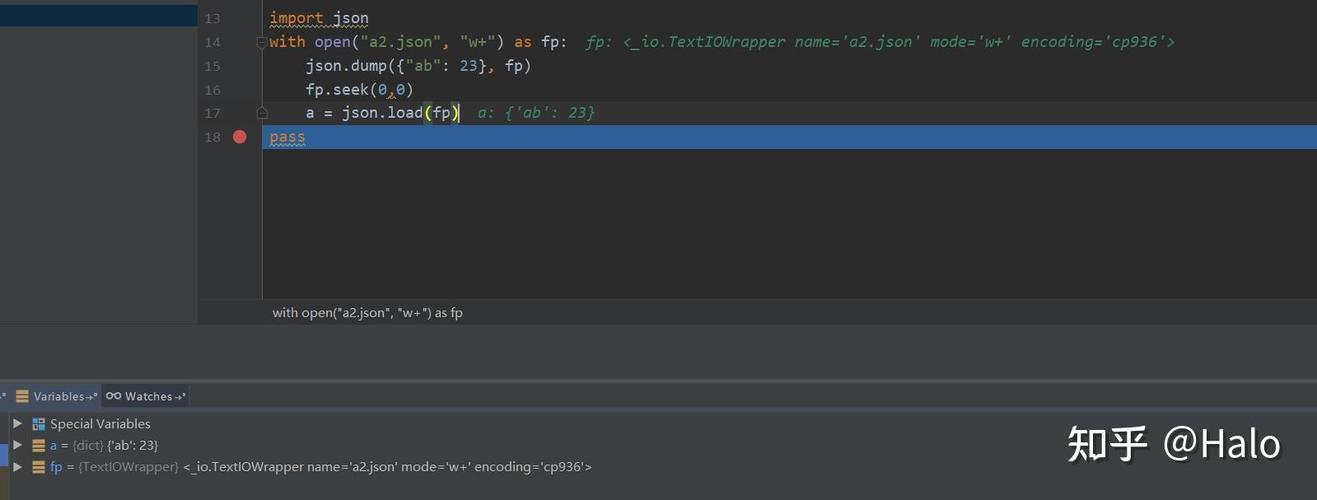
To save the pretty-printed JSON to a file, use json.dump() (note: no 's'). It writes directly to a file object.
import json
data = {
    "project": "Awesome App",
    "version": "1.0.0",
    "features": ["login", "dashboard", "notifications"]
}
# Use 'with' for safe file handling
# The file will be encoded in UTF-8 by default in Python 3
with open('data_pretty.json', 'w', encoding='utf-8') as f:
    json.dump(data, f, indent=4, ensure_ascii=False)
print("Successfully wrote pretty-printed JSON to data_pretty.json")
After running this, the file data_pretty.json will contain:
{
    "project": "Awesome App",
    "version": "1.0.0",
    "features": [
        "login",
        "dashboard",
        "notifications"
    ]
}
Reading and Re-Formatting an Existing JSON File
What if you have an existing, unformatted JSON file and want to re-indent it? You can read it in, parse it, and then write it back out with indentation.
import json
# Assume 'data_compact.json' exists with compact JSON
# {"name":"John Doe","age":30,"isStudent":false}
# 1. Read the compact JSON file
with open('data_compact.json', 'r', encoding='utf-8') as f:
    # json.load() parses a JSON file into a Python object
    data = json.load(f)
# 2. Write the Python object back to a new file with indentation
with open('data_reformatted.json', 'w', encoding='utf-8') as f:
    json.dump(data, f, indent=4, sort_keys=True)
print("Successfully reformatted JSON to data_reformatted.json")
This is a very common task for cleaning up or standardizing JSON configuration files or data dumps.
Summary
| Task | Function | Key Argument(s) |
|---|---|---|
| Convert Python object to JSON string | json.dumps() |
indent, sort_keys, ensure_ascii |
| Write Python object to JSON file | json.dump() |
indent, sort_keys, ensure_ascii |
| Read JSON file into Python object | json.load() |
(None, it's for reading) |
| Re-format an existing JSON file | json.load() + json.dump() |
Use indent in json.dump() |