Of course! Let's break down the relationship between python, pip, and pandas. This is a fundamental concept in Python data science, and understanding it will save you a lot of headaches.
Here’s a complete guide, from the basics to practical examples.
The Three Components: An Analogy
Imagine you want to cook a complex dish (like a data analysis).
- Python is your Kitchen. It's the core environment where everything happens. It has the basic tools (built-in functions), but it's not specialized for any one task.
- pip is your Shopping App (like Instacart or Amazon Fresh). Its job is to find and deliver ingredients (libraries) from a giant store (the Python Package Index, PyPI) to your kitchen.
- pandas is a specific, pre-made Ingredient Kit. It's a specialized library designed to make a certain task—in this case, data analysis—much easier. You don't have to make the sauce from scratch; the kit provides all the pre-made components you need.
What Each One Is
Python
- What it is: A high-level, general-purpose programming language. It's the foundation.
- Its Role: It provides the syntax, the core logic, and the runtime environment for your code to execute. Without Python, you can't run any Python scripts or libraries.
pip
- What it is: The Package Installer for Python. It's a command-line tool that comes bundled with modern Python installations.
- Its Role: Its only job is to manage software packages. "Packages" (also called "libraries" or "modules") are collections of code written by other people that you can use in your own projects.
pipallows you to:- Install packages from the Python Package Index (PyPI).
- Uninstall packages you no longer need.
- Upgrade packages to their latest versions.
- List all the packages you have installed.
pandas
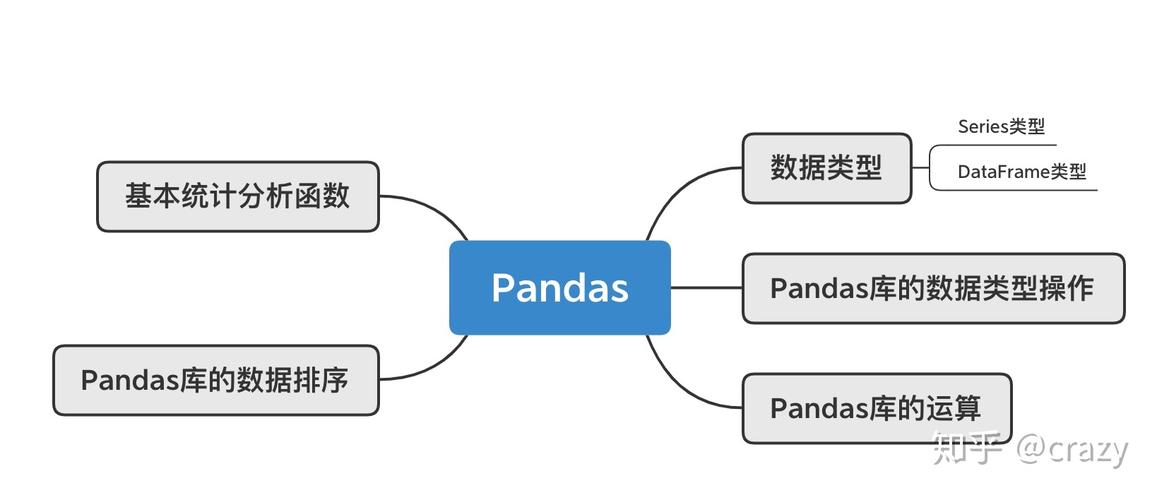
- What it is: A fast, powerful, and easy-to-use open-source data analysis and manipulation library for Python.
- Its Role: It provides data structures (like the
DataFrame) and functions to make working with structured data (like CSV files, Excel spreadsheets, or SQL databases) intuitive and efficient. If you're doing any kind of data cleaning, transformation, or analysis in Python,pandasis essential.
How They Work Together: The Workflow
Here is the typical workflow for setting up a data analysis project.
Step 1: Make sure you have Python and pip
First, you need a working Python installation. pip is usually included automatically. You can check if you have them by opening your terminal (Command Prompt on Windows, Terminal on macOS/Linux) and typing:
# Check Python version
python --version
# or on some systems
python3 --version
# Check pip version
pip --version
# or on some systems
pip3 --version
If you get an error, you need to install Python from the official website: python.org. Important: During installation, make sure to check the box that says "Add Python to PATH".
Step 2: Use pip to install pandas
Now that you have your kitchen (Python) and your shopping app (pip), you can "buy" the pandas ingredient kit.
Open your terminal and run the following command:
pip install pandas
You will see output like this, indicating that pip is downloading and installing pandas and its dependencies (like numpy).
Collecting pandas
  Downloading pandas-2.1.1-cp311-cp311-manylinux_2_17_x86_64.manylinux2025_x86_64.whl (12.7 MB)
     ━━━━━━━━━━━━━━━━━━━━━━━━━━━━━━━━━━━━━━━━ 12.7/12.7 MB 25.3 MB/s eta 0:00:00
Collecting numpy>=1.22.4
  Downloading numpy-1.26.0-cp311-cp311-manylinux_2_17_x86_64.manylinux2025_x86_64.whl (18.2 MB)
     ━━━━━━━━━━━━━━━━━━━━━━━━━━━━━━━━━━━━━━━━ 18.2/18.2 MB 38.1 MB/s eta 0:00:00
...
Installing collected packages: numpy, python-dateutil, pytz, tzdata, pandas
Successfully installed numpy-1.23.1 pandas-2.1.1 python-dateutil-2.8.2 pytz-2025.3 tzdata-2025.3
Good Practice: It's often better to use pip3 to be explicit, especially if you have both Python 2 and 3 installed.
pip3 install pandas
Step 3: Use pandas in your Python code
Now that pandas is installed in your Python environment, you can import it and use it in your scripts.
Create a new file named my_analysis.py and add the following code:
# my_analysis.py
# Step 1: Import the pandas library
# We use the conventional alias 'pd' to make our code shorter and more readable.
import pandas as pd
# Step 2: Create some data (a simple dictionary)
data = {
    'Name': ['Alice', 'Bob', 'Charlie', 'David'],
    'Age': [25, 30, 35, 28],
    'City': ['New York', 'Los Angeles', 'Chicago', 'Houston']
}
# Step 3: Create a pandas DataFrame
# A DataFrame is like a spreadsheet or a table in memory.
df = pd.DataFrame(data)
# Step 4: Do some analysis
print("The full DataFrame:")
print(df)
print("\n") # Add a newline for better spacing
# Get some basic statistics
print("Basic statistics for the 'Age' column:")
print(df['Age'].describe())
# Filter data to find people older than 30
print("\nPeople older than 30:")
print(df[df['Age'] > 30])
Step 4: Run the script
Go back to your terminal, navigate to the directory where you saved my_analysis.py, and run it:
python my_analysis.py
You will see the output of your analysis, proving that Python successfully used the pandas library that pip installed.
The full DataFrame:
      Name  Age         City
0    Alice   25     New York
1      Bob   30  Los Angeles
2  Charlie   35      Chicago
3    David   28      Houston
Basic statistics for the 'Age' column:
count      4.000000
mean      29.500000
std        4.320494
min       25.000000
25%       27.250000
50%       29.000000
75%       32.750000
max       35.000000
Name: Age, dtype: float64
People older than 30:
      Name  Age       City
1      Bob   30  Los Angeles
2  Charlie   35      Chicago
Important Best Practices
Virtual Environments
As your projects grow, you'll need different versions of different libraries. A "virtual environment" is an isolated space for a single project, preventing conflicts.
-
Create a virtual environment:
# Creates a folder named 'venv' with a clean Python installation
python -m venv venv
-
Activate it:
- On macOS/Linux:
source venv/bin/activate
- On Windows (Command Prompt):
.\venv\Scripts\activate
Your terminal prompt will change to show
(venv), indicating the environment is active.
- On macOS/Linux:
-
Now, install pandas inside this environment:
pip install pandas
This pandas installation will only exist in this
venvfolder, leaving your global Python installation clean. -
Deactivate when you're done:
deactivate
Using a requirements.txt File
For sharing or reproducing a project, you need a list of its exact dependencies. Create a file named requirements.txt and add this line:
pandas==2.1.1Then, anyone can set up the exact same environment by running:
pip install -r requirements.txt
Summary Table
| Tool | Role | Analogy | Key Command |
|---|---|---|---|
| Python | The core programming language (the OS) | The Kitchen | python my_script.py |
| pip | The package manager (the installer) | The Shopping App | pip install pandas |
| pandas | The data analysis library (the tool) | The Ingredient Kit | import pandas as pd (in your Python code) |