Of course! The psutil library is the go-to tool in Python for getting system information, and its CPU-related features are particularly powerful.
Here's a comprehensive guide on how to use psutil for CPU monitoring, from basic usage to more advanced examples.
Installation
First, if you don't have psutil installed, you can get it via pip:
pip install psutil
Basic CPU Usage
The most common task is to get the current CPU utilization. The key function here is psutil.cpu_percent().
psutil.cpu_percent()
This function returns the CPU utilization as a percentage. It's crucial to understand that it needs to be called twice to get a meaningful result on the first call.
- First Call: Initializes the "before" state.
- Second Call: Calculates the percentage difference since the first call.
Example:
import psutil
import time
# The first call is always 0.0 because it's just a baseline.
print(f"Initial CPU call: {psutil.cpu_percent()}%")
# Wait a second to get a meaningful measurement
time.sleep(1)
# The second call gives the actual CPU usage over the last second
print(f"Current CPU usage: {psutil.cpu_percent()}%")
# You can also specify an interval directly
# This will block for 1 second and then return the usage over that period.
print(f"CPU usage over 1 second interval: {psutil.cpu_percent(interval=1)}%")
psutil.cpu_percent(percpu=True)
To get the usage for each individual CPU core, pass the percpu=True argument.
import psutil
# Get a list of CPU usage percentages for each core
cpu_usage_per_core = psutil.cpu_percent(percpu=True)
print("CPU usage per core:")
for i, percentage in enumerate(cpu_usage_per_core):
    print(f"  Core {i}: {percentage}%")
Getting More CPU Information
psutil also provides static information about the CPU.
psutil.cpu_count()
This function returns the number of logical CPUs in the system.
import psutil
# Total number of logical CPUs (including hyper-threading cores)
logical_cores = psutil.cpu_count()
print(f"Number of logical CPUs: {logical_cores}")
# Number of physical CPU cores
physical_cores = psutil.cpu_count(logical=False)
print(f"Number of physical CPU cores: {physical_cores}")
psutil.cpu_freq()
This retrieves CPU frequency information.
import psutil
freq = psutil.cpu_freq()
print(f"Current CPU Frequency: {freq.current:.2f} MHz")
print(f"Min CPU Frequency: {freq.min:.2f} MHz")
print(f"Max CPU Frequency: {freq.max:.2f} MHz")
psutil.cpu_times()
This gives you a breakdown of how much time the CPU has spent in different states.
user: Time spent in user-mode processes.system: Time spent in kernel-mode processes.idle: Time spent idle.iowait: Time waiting for I/O operations.irq: Time servicing hardware interrupts.softirq: Time servicing software interrupts.
import psutil
times = psutil.cpu_times(percpu=True) # Get times for each core
print("\nCPU Times (per core):")
for i, core_times in enumerate(times):
    print(f"Core {i}:")
    print(f"  User: {core_times.user}s")
    print(f"  System: {core_times.system}s")
    print(f"  Idle: {core_times.idle}s")
    print(f"  I/O Wait: {core_times.iowait}s")
Advanced: Real-time CPU Monitoring
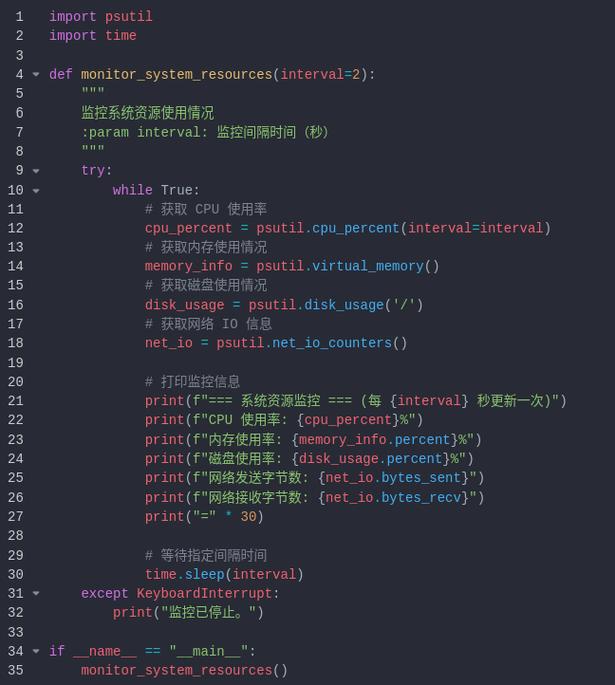
A very common use case is to monitor the CPU continuously and take action if it exceeds a certain threshold. Here’s how you can build a simple monitor.
import psutil
import time
def monitor_cpu(threshold=80, interval=5):
    """
    Continuously monitors CPU usage and prints a warning if it exceeds a threshold.
    :param threshold: The CPU usage percentage to trigger a warning.
    :param interval: The interval in seconds between checks.
    """
    print(f"Starting CPU monitor. Threshold: {threshold}%, Interval: {interval}s")
    try:
        while True:
            # Get CPU usage for all cores
            cpu_percent = psutil.cpu_percent(interval=interval)
            print(f"Current CPU Usage: {cpu_percent:.1f}%", end='\r')
            if cpu_percent > threshold:
                print(f"\nWARNING: CPU usage is at {cpu_percent:.1f}%, which is above the threshold of {threshold}%!")
                # Here you could add more logic, like sending an email,
                # logging to a file, or starting a cooling process.
    except KeyboardInterrupt:
        print("\nCPU monitor stopped by user.")
# Run the monitor
# monitor_cpu(threshold=70, interval=2)
Advanced: CPU Load Average (Unix-like systems)
On Linux, macOS, and other Unix-like systems, you can get the system's "load average," which is the average system load over 1, 5, and 15 minutes. This is different from cpu_percent and is a key metric for system health.
import psutil
import platform
# This will only work on Unix-like systems (Linux, macOS)
if platform.system() != 'Windows':
    load_avg = psutil.getloadavg()
    print(f"Load Average (1, 5, 15 min): {load_avg}")
    print(f"Load Average (1 min): {load_avg[0]}")
    # You can compare the load average to the number of CPUs
    num_cpus = psutil.cpu_count()
    print(f"System has {num_cpus} CPUs.")
    print(f"A load average of {load_avg[0]} is {'high' if load_avg[0] > num_cpus else 'normal'}.")
else:
    print("getloadavg() is not available on Windows.")
Summary Table
| Function | Description | Example Output |
|---|---|---|
psutil.cpu_percent() |
Current overall CPU utilization. | 5 |
psutil.cpu_percent(percpu=True) |
A list of CPU utilization for each core. | [15.2, 25.8, 10.1, 30.4] |
psutil.cpu_count() |
Number of logical CPUs. | 8 |
psutil.cpu_count(logical=False) |
Number of physical CPU cores. | 4 |
psutil.cpu_freq() |
Current, min, and max CPU frequency. | scputimes(current=2400.0, min=800.0, max=4500.0) |
psutil.cpu_times() |
Time spent in various CPU states. | scputimes(user=1500.0, system=500.0, idle=10000.0, ...) |
psutil.getloadavg() |
System load average (Unix only). | (1.25, 1.15, 1.10) |