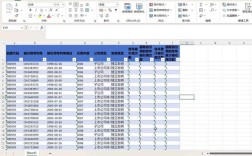
Of course! The combination of Java, Oracle, and CSV is a very common task in enterprise applications. This usually involves one of two scenarios:
- Reading a CSV file to load data into an Oracle database.
- Querying an Oracle database and writing the results to a CSV file.
I'll provide detailed, runnable Java code examples for both scenarios using modern best practices, specifically JDBC for database connectivity and Apache Commons CSV for robust CSV handling. This is far more reliable than manually parsing CSVs with String.split().
Prerequisites
Before you start, you need to set up your project.
Oracle JDBC Driver (ojdbc8.jar)
You need the Oracle JDBC driver to connect your Java application to the Oracle database.
- Download: Get the latest version from the Oracle website or use a Maven/Gradle repository.
- Maven Dependency (Recommended): Add this to your
pom.xml:<dependency> <groupId>com.oracle.database.jdbc</groupId> <artifactId>ojdbc8</artifactId> <version>21.7.0.0</version> <!-- Use the latest version --> </dependency> - Gradle Dependency (Recommended): Add this to your
build.gradle:implementation 'com.oracle.database.jdbc:ojdbc8:21.7.0.0' // Use the latest version
Apache Commons CSV Library
This library makes reading and writing CSV files incredibly simple and robust.
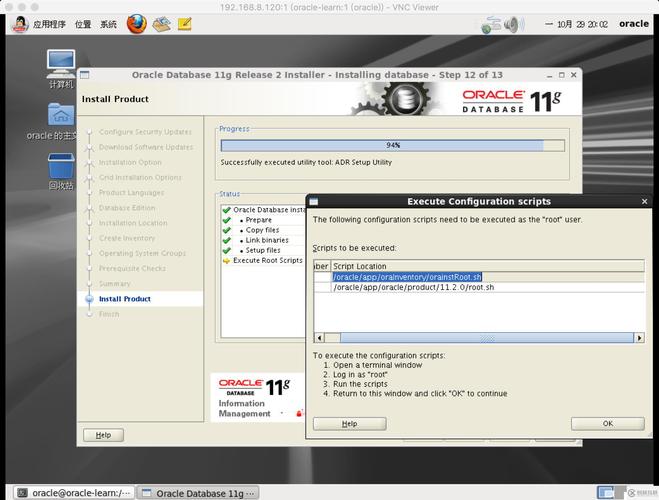
- Maven Dependency: Add this to your
pom.xml:<dependency> <groupId>org.apache.commons</groupId> <artifactId>commons-csv</artifactId> <version>1.10.0</version> <!-- Use the latest version --> </dependency> - Gradle Dependency: Add this to your
build.gradle:implementation 'org.apache.commons:commons-csv:1.10.0' // Use the latest version
Scenario 1: Reading a CSV File and Inserting Data into Oracle
This is a classic "ETL" (Extract, Transform, Load) task. We'll read data from a CSV and use a PreparedStatement to safely insert it into the database.
Step 1: Create the Oracle Table
Let's assume you have a CSV file of employees. First, create a corresponding table in your Oracle database.
CREATE TABLE employees (
    employee_id   NUMBER(10) PRIMARY KEY,
    first_name    VARCHAR2(50),
    last_name     VARCHAR2(50),
    email         VARCHAR2(100),
    hire_date     DATE
);
Step 2: Create the Sample CSV File (employees.csv)
Create a file named employees.csv in your project's root directory.
employee_id,first_name,last_name,email,hire_date
101,John,Doe,john.doe@example.com,2025-01-15
102,Jane,Smith,jane.smith@example.com,2025-11-20
103,Peter,Jones,peter.jones@example.com,2025-03-01
Note: The date format YYYY-MM-DD is the standard and is easily parsed by Java's LocalDate.
Step 3: Java Code to Load CSV into Oracle
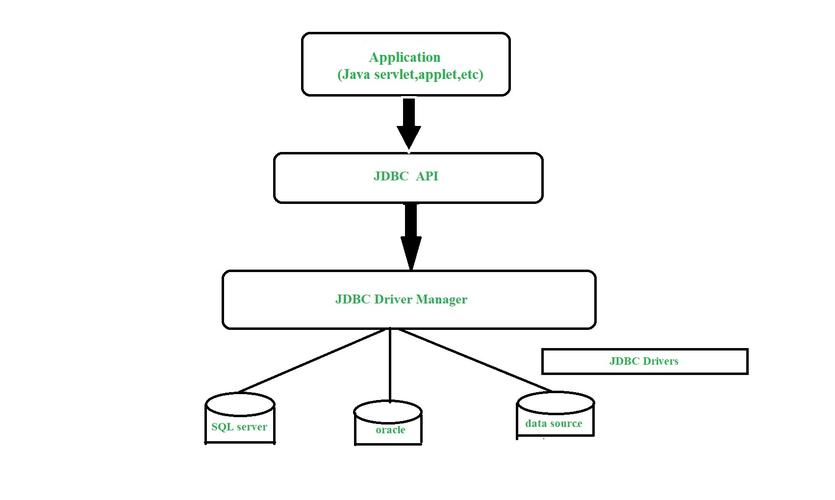
This code connects to the database, reads the CSV row by row, and inserts the data.
import java.io.Reader;
import java.nio.file.Files;
import java.nio.file.Paths;
import java.sql.Connection;
import java.sql.DriverManager;
import java.sql.PreparedStatement;
import java.sql.SQLException;
import java.time.LocalDate;
import org.apache.commons.csv.CSVFormat;
import org.apache.commons.csv.CSVParser;
import org.apache.commons.csv.CSVRecord;
public class CsvToOracleLoader {
    // --- Database Connection Details ---
    // IMPORTANT: Replace with your actual database details
    private static final String DB_URL = "jdbc:oracle:thin:@your-host:your-port:your-service-name";
    private static final String DB_USER = "your_username";
    private static final String DB_PASSWORD = "your_password";
    public static void main(String[] args) {
        String csvFilePath = "employees.csv"; // Path to your CSV file
        // The SQL INSERT statement with placeholders (?)
        String insertSql = "INSERT INTO employees (employee_id, first_name, last_name, email, hire_date) VALUES (?, ?, ?, ?, ?)";
        // Using try-with-resources to ensure all resources are closed automatically
        try (Connection connection = DriverManager.getConnection(DB_URL, DB_USER, DB_PASSWORD);
             Reader reader = Files.newBufferedReader(Paths.get(csvFilePath));
             CSVParser csvParser = new CSVParser(reader, CSVFormat.DEFAULT
                     .withFirstRecordAsHeader()
                     .withIgnoreHeaderCase()
                     .withTrim())) {
            // Prepare the statement once for efficiency
            try (PreparedStatement pstmt = connection.prepareStatement(insertSql)) {
                // Set auto-commit to false for transaction control
                connection.setAutoCommit(false);
                System.out.println("Starting CSV import...");
                for (CSVRecord record : csvParser) {
                    // Extract data from CSV record
                    int id = Integer.parseInt(record.get("employee_id"));
                    String firstName = record.get("first_name");
                    String lastName = record.get("last_name");
                    String email = record.get("email");
                    LocalDate hireDate = LocalDate.parse(record.get("hire_date"));
                    // Set parameters for the prepared statement
                    pstmt.setInt(1, id);
                    pstmt.setString(2, firstName);
                    pstmt.setString(3, lastName);
                    pstmt.setString(4, email);
                    pstmt.setDate(5, java.sql.Date.valueOf(hireDate));
                    // Add the statement to the batch
                    pstmt.addBatch();
                }
                // Execute all batched statements
                int[] updateCounts = pstmt.executeBatch();
                // Commit the transaction
                connection.commit();
                System.out.println("Successfully imported " + updateCounts.length + " records.");
            } catch (SQLException e) {
                // Roll back the transaction in case of an error
                connection.rollback();
                System.err.println("Error during batch insert. Transaction rolled back.");
                e.printStackTrace();
            }
        } catch (Exception e) {
            System.err.println("An error occurred: " + e.getMessage());
            e.printStackTrace();
        }
    }
}
Scenario 2: Querying Oracle and Writing Results to a CSV File
This is the reverse operation: exporting data from the database.
Step 1: Java Code to Export Oracle Data to CSV
This code connects to the database, executes a query, and writes the results to a employees_export.csv file.
import java.io.Writer;
import java.nio.file.Files;
import java.nio.file.Paths;
import java.sql.Connection;
import java.sql.DriverManager;
import java.sql.ResultSet;
import java.sql.ResultSetMetaData;
import java.sql.SQLException;
import java.sql.Statement;
import org.apache.commons.csv.CSVFormat;
import org.apache.commons.csv.CSVPrinter;
public class OracleToCsvExporter {
    // --- Database Connection Details ---
    // IMPORTANT: Replace with your actual database details
    private static final String DB_URL = "jdbc:oracle:thin:@your-host:your-port:your-service-name";
    private static final String DB_USER = "your_username";
    private static final String DB_PASSWORD = "your_password";
    public static void main(String[] args) {
        String csvFilePath = "employees_export.csv";
        String sqlQuery = "SELECT employee_id, first_name, last_name, email, TO_CHAR(hire_date, 'YYYY-MM-DD') AS hire_date FROM employees ORDER BY last_name";
        // Using try-with-resources for all resources
        try (Connection connection = DriverManager.getConnection(DB_URL, DB_USER, DB_PASSWORD);
             Statement stmt = connection.createStatement();
             ResultSet rs = stmt.executeQuery(sqlQuery);
             Writer writer = Files.newBufferedWriter(Paths.get(csvFilePath));
             CSVPrinter csvPrinter = new CSVPrinter(writer, CSVFormat.DEFAULT.withHeader("Employee ID", "First Name", "Last Name", "Email", "Hire Date"))) {
            System.out.println("Starting CSV export...");
            // The CSVPrinter can directly write from the ResultSet
            // It automatically iterates through the result set.
            csvPrinter.printRecords(rs);
            System.out.println("Successfully exported data to " + csvFilePath);
        } catch (Exception e) {
            System.err.println("An error occurred during export: " + e.getMessage());
            e.printStackTrace();
        }
    }
}
Key Concepts and Best Practices
-
JDBC URL Format:
- Thin Driver:
jdbc:oracle:thin:@<host>:<port>:<service_name> - SID (older systems):
jdbc:oracle:thin:@<host>:<port>:<SID> - You can find your service name or SID by querying
v$instanceor asking your DBA.
- Thin Driver:
-
Resource Management (
try-with-resources):- Always use
try-with-resourcesforConnection,Statement,ResultSet,Reader, andWriterobjects. This ensures they are closed automatically, preventing resource leaks.
- Always use
-
Security (
PreparedStatement):- NEVER use string concatenation to build SQL queries (e.g.,
"SELECT * FROM users WHERE id = " + userId). This makes you vulnerable to SQL Injection attacks. - Always use
PreparedStatementwith placeholders. It handles parameter escaping and is the standard for secure database interaction.
- NEVER use string concatenation to build SQL queries (e.g.,
-
Performance (
Batching):- In the import example,
pstmt.addBatch()collects multiple SQL statements andpstmt.executeBatch()sends them to the database in a single network call. This is significantly faster than executing each insert one by one.
- In the import example,
-
Transaction Control (
commit()/rollback()):- When doing multiple related operations (like a batch insert), wrap them in a transaction by setting
connection.setAutoCommit(false). - If any part of the batch fails, call
connection.rollback()to undo all changes. If everything succeeds, callconnection.commit()to save them.
- When doing multiple related operations (like a batch insert), wrap them in a transaction by setting
-
CSV Handling (Apache Commons CSV):
- It correctly handles commas, quotes, and other special characters within fields that would break a simple
split(',')approach. withFirstRecordAsHeader()is a convenient way to map column names from the CSV to your objects or records.
- It correctly handles commas, quotes, and other special characters within fields that would break a simple