Of course! Converting a character (a string of length 1) to its corresponding integer (specifically, its ASCII or Unicode code point) is a common task in Python. The primary and most direct way to do this is with the built-in ord() function.
Here’s a complete guide covering the main methods, explanations, and examples.
The Main Method: ord()
The ord() function takes a single character (a string of length 1) and returns its integer representing its Unicode code point. For standard ASCII characters, this will be the ASCII value.
Syntax
ord(character)
Example
# Convert a lowercase letter
char_a = 'a'
int_a = ord(char_a)
print(f"The character '{char_a}' has the integer value: {int_a}")
# Output: The character 'a' has the integer value: 97
# Convert an uppercase letter
char_b = 'B'
int_b = ord(char_b)
print(f"The character '{char_b}' has the integer value: {int_b}")
# Output: The character 'B' has the integer value: 66
# Convert a digit
char_digit = '5'
int_digit = ord(char_digit)
print(f"The character '{char_digit}' has the integer value: {int_digit}")
# Output: The character '5' has the integer value: 53
# Convert a symbol
char_symbol = '@'
int_symbol = ord(char_symbol)
print(f"The character '{char_symbol}' has the integer value: {int_symbol}")
# Output: The character '@' has the integer value: 64
Important: ord() Requires a Single Character
If you try to pass a string with more than one character, you will get a TypeError.
# This will cause an error
try:
    ord("hello")
except TypeError as e:
    print(e)
# Output: ord() expected a character, but string of length 5 found
The Reverse Operation: int() to chr()
Just as you can convert a character to an integer with ord(), you can do the reverse with the chr() function. It takes an integer and returns the corresponding character.
# Convert an integer back to a character
int_value = 65
char = chr(int_value)
print(f"The integer {int_value} corresponds to the character: '{char}'")
# Output: The integer 65 corresponds to the character: 'A'
# You can also use it with the results from ord()
char_x = 'x'
int_x = ord(char_x)
char_x_again = chr(int_x)
print(f"Original: '{char_x}', Converted to Int: {int_x}, Converted Back: '{char_x_again}'")
# Output: Original: 'x', Converted to Int: 120, Converted Back: 'x'
Advanced: Converting a Character to its Numeric Value
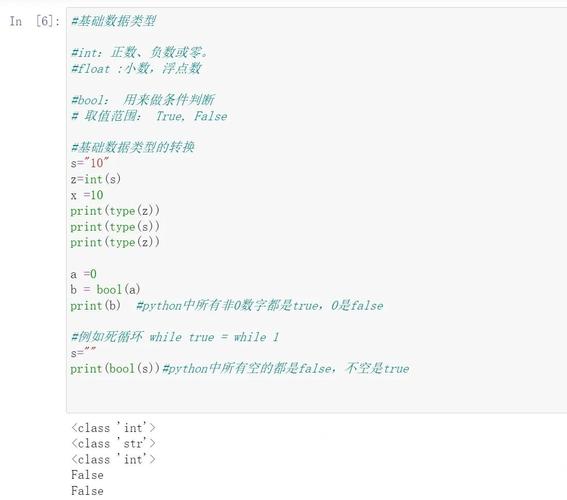
Sometimes, people confuse "char to int" with converting a character that represents a number (like '7') to the actual integer 7. For this, you use the standard int() function.
Syntax
int(string_representation_of_a_number)
Example
# The character '7' is not the integer 7
char_seven = '7'
# Use int() to get the numeric value
numeric_seven = int(char_seven)
print(f"The character is '{char_seven}'")
print(f"The integer value is {numeric_seven}")
print(f"The type of the character is {type(char_seven)}")
print(f"The type of the integer is {type(numeric_seven)}")
# Output:
# The character is '7'
# The integer value is 7
# The type of the character is <class 'str'>
# The type of the integer is <class 'int'>
Summary: Which Method to Use?
| Your Goal | Function to Use | Example | Result |
|---|---|---|---|
| Get the ASCII/Unicode code point | ord() |
ord('A') |
65 |
| Get the character from a code point | chr() |
chr(65) |
'A' |
| Convert a digit character to a number | int() |
int('9') |
9 |
Complete Example: Generating a Simple Cipher
Here's a practical example that combines ord() and chr() to create a basic Caesar cipher (shifting each letter by 3 positions).
def caesar_cipher(text, shift):
    """
    Encrypts a text using a simple Caesar cipher.
    Only letters are shifted; other characters are left as is.
    """
    result = ""
    for char in text:
        if char.isalpha(): # Check if the character is a letter
            # Determine the base: 'a' for lowercase, 'A' for uppercase
            base = ord('a') if char.islower() else ord('A')
            # Calculate the new character's code point
            # 1. Get the 0-based position of the letter (0-25)
            # 2. Add the shift
            # 3. Use modulo 26 to wrap around the alphabet
            # 4. Add the base back to get the final code point
            new_code_point = base + (ord(char) - base + shift) % 26
            # Convert the new code point back to a character
            result += chr(new_code_point)
        else:
            # If not a letter, just add it to the result
            result += char
    return result
# --- Test the cipher ---
original_text = "Hello, World! 123"
shift_value = 3
encrypted_text = caesar_cipher(original_text, shift_value)
decrypted_text = caesar_cipher(encrypted_text, -shift_value) # Shift back by 3
print(f"Original:  {original_text}")
print(f"Encrypted: {encrypted_text}") # Output: Khoor, Zruog! 123
print(f"Decrypted: {decrypted_text}") # Output: Hello, World! 123