
Of course! The pandas.append() method is a common way to combine two or more pandas objects (like DataFrames or Series). However, it's crucial to understand its behavior, especially regarding performance, and to know the modern, recommended alternative.
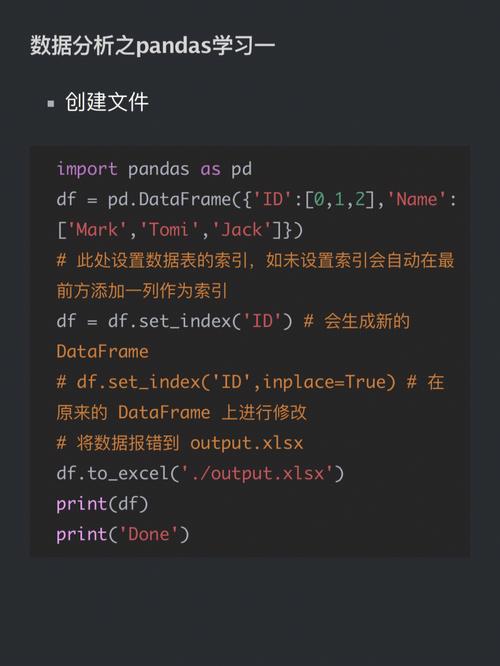
Here’s a complete guide covering everything from the basics to best practices.
The Classic df.append() Method (Older Versions)
This is the method you're likely asking about. It's intuitive but has a major performance drawback.
How It Works
df.append() concatenates rows from another DataFrame or Series to the end of the original DataFrame. It returns a new DataFrame and leaves the original one unchanged.
Basic Syntax
original_df.append(other, ignore_index=False, sort=False)
other: The DataFrame or Series to append.ignore_index(default:False): IfTrue, the index labels from the original and appended DataFrame are discarded, and a new integer index (0, 1, 2, ...) is created for the resulting DataFrame. This is very useful when you don't care about preserving the original indices.sort(default:False): IfTrue, columns are sorted alphabetically in the result.
Simple Examples of df.append()
Example 1: Appending a DataFrame
import pandas as pd
# Original DataFrame
df1 = pd.DataFrame({
    'A': ['A0', 'A1', 'A2'],
    'B': ['B0', 'B1', 'B2']
}, index=[0, 1, 2])
print("Original DataFrame (df1):")
print(df1)
print("-" * 30)
# DataFrame to append
df2 = pd.DataFrame({
    'A': ['A3', 'A4'],
    'B': ['B3', 'B4']
}, index=[3, 4])
print("DataFrame to append (df2):")
print(df2)
print("-" * 30)
# Append df2 to df1
# Note: This returns a NEW DataFrame
df_appended = df1.append(df2)
print("Appended DataFrame:")
print(df_appended)
Output:
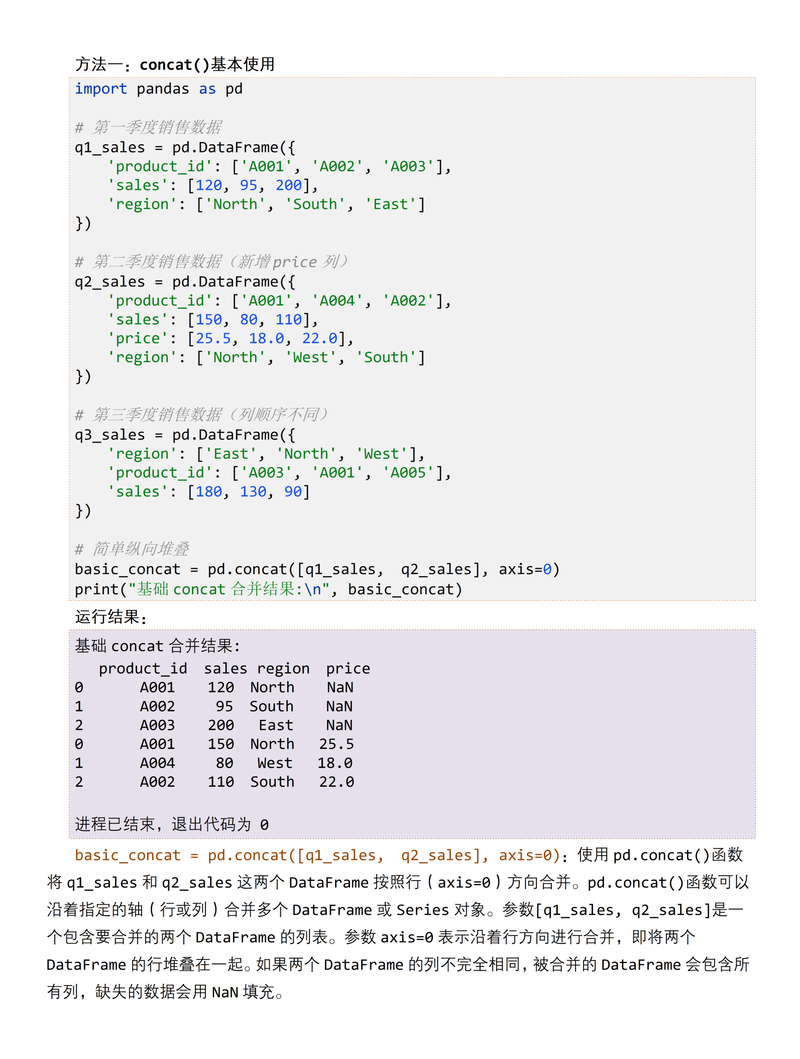
Original DataFrame (df1):
    A   B
0  A0  B0
1  A1  B1
2  A2  B2
------------------------------
DataFrame to append (df2):
    A   B
3  A3  B3
4  A4  B4
------------------------------
Appended DataFrame:
    A   B
0  A0  B0
1  A1  B1
2  A2  B2
3  A3  B3
4  A4  B4
Example 2: Using ignore_index=True
This is the most common use case. You want to stack data and don't care about the original index labels.
df3 = pd.DataFrame({'C': [10, 20]})
# Append df3 to df1, ignoring the original indices
df_appended_ignore_index = df1.append(df3, ignore_index=True)
print("Appended DataFrame with ignore_index=True:")
print(df_appended_ignore_index)
Output:
Appended DataFrame with ignore_index=True:
    A   B     C
0  A0  B0   NaN
1  A1  B1   NaN
2  A2  B2   NaN
3  NaN  NaN  10.0
4  NaN  NaN  20.0
Notice how pandas automatically aligns columns by name. The new column 'C' is filled with NaN (Not a Number) for the rows from df1, and the columns 'A' and 'B' are filled with NaN for the rows from df3.
The CRITICAL Warning: Performance and Deprecation
The Performance Issue
df.append() is highly inefficient. It creates a new object in memory and copies all data from both DataFrames every time it is called.
If you try to append to a DataFrame inside a loop, you are creating a new, larger copy in each iteration. This leads to:
- Very slow execution.
- High memory consumption.
- Potential for
MemoryErrorwith large datasets.
The Deprecation Warning
df.append() is officially deprecated and has been removed in pandas version 2.0.0. While it still works in older versions, you should stop using it immediately to ensure your code remains compatible with future pandas updates.
The Modern and Recommended Alternative: pd.concat()
The best practice is to use pandas.concat(). It is significantly faster, more flexible, and is the standard way to combine objects in pandas.
How It Works
pd.concat() concatenates pandas objects along a particular axis (by default, it stacks them vertically, i.e., axis=0).
Syntax for Appending (Vertical Stacking)
pd.concat([df1, df2, df3, ...], axis=0, ignore_index=False)
[df1, df2, ...]: You pass a list of DataFrames to concatenate.axis=0: Stacks vertically (rows). This is the default.ignore_index=True: Works the same as inappend(), creating a new integer index.
Examples of pd.concat()
Example 1: The Direct Replacement for append()
This code does the exact same thing as the df.append() example above but is the correct, modern way.
import pandas as pd
df1 = pd.DataFrame({'A': ['A0', 'A1'], 'B': ['B0', 'B1']})
df2 = pd.DataFrame({'A': ['A2', 'A3'], 'B': ['B2', 'B3']})
# Use pd.concat to stack the DataFrames
df_concatenated = pd.concat([df1, df2], ignore_index=True)
print(df_concatenated)
Output:
    A   B
0  A0  B0
1  A1  B1
2  A2  B2
3  A3  B3
Example 2: The Efficient Way to Append in a Loop
This is where pd.concat() truly shines. Instead of appending one by one, you collect all your DataFrames in a list and concatenate them all at once.
import pandas as pd
import numpy as np
# Start with an empty list to hold the DataFrames
list_of_dfs = []
# Loop and create DataFrames
for i in range(5):
    data = {'ID': range(i*10, (i+1)*10), 'Value': np.random.rand(10)}
    df_loop = pd.DataFrame(data)
    list_of_dfs.append(df_loop)
# Concatenate all DataFrames in the list at the end
df_final = pd.concat(list_of_dfs, ignore_index=True)
print(f"Final DataFrame shape: {df_final.shape}")
print(df_final.head())
Output:
Final DataFrame shape: (50, 2)
   ID     Value
0   0  0.123456
1   1  0.789012
2   2  0.345678
3   3  0.901234
4   4  0.567890
This approach is dramatically faster and uses far less memory than looping with append.
Summary: append() vs. pd.concat()
| Feature | df.append() |
pd.concat() |
Recommendation |
|---|---|---|---|
| Status | Deprecated (Removed in v2.0+) | Recommended | Use pd.concat() |
| Performance | Very slow (creates a new copy each time) | Very fast (can be optimized) | pd.concat() is vastly superior |
| Looping | Do not use in loops. This is a common anti-pattern. | Perfect for loops. Collect DataFrames in a list and concatenate once. | pd.concat() is the only correct way to loop and append. |
| Flexibility | Limited to appending rows. | Can concatenate rows (axis=0) or columns (axis=1), join on indexes, etc. |
pd.concat() is much more powerful. |
| Syntax | df1.append(df2) |
pd.concat([df1, df2]) |
pd.concat() is slightly more verbose but more explicit. |
Quick Reference: What to Use
-
To combine two or more DataFrames by adding rows:
# Good
result = pd.concat([df1, df2], ignore_index=True)
-
If you absolutely must use
append(e.g., in an old codebase):# WARNING: Inefficient, avoid in loops, and will be removed in pandas 2.0+ result = df1.append(df











