Of course! This is a fundamental concept in Java and computing in general. Let's break down the difference between double and byte.
The Short Answer
double: A 64-bit floating-point number, used for decimal values (e.g., 3.14, -99.9). It has a wide range and high precision.byte: An 8-bit integer, used for small whole numbers (e.g., -128 to 127). It's very compact.
Detailed Comparison
Here is a table summarizing the key differences:
| Feature | double |
byte |
|---|---|---|
| Purpose | For storing decimal (fractional) numbers. | For storing small integer (whole) numbers. |
| Size (in bits) | 64 bits (8 bytes) | 8 bits (1 byte) |
| Size (in bytes) | 8 bytes | 1 byte |
| Range | Extremely large. Approximately ±1.7 x 10308 | Very small. -128 to 127 (inclusive) |
| Precision | High precision (about 15-17 significant decimal digits). | None. It's an integer type. |
| Default Value | 0 |
0 |
| Wrapper Class | java.lang.Double |
java.lang.Byte |
| Memory Usage | High. Uses 8 times more memory than a byte. |
Very low. The most basic numeric type. |
| Example Use Case | Scientific calculations, financial data, physics simulations. | Storing raw data from a file, small counters, flags. |
Code Examples
Let's see how to declare, initialize, and use each type.
double Example
double is the standard choice for any calculation involving decimals.
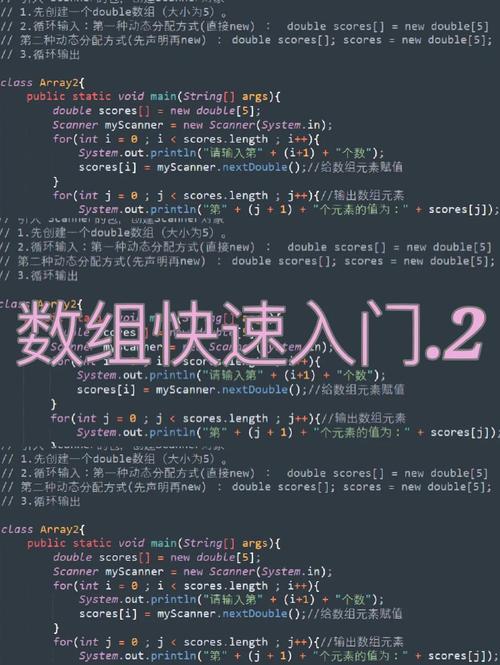
public class DoubleExample {
    public static void main(String[] args) {
        // Declaration and initialization
        double price = 19.99;
        double pi = 3.14159265359;
        double velocity = -122.5; // Can be negative
        // Calculations
        double total = price * 2;
        double tax = total * 0.08; // 8% tax
        System.out.println("Price: " + price);
        System.out.println("Pi: " + pi);
        System.out.println("Total before tax: " + total);
        System.out.println("Tax amount: " + tax);
        System.out.println("Final total: " + (total + tax));
    }
}
Output:
Price: 19.99
Pi: 3.14159265359
Total before tax: 39.98
Tax amount: 3.1984
Final total: 43.1784
byte Example
byte is used when you are certain your numbers will fit within its small range. This is common for low-level data processing.
public class ByteExample {
    public static void main(String[] args) {
        // Declaration and initialization
        byte smallNumber = 100;
        byte minByteValue = -128;
        byte maxByteValue = 127;
        // System.out.println(smallNumber); // This is fine
        // This will cause a COMPILE ERROR because 150 is too large for a byte
        // byte tooLarge = 150; // Error: incompatible types: possible lossy conversion from int to byte
        // Arithmetic
        byte result = (byte) (smallNumber + 10); // Note: You must cast the result back to byte
        System.out.println("100 + 10 = " + result);
        // This will "overflow" and wrap around. 127 + 1 = -128
        byte overflow = (byte) (maxByteValue + 1);
        System.out.println("127 + 1 (overflow) = " + overflow);
    }
}
Output:
100 + 10 = 110
127 + 1 (overflow) = -128
Note on
bytearithmetic: In Java, when you perform arithmetic on abyte, it's first promoted to anint. If the result is still within thebyterange, you can assign it back, but you must explicitly cast it. If the result is outside thebyterange, it "wraps around" due to two's complement representation.
When to Use Which?
Use double when:
- You need to store numbers with decimal points.
- You are performing mathematical calculations that might result in fractions.
- You need a very large range of numbers (e.g., for scientific or financial applications).
- Default Choice: If you're unsure and need a decimal number, use
double. It's the standard and safest option.
Use byte when:
- You are 100% certain the numbers will only be in the range -128 to 127.
- Memory is a critical concern (e.g., reading from a network socket or a large binary file).
- You are using a collection (like an array or
ArrayList) and want to minimize memory footprint. - Example: Reading a single byte from an image file or a network packet.
Key Takeaway: Memory vs. Flexibility
Think of it like choosing a vehicle:
doubleis like a large cargo van. It can carry almost anything (big numbers, decimals) but uses a lot of fuel (memory).byteis like a motorcycle. It's incredibly fuel-efficient (uses very little memory) but can only carry a small, specific load (numbers from -128 to 127).
Choose the right tool for the job to write efficient and correct code.