Of course! Let's break down the "Java™ Platform" in a comprehensive way.
What is the Java™ Platform?
At its core, the Java Platform is a suite of programs and specifications that allow you to develop and run Java applications.
The key to understanding Java's success lies in its famous motto: "Write Once, Run Anywhere" (WORA). The Java Platform is the technology that makes this possible.
Instead of compiling Java code directly for a specific operating system (like Windows, macOS, or Linux), you compile it for a special, virtual environment. This environment is then implemented by the Java Platform on each specific machine.
Think of it like this:
- Traditional Approach: You write a C++ program. You compile it with a Windows compiler to get a
.exefile. That file won't run on macOS or Linux. - Java Approach: You write a Java program. You compile it with the Java compiler to get a .class file (containing "bytecode"). This bytecode can then be run on any machine that has the Java Platform installed, regardless of the underlying operating system.
The Java Platform has two main components that work together to achieve this:
The Java Virtual Machine (JVM)
The JVM is the heart of the "Write Once, Run Anywhere" promise. It is a virtual machine that provides a runtime environment to execute Java bytecode.
Here's how it works:
- Compilation: The Java compiler (
javac) takes your human-readable.javasource file and compiles it into platform-independent bytecode, which is a machine-readable.classfile. - Execution: The JVM takes this
.classfile and executes it. It does this in two main steps:- Loading, Linking, and Initialization: The JVM loads the bytecode, verifies it for safety (e.g., no illegal memory access), and prepares it for execution.
- Execution Engine: This is where the actual work happens. The execution engine can use different techniques to run the bytecode:
- Interpreter: Reads and executes bytecode one instruction at a time. This is simple but can be slow.
- Just-In-Time (JIT) Compiler: This is the key to Java's performance. The JIT compiler analyzes the bytecode and frequently used "hot spots." It compiles these hot spots into highly optimized native machine code that the computer's CPU can execute directly. This gives Java applications performance that is often comparable to natively compiled languages like C++.
Key takeaway: The JVM acts as an abstraction layer between the Java bytecode and the underlying hardware/OS. You write for the JVM, and the JVM handles the rest.
The Java Application Programming Interface (Java API)
The JVM knows how to execute bytecode, but it doesn't know how to create a window, connect to a network, or read a file. That's where the Java API comes in.
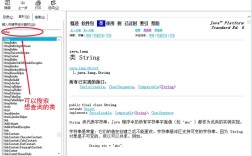
The Java API is a massive, pre-built library of classes and methods that provides ready-made functionality for common programming tasks. It's like a huge toolbox that a Java programmer can use without having to "reinvent the wheel."
The API is organized into packages, such as:
java.lang: Fundamental classes (likeString,Math,System) that are automatically imported.java.util: Utility classes for data structures (likeArrayList,HashMap).java.io: Classes for input and output operations (reading/writing files).java.net: Classes for networking (e.g., creating sockets, making HTTP requests).java.sql: Classes for connecting to databases (JDBC).
When you write Java code, you are essentially writing instructions that tell the JVM how to use the classes and methods from the Java API to accomplish your goal.
The Two Main Flavors of the Java Platform
The Java Platform isn't just one thing; it comes in two primary editions, each designed for a different type of computing.
Java Platform, Standard Edition (Java SE)
This is the foundation of the Java Platform. It's designed for general-purpose, standalone applications that run on desktops, servers, and laptops.
- What it includes: The core JVM, the fundamental Java API (
java.lang,java.io, etc.), and libraries for creating graphical user interfaces (GUIs), database connectivity (JDBC), and more. - Who uses it: Developers building everything from simple command-line tools to complex enterprise server applications.
- Example: A desktop calculator application, a data processing tool, or a web server backend.
Java Platform, Enterprise Edition (Java EE) - Now Jakarta EE
Java EE is built on top of Java SE. It's a powerful, standardized platform for developing large-scale, multi-tier, web-based, and enterprise applications.
- What it includes: Everything in Java SE, plus a massive set of additional APIs for enterprise features like:
- Servlets & JSP: For creating dynamic web content.
- Enterprise JavaBeans (EJBs): For managing business logic in a robust, scalable way.
- JPA (Java Persistence API): For interacting with databases.
- JMS (Java Message Service): For asynchronous communication between applications.
- Who uses it: Large corporations and developers building mission-critical systems like banking platforms, e-commerce websites, and large-scale web services.
- Note: Oracle has transitioned Java EE to the Eclipse Foundation, where it is now called Jakarta EE. The core concepts remain the same, but the package names have changed (e.g.,
javax.servletis nowjakarta.servlet).
Other Editions (for context)
- Java ME (Micro Edition): For resource-constrained devices like mobile phones (in the past), embedded systems, and IoT devices. Largely superseded by Android and other modern embedded platforms.
- Java Card: For smart cards with very limited memory and processing power.
The Java Development Kit (JDK) vs. The Java Runtime Environment (JRE)
To develop and run Java applications, you need tools from the Java Platform. These are packaged into two main kits:
| Feature | Java Development Kit (JDK) | Java Runtime Environment (JRE) |
|---|---|---|
| Purpose | For Developers | For End-Users |
| Contains | The JRE PLUS development tools like: | Only what is needed to run Java applications: |
• javac (Java Compiler) |
• The JVM | |
• java (Launcher) |
• The Core Java API Libraries | |
• jdb (Debugger) |
• Other core runtime libraries | |
| • Documentation | ||
| • profilers, etc. | ||
| Analogy | A full workshop with a toolbox, materials, and a worker (the JVM) to build and run things. | Just the worker (the JVM) and the materials (the API) to run a finished product. |
| Who Needs It? | Programmers who want to create Java applications. | Anyone who wants to run a Java application (e.g., to play a game or use a piece of software). |
Modern Note: Since JDK 11, the JRE is no longer distributed as a separate, standalone download. The JRE is now simply the set of components within the JDK that are needed to run applications. If you install the JDK, you have everything you need to both develop and run Java code.
Summary
| Component | Role | Analogy |
|---|---|---|
| Java Platform | The entire ecosystem for developing and running Java apps. | The entire concept of a car (engine, chassis, driver). |
| JVM | The runtime engine that executes bytecode and provides security. | The car's engine. It makes the car go. |
| Java API | The pre-built library of tools for common tasks (networking, files, etc.). | The car's dashboard, steering wheel, and controls. They let you use the car effectively. |
| Java SE | The core platform for standard desktop/server applications. | A standard sedan car. |
| Java EE/Jakarta EE | The extended platform for large-scale web and enterprise applications. | A heavy-duty truck. Built for bigger jobs. |
| JDK | The kit for developers (contains JRE + compiler/debugger). | A mechanic's toolkit. |
| JRE | The environment for users to run apps (JVM + API). | Just the driver's seat and controls to drive the car. |