Of course. Let's break down the topic of "Windows Python 2.6" comprehensively. This covers its history, why it's problematic today, and what you should do if you encounter it.

What is Python 2.6?
Python 2.6 was a major release of the Python programming language, released in October 2008. It was a transitional version, bridging the gap between Python 2.x and Python 3.x.
Key Characteristics of Python 2.6:
- End of Life (EOL): Python 2.6 reached its official end of life in October 2012. This means it no longer receives security updates, bug fixes, or any other kind of support from the Python Software Foundation (PSF).
- Compatibility Features: To ease the transition to Python 3, 2.6 introduced many features from the Python 3 line, such as a
withstatement, a newiolibrary, and the ability to run code with the-3flag to warn about Python 3 incompatibilities. - Windows Support: It was the first version of Python to be distributed as a Windows Installer (
.msi) file, making installation much easier on Windows compared to previous versions.
The BIG Problem: Why You Should NOT Use Python 2.6 Today
Running Python 2.6 on a modern Windows system is strongly discouraged and highly insecure. Here are the critical reasons:
🔴 Extreme Security Vulnerabilities
This is the most important reason. Since Python 2.6 has not received updates for over a decade, it has numerous known and unknown security flaws. An attacker could exploit these vulnerabilities through a Python script you run, a library you install, or even a web application that uses an old version of Python. Your system could be compromised.

🔴 No Bug Fixes
Bugs that were present in 2008 were never fixed. You will encounter strange errors, crashes, and unpredictable behavior that have long since been resolved in modern versions of Python.
🔴 No Community Support
You cannot get help from the Python community. If you post a question about a bug in Python 2.6, you will likely be told to upgrade. All modern libraries, tutorials, and documentation assume a modern version of Python (3.8+).
🔴 Incompatible with Modern Libraries
The Python Package Index (PyPI) has deprecated support for Python 2. Virtually no new libraries are compatible with Python 2.6. Many popular libraries you might need (like requests, numpy, pandas, etc.) have dropped support for Python 2 entirely. You will not be able to install them.
🔴 It's Outdated Technology
Python 2.6 lacks modern language features, better performance, and improved standard libraries that are standard today. Writing new code in Python 2.6 is like building a new house with 19th-century tools—it's possible, but inefficient, difficult, and not future-proof.
What Should You Do? The Recommended Action
Upgrade to a Modern Version of Python 3.
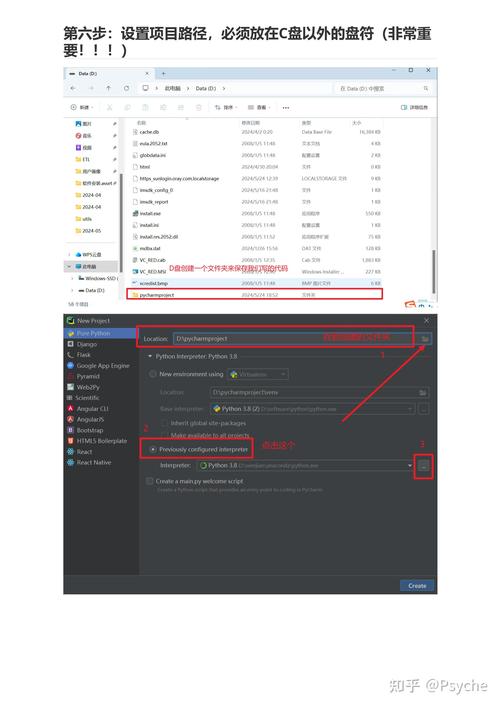
This is the only safe, practical, and recommended solution. The process is straightforward.
Step 1: Uninstall Python 2.6 (Optional but Recommended)
Before installing the new version, it's good practice to remove the old one.
- Go to Settings > Apps > Apps & features (or Control Panel > Programs and Features on older Windows).
- Find "Python 2.6" in the list and uninstall it.
Step 2: Download and Install Modern Python 3
- Go to the official Python website: https://www.python.org/downloads/windows/
- Download the latest stable version (e.g., Python 3.12). The installer will automatically detect your system architecture (32-bit or 64-bit).
- Run the installer.
- Crucially, check the box at the bottom that says "Add python.exe to PATH". This is the most important step to make using Python from the command line easy.
Step 3: Verify the Installation
-
Open a new Command Prompt or PowerShell window. It's important to open a new one so it recognizes the new PATH environment variable.
-
Type the following commands:
python --version
You should see the new version, for example:
Python 3.12.0pip --version
This will show the version of
pip, the package installer for Python 3.
What If You Absolutely MUST Use Python 2.6?
There are very few legitimate reasons for this. It might be because you are maintaining a legacy application that cannot be upgraded. If this is the case, you must take extreme precautions.
Isolation is Key
You should never use Python 2.6 as your system's default Python. Instead, create a completely isolated environment.
Method: Using pyenv-win (Recommended for Legacy Work)
pyenv-win is a tool that lets you install and switch between multiple Python versions easily. This is the cleanest way to manage a legacy Python installation.
-
Install
pyenv-win:# In PowerShell as Administrator (Invoke-WebRequest -Uri "https://github.com/pyenv-win/pyenv-win/releases/latest/download/pyenv-win-installer.exe" -UseBasicParsing).Content | Invoke-Expression
Restart your terminal.
-
Install Python 2.6:
pyenv install 2.6.9
(Note: 2.6.9 was the final patch release).
-
Use Python 2.6:
# Set the local version for the current directory
pyenv local 2.6.9
# Check the version
python --version
# Output: Python 2.6.9
Now, when you are in that specific project folder, python will point to version 2.6.9. When you navigate to any other folder, it will use your system's default Python 3.
Security and Environment Warnings for Isolated Use:
- Firewall: Treat any scripts you run with Python 2.6 as untrusted. Run them in a sandboxed environment or with a firewall rule if they access the network.
- No Internet: Do not let a Python 2.6 environment access the internet unless absolutely necessary.
- Virtual Environment: Even within
pyenv-win, you can create avirtualenvto isolate project dependencies.# After setting pyenv local 2.6.9 python -m virtualenv my_legacy_project_env my_legacy_project_env\Scripts\activate # Now you can install old packages for this project only pip install "some-old-library==1.2.3"
Summary
| Situation | Recommendation | Why? |
|---|---|---|
| You want to learn Python or start a new project. | Upgrade to Python 3.12+ immediately. | Python 2.6 is insecure, unsupported, and incompatible with modern tools. |
| You are maintaining a legacy project. | Isolate it using pyenv-win or a virtual environment. |
Protect your main system from the vulnerabilities of Python 2.6. Do not use it as your default. |
| You found an old script on your computer. | Upgrade to Python 3 and rewrite the script for Python 3. | This is the only long-term solution. Use tools like 2to3 to help with the conversion. |
In short: For all practical purposes, Python 2.6 on Windows is a relic of the past. Please upgrade to a modern version of Python 3.