
Of course! This is a very common and powerful combination. Let's break down how to work with Python and MySQL on an Ubuntu system.
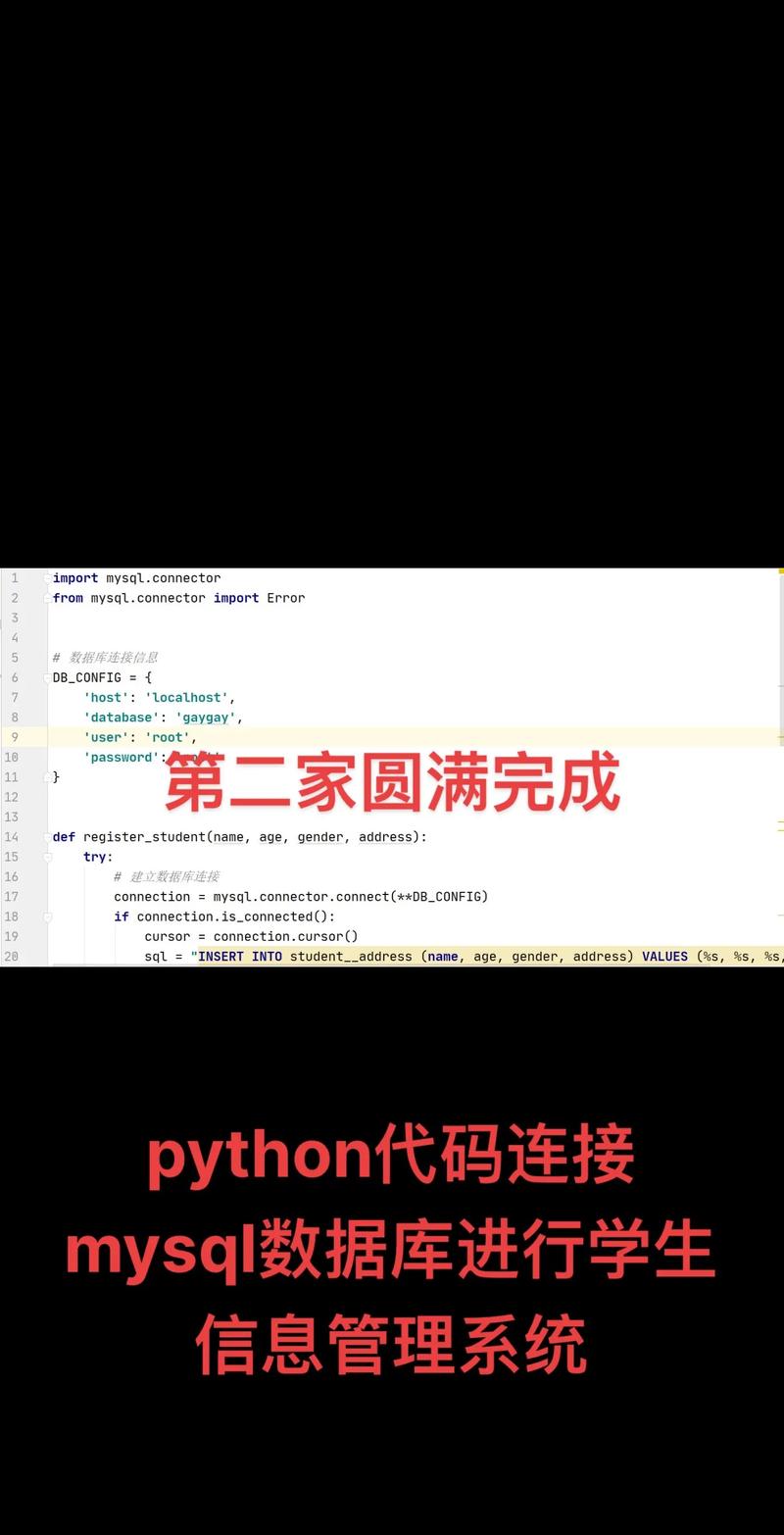
This guide will cover:
- Prerequisites: Installing Python and MySQL on Ubuntu.
- Connecting Python to MySQL: Using the official
mysql-connector-pythonlibrary. - Executing Queries: Running
SELECT,INSERT,UPDATE, andDELETEstatements. - Best Practices: Using
try...except...finallyfor robust code andwithstatements for automatic resource cleanup. - An Alternative Library: A quick look at
SQLAlchemy, a popular Object-Relational Mapper (ORM). - A Complete Example: A full script that ties everything together.
Prerequisites: Installing Python and MySQL on Ubuntu
First, ensure you have Python and a MySQL server installed on your Ubuntu machine.
a) Install Python
Ubuntu usually comes with Python pre-installed. You can check by opening a terminal and running:
python3 --version
If it's not installed, you can install it with:
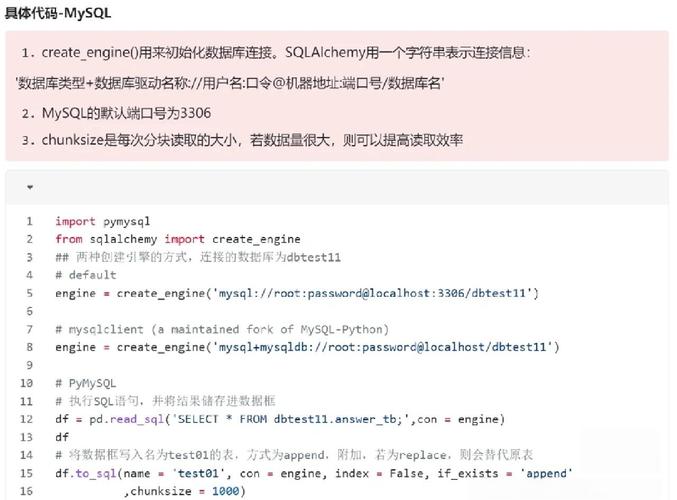
sudo apt update
sudo apt install python3 python3-pip
pip3 is the package installer for Python 3, which we'll need to install the MySQL connector library.
b) Install MySQL Server
If you don't have MySQL server installed, follow these steps:
-
Install the MySQL Server package:
sudo apt update
sudo apt install mysql-server
-
Run the security script: This is a highly recommended step that helps you secure your MySQL installation by setting a root password, removing anonymous users, disallowing remote root login, and more.
 (图片来源网络,侵删)
sudo mysql_secure_installation
Follow the prompts on the screen. For this guide, you will set a root password. Remember this password!
-
Verify MySQL is running:
sudo systemctl status mysql
You should see
active (running)in the output.
Connecting Python to MySQL
We'll use the official Oracle-developed MySQL connector for Python.
a) Install the MySQL Connector Library
In your terminal, use pip3 to install the library:
pip3 install mysql-connector-python
b) Create a Test Database and User
It's good practice not to use the root user for your applications. Let's create a new database and a user with privileges on that database.
-
Log in to the MySQL shell as the root user:
sudo mysql -u root -p
Enter the root password you set during
mysql_secure_installation. -
Run the following SQL commands in the MySQL shell:
-- Create a new database
CREATE DATABASE myapp_db;
-- Create a new user and grant privileges on the new database
-- Replace 'your_strong_password' with a secure password
CREATE USER 'myapp_user'@'localhost' IDENTIFIED BY 'your_strong_password';
-- Grant all privileges on the new database to the new user
GRANT ALL PRIVILEGES ON myapp_db.* TO 'myapp_user'@'localhost';
-- Apply the changes immediately
FLUSH PRIVILEGES;
-- Exit the MySQL shell
EXIT;
Executing Queries (The Core Logic)
Now, let's write some Python code to interact with our new database.
a) Establishing a Connection
First, you need to import the library and create a connection object.
import mysql.connector
from mysql.connector import Error
try:
    # Establish the connection
    connection = mysql.connector.connect(
        host='localhost',
        database='myapp_db',
        user='myapp_user',
        password='your_strong_password'
    )
    if connection.is_connected():
        db_info = connection.get_server_info()
        print(f"Successfully connected to MySQL Server version {db_info}")
        cursor = connection.cursor()
        cursor.execute("SELECT database();")
        record = cursor.fetchone()
        print(f"You're connected to database: {record[0]}")
except Error as e:
    print(f"Error while connecting to MySQL: {e}")
finally:
    # Closing the connection
    if 'connection' in locals() and connection.is_connected():
        cursor.close()
        connection.close()
        print("MySQL connection is closed.")
b) Creating a Table and Inserting Data (INSERT)
Here's how to create a table and add a new record.
import mysql.connector
from mysql.connector import Error
def create_table(connection, create_table_query):
    cursor = connection.cursor()
    try:
        cursor.execute(create_table_query)
        print("Table created successfully")
    except Error as e:
        print(f"Error creating table: {e}")
def insert_data(connection, insert_query, data):
    cursor = connection.cursor()
    try:
        # Executing the SQL command
        cursor.execute(insert_query, data)
        # Committing the changes to the database
        connection.commit()
        print(f"{cursor.rowcount} record inserted successfully into table")
    except Error as e:
        print(f"Error inserting data: {e}")
# --- Main part of the script ---
if __name__ == "__main__":
    connection = None
    try:
        connection = mysql.connector.connect(
            host='localhost',
            database='myapp_db',
            user='myapp_user',
            password='your_strong_password'
        )
        if connection.is_connected():
            create_table_query = """
            CREATE TABLE IF NOT EXISTS employees (
                id INT AUTO_INCREMENT PRIMARY KEY,
                name VARCHAR(255) NOT NULL,
                position VARCHAR(100),
                salary DECIMAL(10, 2),
                join_date DATE
            )
            """
            create_table(connection, create_table_query)
            insert_query = "INSERT INTO employees (name, position, salary, join_date) VALUES (%s, %s, %s, %s)"
            employee_data = ('Alice Smith', 'Software Engineer', 90000.00, '2025-01-15')
            insert_data(connection, insert_query, employee_data)
            # Insert another employee
            employee_data_2 = ('Bob Johnson', 'Project Manager', 105000.00, '2025-05-20')
            insert_data(connection, insert_query, employee_data_2)
    except Error as e:
        print(f"Error while connecting to MySQL or executing query: {e}")
    finally:
        if connection and connection.is_connected():
            connection.close()
            print("MySQL connection is closed.")
c) Fetching Data (SELECT)
To retrieve data, you execute a query and then use fetchone(), fetchall(), or fetchmany().
# Assuming 'connection' is already established and valid
def fetch_data(connection, query):
    cursor = connection.cursor(dictionary=True) # dictionary=True gives column names as keys
    try:
        cursor.execute(query)
        records = cursor.fetchall()
        print(f"Total number of rows returned: {cursor.rowcount}")
        return records
    except Error as e:
        print(f"Error fetching data: {e}")
        return None
# --- Inside your main script ---
if connection.is_connected():
    select_query = "SELECT id, name, position FROM employees WHERE salary > %s"
    min_salary = 95000
    employees = fetch_data(connection, select_query, (min_salary,)) # Pass as a tuple
    if employees:
        print("\nEmployees with salary greater than 95,000:")
        for emp in employees:
            print(f"ID: {emp['id']}, Name: {emp['name']}, Position: {emp['position']}")
Note: When using WHERE clauses with variables, always use parameter placeholders (%s) to prevent SQL injection attacks. Pass the values as a tuple.
d) Updating and Deleting Data (UPDATE, DELETE)
The pattern is similar to INSERT. You execute the query and then call connection.commit().
def update_data(connection, query, data):
    cursor = connection.cursor()
    try:
        cursor.execute(query, data)
        connection.commit()
        print(f"{cursor.rowcount} record(s) updated successfully")
    except Error as e:
        print(f"Error updating data: {e}")
def delete_data(connection, query, data):
    cursor = connection.cursor()
    try:
        cursor.execute(query, data)
        connection.commit()
        print(f"{cursor.rowcount} record(s) deleted successfully")
    except Error as e:
        print(f"Error deleting data: {e}")
# --- Example usage ---
if connection.is_connected():
    # Update Bob's salary
    update_query = "UPDATE employees SET salary = %s WHERE name = %s"
    update_data(connection, update_query, (110000.00, 'Bob Johnson'))
    # Delete Alice from the table
    delete_query = "DELETE FROM employees WHERE name = %s"
    delete_data(connection, delete_query, ('Alice Smith',))
Best Practices: Using with Statements
Manually creating and closing cursors and connections can be tedious. The mysql.connector library supports context managers (with statements) to handle this automatically, ensuring resources are always released.
import mysql.connector
from mysql.connector import Error
def execute_query_with_with(host, database, user, password, query, data=None):
    """Connects to the DB, executes a query, and closes connection automatically."""
    try:
        with mysql.connector.connect(
            host=host,
            database=database,
            user=user,
            password=password
        ) connection:
            with connection.cursor() as cursor:
                if data:
                    cursor.execute(query, data)
                else:
                    cursor.execute(query)
                # For SELECT queries, fetch the results
                if query.strip().lower().startswith('select'):
                    result = cursor.fetchall()
                    return result
                else:
                    # For INSERT, UPDATE, DELETE, commit the changes
                    connection.commit()
                    return cursor.rowcount
    except Error as e:
        print(f"Error executing query: {e}")
        return None
# --- Example ---
if __name__ == "__main__":
    db_config = {
        'host': 'localhost',
        'database': 'myapp_db',
        'user': 'myapp_user',
        'password': 'your_strong_password'
    }
    # Select all employees
    select_all_query = "SELECT * FROM employees"
    all_employees = execute_query_with_with(**db_config, query=select_all_query)
    print("\nAll employees:")
    for emp in all_employees:
        print(emp)
    # Insert a new employee
    insert_query = "INSERT INTO employees (name, position, salary, join_date) VALUES (%s, %s, %s, %s)"
    new_employee = ('Charlie Brown', 'Data Analyst', 75000.00, '2025-03-10')
    rows_affected = execute_query_with_with(**db_config, query=insert_query, data=new_employee)
    print(f"\nInserted {rows_affected} new employee.")
An Alternative: SQLAlchemy (ORM)
For larger applications, writing raw SQL can become cumbersome. An Object-Relational Mapper (ORM) like SQLAlchemy allows you to interact with your database using Python objects instead of SQL queries.
Installation:
pip3 install sqlalchemy
Conceptual Example:
from sqlalchemy import create_engine, Column, Integer, String, Date, Numeric
from sqlalchemy.ext.declarative import declarative_base
from sqlalchemy.orm import sessionmaker
# 1. Define the database URL (format: dialect+driver://user:password@host:port/database)
DATABASE_URL = "mysql+mysqlconnector://myapp_user:your_strong_password@localhost/myapp_db"
# 2. Create the engine
engine = create_engine(DATABASE_URL)
# 3. Create a base class for our models
Base = declarative_base()
# 4. Define the Employee table as a Python class
class Employee(Base):
    __tablename__ = 'employees'
    id = Column(Integer, primary_key=True)
    name = Column(String(255), nullable=False)
    position = Column(String(100))
    salary = Column(Numeric(10, 2))
    join_date = Column(Date)
# 5. Create the table in the database (if it doesn't exist)
Base.metadata.create_all(engine)
# 6. Create a session to interact with the database
Session = sessionmaker(bind=engine)
session = Session()
# 7. Use the session to interact with the database (Pythonically!)
# Create a new employee object
new_employee = Employee(name='Diana Prince', position='Hero', salary=120000.00, join_date='2025-08-01')
session.add(new_employee)
# Query for employees
employees = session.query(Employee).filter(Employee.salary > 80000).all()
print("\nEmployees (via SQLAlchemy ORM):")
for emp in employees:
    print(f"Name: {emp.name}, Position: {emp.position}, Salary: {emp.salary}")
# Commit the transaction
session.commit()
session.close()
Complete Example Script
Here is a single, complete script that demonstrates all the CRUD (Create, Read, Update, Delete) operations using the with statement best practice.
# main.py
import mysql.connector
from mysql.connector import Error
import sys
# --- Database Configuration ---
# It's better to load this from a config file or environment variables
DB_CONFIG = {
    'host': 'localhost',
    'database': 'myapp_db',
    'user': 'myapp_user',
    'password': 'your_strong_password'
}
def setup_database():
    """Creates the table if it doesn't exist."""
    create_table_query = """
    CREATE TABLE IF NOT EXISTS products (
        id INT AUTO_INCREMENT PRIMARY KEY,
        name VARCHAR(255) NOT NULL,
        quantity INT DEFAULT 0,
        price DECIMAL(10, 2)
    )
    """
    execute_query(create_table_query)
def execute_query(query, data=None):
    """Connects to DB, executes a query, and closes connection."""
    try:
        with mysql.connector.connect(**DB_CONFIG) as connection:
            with connection.cursor() as cursor:
                cursor.execute(query, data)
                # For SELECT queries, fetch and return results
                if query.strip().lower().startswith('select'):
                    result = cursor.fetchall()
                    return result
                # For other queries, commit and return row count
                else:
                    connection.commit()
                    return cursor.rowcount
    except Error as e:
        print(f"Error: {e}")
        return None
def add_product(name, quantity, price):
    """Inserts a new product into the products table."""
    query = "INSERT INTO products (name, quantity, price) VALUES (%s, %s, %s)"
    data = (name, quantity, price)
    rows_affected = execute_query(query, data)
    if rows_affected is not None:
        print(f"Successfully added {name}. Rows affected: {rows_affected}")
def get_all_products():
    """Retrieves and prints all products from the table."""
    query = "SELECT id, name, quantity, price FROM products"
    products = execute_query(query)
    if products:
        print("\n--- Current Products ---")
        for product in products:
            print(f"ID: {product[0]}, Name: {product[1]}, Qty: {product[2]}, Price: ${product[3]:.2f}")
        print("------------------------\n")
    else:
        print("No products found.")
def update_product_quantity(product_id, new_quantity):
    """Updates the quantity of a specific product."""
    query = "UPDATE products SET quantity = %s WHERE id = %s"
    data = (new_quantity, product_id)
    rows_affected = execute_query(query, data)
    if rows_affected is not None:
        print(f"Updated quantity for product ID {product_id}. Rows affected: {rows_affected}")
def delete_product(product_id):
    """Deletes a product from the table."""
    query = "DELETE FROM products WHERE id = %s"
    data = (product_id,)
    rows_affected = execute_query(query, data)
    if rows_affected is not None:
        print(f"Deleted product ID {product_id}. Rows affected: {rows_affected}")
# --- Main execution block ---
if __name__ == "__main__":
    print("Setting up database...")
    setup_database()
    print("\nAdding initial products...")
    add_product("Laptop", 10, 1200.50)
    add_product("Mouse", 50, 25.00)
    add_product("Keyboard", 30, 75.75)
    print("\nFetching all products:")
    get_all_products()
    print("\nUpdating quantity for product ID 2 (Mouse) to 45...")
    update_product_quantity(2, 45)
    print("\nFetching all products after update:")
    get_all_products()
    print("\nDeleting product ID 3 (Keyboard)...")
    delete_product(3)
    print("\nFetching all products after deletion:")
    get_all_products()
print("\nScript finished.") 

