Of course! "Java Communication" is a broad topic that can refer to several different concepts. I'll break it down into the most common and important areas, from simple in-process communication to complex network-based systems.
Here’s a comprehensive guide covering:
- In-Process Communication: How objects within the same Java application talk to each other.
- Inter-Process Communication (IPC): How different Java applications on the same machine communicate.
- Network Communication: The most common meaning, how Java applications communicate over a network.
- Remote Method Invocation (RMI): A classic Java-specific way for objects on different JVMs to interact.
- Modern Communication Frameworks: Popular libraries and patterns used today.
In-Process Communication (Within a Single JVM)
This is communication between different parts of your application running in the same Java Virtual Machine.
| Mechanism | Description | Use Case |
|---|---|---|
| Method Calls | The most fundamental way. One object calls a public method on another object. | Standard object-oriented design. Passing data and commands between tightly coupled components. |
| Events & Listeners (Observer Pattern) | A "publisher" object maintains a list of "subscriber" objects. When an event occurs, the publisher notifies all subscribers by calling their handler methods. | Decoupled components. GUI programming (e.g., ActionListener), user notifications, handling state changes. |
| Shared Memory / Shared State | Multiple threads access the same object(s) in memory. Requires careful synchronization (synchronized, ReentrantLock, volatile) to avoid race conditions. |
Multi-threaded applications where performance is critical and threads need to work on the same data. |
BlockingQueue |
A thread-safe queue that one thread can put data into, and another can take data out of. If the queue is empty, the consumer thread blocks until data is available. | Producer-Consumer pattern. Excellent for decoupling tasks in a multi-threaded application (e.g., thread pools). |
CompletableFuture |
A class for asynchronous programming. It represents a future result of an asynchronous computation. You can chain actions to be performed when the computation is complete. | Writing non-blocking, reactive code. Handling callbacks in a more modern and composable way than traditional callbacks. |
Inter-Process Communication (IPC)
This is for communication between separate Java applications running on the same operating system.
| Mechanism | Description | Java API / Example |
|---|---|---|
| Sockets (Local/Unix Domain Sockets) | The most fundamental IPC mechanism. One process acts as a server, listening on a specific port (or a file path for Unix sockets), and the other process connects to it as a client. | java.net.ServerSocket and java.net.Socket. For Unix sockets, you'd use third-party libraries like junixsocket. |
| Pipes | A unidirectional communication channel. Data written by one process can be read by another. | java.io.PipedInputStream and java.io.PipedOutputStream. |
| Shared Memory | A memory region accessible by multiple processes. Very fast but complex to manage due to synchronization issues. | Java does not have a built-in, easy-to-use API for OS-level shared memory. This is typically done via JNI (Java Native Interface) or third-party libraries. |
| Files | The simplest form of IPC. One process writes data to a file, and another reads it. Prone to race conditions and requires file locking for safety. | Standard java.io or java.nio.file package. |
Network Communication (Client-Server Model)
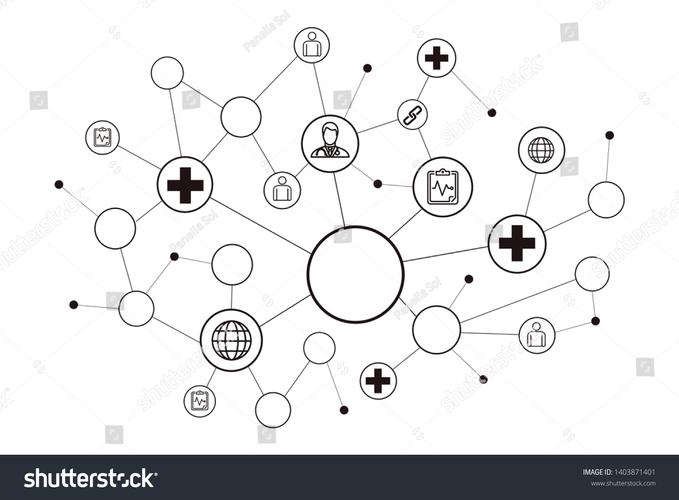
This is the most common and widely discussed form of communication for Java applications. It involves two or more JVMs, potentially on different machines, communicating over a network (like the internet).
Core Concepts
- Client: The entity that initiates the communication request.
- Server: The entity that listens for requests and provides services.
- Protocol: A set of rules that governs the communication (e.g., HTTP, FTP, TCP, UDP).
- Socket: The endpoint for sending or receiving data across a computer network.
- Port: A 16-bit number used to identify a specific process or service on a machine.
Key Java APIs for Network Communication
A. The TCP/IP Model (Reliable, Connection-Oriented)
TCP ensures that data arrives, in order, and without errors. It's like a phone call.
Low-Level Sockets (java.net)
This is the foundational API. You have full control but need to manage everything manually, including converting your data to bytes (byte[]).
ServerSocket: Listens for incoming TCP connections from clients.Socket: Represents one end of a TCP connection. The client uses it to connect to the server, and the server uses it to communicate with a connected client.
Example: Simple Echo Server
// Server side
import java.io.*;
import java.net.*;
public class SimpleServer {
    public static void main(String[] args) throws IOException {
        int port = 6789;
        try (ServerSocket serverSocket = new ServerSocket(port)) {
            System.out.println("Server is listening on port " + port);
            Socket clientSocket = serverSocket.accept(); // Waits for a client
            System.out.println("Client connected: " + clientSocket.getInetAddress());
            // Input stream from the client
            BufferedReader in = new BufferedReader(new InputStreamReader(clientSocket.getInputStream()));
            // Output stream to the client
            PrintWriter out = new PrintWriter(clientSocket.getOutputStream(), true);
            String inputLine;
            while ((inputLine = in.readLine()) != null) {
                System.out.println("Received from client: " + inputLine);
                out.println("ECHO: " + inputLine); // Send back the same message
            }
        }
    }
}
B. The UDP Model (Fast, Connectionless, Unreliable)
UDP is like sending a postcard. You send a packet of data, but you don't know if it will arrive, in what order, or if it's corrupted.
DatagramSocket: The socket for sending and receiving datagram packets.DatagramPacket: A container for a data packet.
Use Cases for UDP: Online gaming, video conferencing, DNS lookups—anywhere speed is more important than guaranteed delivery.
C. High-Level HTTP/HTTPS Communication (java.net.http - Java 11+)
For most web-related communication (talking to REST APIs, web servers), you don't want to deal with raw sockets. The java.net.http package provides a modern, easy-to-use API.
Example: Making an HTTP GET Request
import java.net.URI;
import java.net.http.HttpClient;
import java.net.http.HttpRequest;
import java.net.http.HttpResponse;
public class HttpExample {
    public static void main(String[] args) throws Exception {
        HttpClient client = HttpClient.newHttpClient();
        HttpRequest request = HttpRequest.newBuilder()
                .uri(URI.create("https://jsonplaceholder.typicode.com/posts/1"))
                .build();
        HttpResponse<String> response = client.send(request, HttpResponse.BodyHandlers.ofString());
        System.out.println("Status Code: " + response.statusCode());
        System.out.println("Response Body: " + response.body());
    }
}
Remote Method Invocation (RMI)
RMI is a Java-specific API that allows an object on one JVM to invoke a method on an object in another JVM as if it were a local object. It abstracts away the network details.
How it works:
- Remote Interface: Define a Java interface that extends
java.rmi.Remote. Each method must throwjava.rmi.RemoteException. - Remote Implementation: Create a class that implements the remote interface. This object will reside on the server.
- Server: Create an instance of the remote object and "bind" it to a naming service (like RMI Registry) so clients can find it.
- Client: Look up the remote object in the registry using its name.
- Invocation: Call methods on the stub object, which is a client-side proxy that communicates with the server.
Example Structure:
// 1. Remote Interface
public interface MyRemoteService extends Remote {
    String getData(String request) throws RemoteException;
}
// 2. Server Implementation
public class MyRemoteServiceImpl extends UnicastRemoteObject implements MyRemoteService {
    public MyRemoteServiceImpl() throws RemoteException {}
    public String getData(String request) throws RemoteException {
        return "Processed: " + request;
    }
}
// 3. Server Main
public class Server {
    public static void main(String[] args) {
        try {
            MyRemoteService service = new MyRemoteServiceImpl();
            LocateRegistry.createRegistry(1099); // Start RMI registry
            Naming.rebind("rmi://localhost/MyService", service);
            System.out.println("Server ready.");
        } catch (Exception e) {
            e.printStackTrace();
        }
    }
}
// 4. Client Main
public class Client {
    public static void main(String[] args) {
        try {
            MyRemoteService service = (MyRemoteService) Naming.lookup("rmi://localhost/MyService");
String