Of course! This is a fundamental concept in Java that often trips up beginners. Let's break down the differences between double and int in Java.
The Quick Summary
| Feature | int |
double |
|---|---|---|
| Full Name | Integer | Double Precision Floating-Point |
| Type | Primitive Type | Primitive Type |
| Size | 32 bits (4 bytes) | 64 bits (8 bytes) |
| Purpose | For whole numbers (integers). | For numbers with decimal points (floating-point). |
| Range | -2,147,483,648 to 2,147,483,647 | ±4.9 x 10⁻³²⁴ to ±1.8 x 10³⁰⁸ |
| Default Value | 0 |
0 |
| Example | 100, -50, 0 |
99, -3.14, 5 |
Detailed Explanation
int (Integer)
An int is used to store whole numbers. It cannot store a decimal or fractional part. It's the most common choice for counting, loop counters, array indices, and any situation where you don't need precision after the decimal point.
- Size: 32 bits. This means it can represent a finite range of whole numbers.
- Range: From -2³¹ (-2,147,483,648) to 2³¹ - 1 (2,147,483,647).
int myAge = 30;
int numberOfStudents = 25;
int negativeNumber = -100;
// int price = 19.99; // This will cause a COMPILE ERROR!
double (Floating-Point)
A double is used to store numbers that have a decimal point. It's called "double-precision" because it uses 64 bits to store the number, giving it a much larger range and more precision than a float (which is 32 bits).
- Size: 64 bits.
- Range: Extremely large and small numbers, but it's important to remember that it's an approximation. For very precise financial calculations,
BigDecimalis a better choice, but for most general purposes,doubleis fine.
double price = 19.99;
double pi = 3.14159;
double verySmallNumber = 0.000000123;
double negativeDouble = -45.67;
Key Differences and Interactions
The most important concepts to understand are how these two types interact, especially during assignment and arithmetic operations.
Widening Primitive Conversion (Implicit Conversion)
When you assign a smaller, less precise type to a larger, more precise one, Java does it automatically. This is called widening.
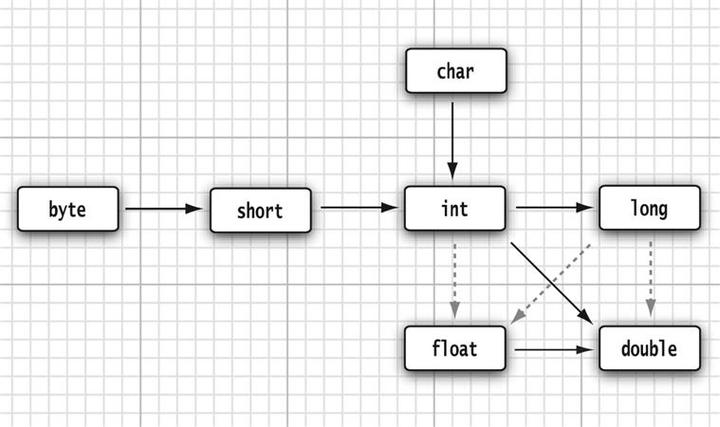
- Assigning an
intto adoubleis safe and automatic.
int myInt = 10;
double myDouble = myInt; // This is perfectly fine. myDouble becomes 10.0
System.out.println(myDouble); // Output: 10.0
Java simply adds a .0 to the int value to make it a double.
Narrowing Primitive Conversion (Explicit Casting)
When you assign a larger, more precise type to a smaller, less precise one, Java can lose information. This is dangerous, so Java forces you to be explicit about it using casting. This is called narrowing.
- Assigning a
doubleto anintrequires an explicit cast(int).
double myDouble = 9.8;
// int myInt = myDouble; // This will cause a COMPILE ERROR!
// Error: incompatible types: possible lossy conversion from double to int
// You must cast it explicitly
int myInt = (int) myDouble; // This truncates the decimal part
System.out.println(myInt); // Output: 9 (not 10!)
Important: Casting a double to an int does not round the number. It truncates (chops off) everything after the decimal point.
Arithmetic Operations
When you perform arithmetic with mixed types, Java promotes the result to the more precise type.
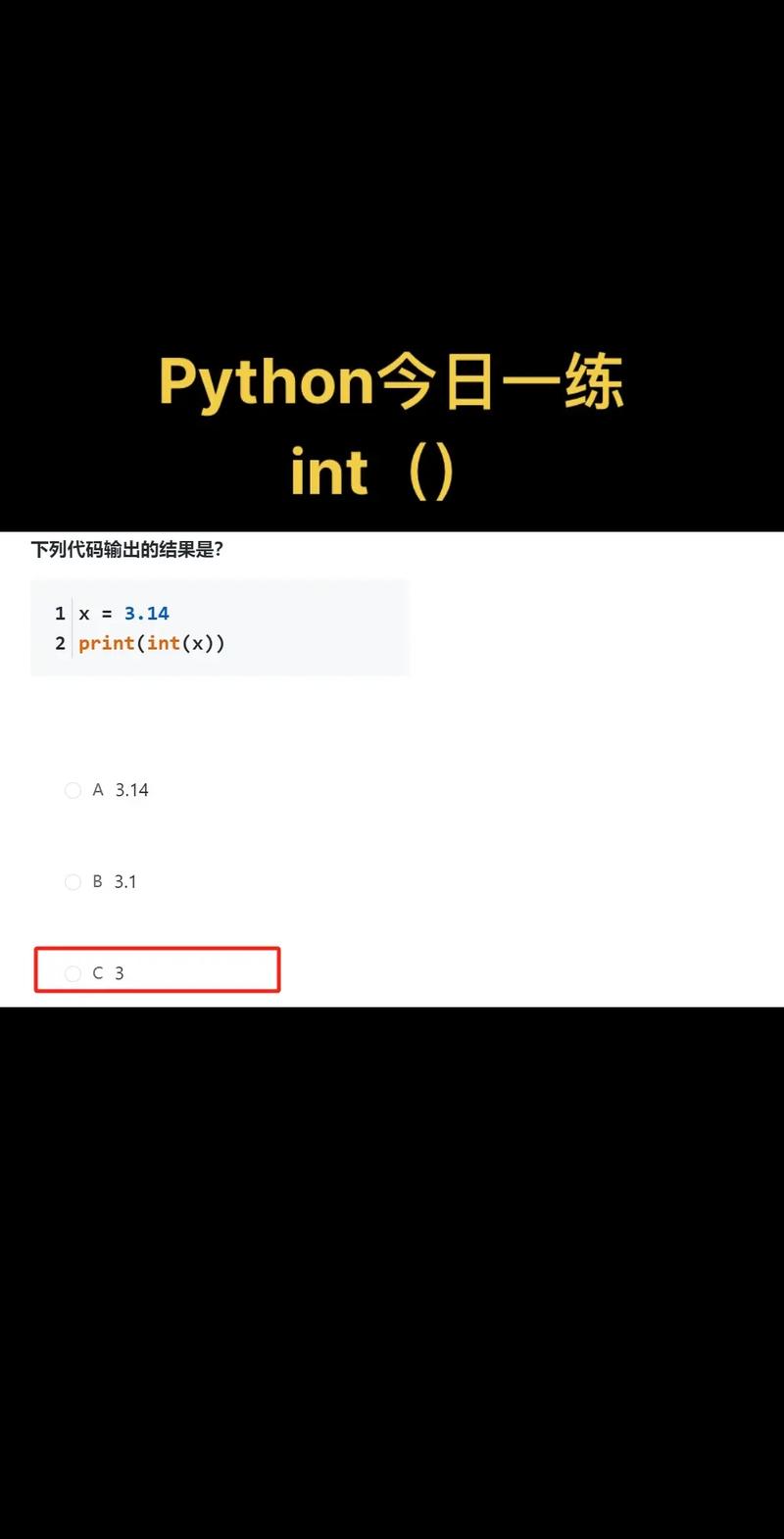
int+int=intint+double=double
int a = 5;
int b = 2;
// 1. Integer Division
int result1 = a / b; // Both are ints, so the result is an int.
System.out.println(result1); // Output: 2 (The .5 is lost!)
// 2. Floating-Point Division
// To get a decimal result, you need at least one double.
double result2 = (double) a / b; // Cast 'a' to a double first.
System.out.println(result2); // Output: 2.5
// Java automatically promotes 'b' to a double for the calculation.
double result3 = a / (double) b; // Also works.
System.out.println(result3); // Output: 2.5
// You can also use a literal double
double result4 = a / 2.0;
System.out.println(result4); // Output: 2.5
When to Use Which?
-
Use
intwhen:- You are certain you only need whole numbers.
- You are counting things (e.g., number of items, loop counters).
- You are working with array indices.
- Memory usage is a critical concern (though the difference is small for most applications).
-
Use
doublewhen:- You need to represent numbers with decimal points.
- You are performing scientific calculations.
- You need to represent a very large or very small range of numbers.
- You are dealing with money (though for precise financial calculations,
java.math.BigDecimalis strongly recommended to avoid floating-point rounding errors).
A Complete Example
public class DoubleIntExample {
    public static void main(String[] args) {
        // --- Declaration and Initialization ---
        int integerVar = 100;
        double doubleVar = 50.55;
        System.out.println("Initial integer: " + integerVar);
        System.out.println("Initial double: " + doubleVar);
        // --- Widening Conversion (Implicit) ---
        doubleVar = integerVar; // int to double is automatic
        System.out.println("\nAfter int to double conversion: " + doubleVar); // Output: 100.0
        // --- Narrowing Conversion (Explicit) ---
        integerVar = (int) doubleVar; // double to int requires a cast
        System.out.println("After double to int conversion: " + integerVar); // Output: 100
        // --- Arithmetic Operations ---
        int a = 7;
        int b = 2;
        double c = 2.0;
        System.out.println("\n--- Arithmetic ---");
        System.out.println("int / int: " + (a / b));      // Output: 3 (truncated)
        System.out.println("int / double: " + (a / c));   // Output: 3.5 (correct)
        System.out.println("double / int: " + (c / b));   // Output: 1.0 (correct)
    }
}