Of course! It seems you're asking about a Python library for "selecting" items, likely from a list or collection. The most common and fundamental tool for this in Python is the list comprehension.
However, depending on what you mean by "selectitum," there are a few possibilities. I'll cover the most likely ones, from the most basic to more advanced use cases.
The Core Concept: List Comprehensions (The "Pythonic" Way)
This is the most direct and common way to select items from a list in Python. It's a concise syntax for creating a new list by filtering and transforming elements from an existing one.
The Goal: Select all even numbers from a list.
# Original list of numbers
numbers = [1, 2, 3, 4, 5, 6, 7, 8, 9, 10]
# The "selectitum" action: select only the even numbers
# Syntax: [new_item for item in original_list if condition]
even_numbers = [num for num in numbers if num % 2 == 0]
print(even_numbers)
# Output: [2, 4, 6, 8, 10]
How it works:
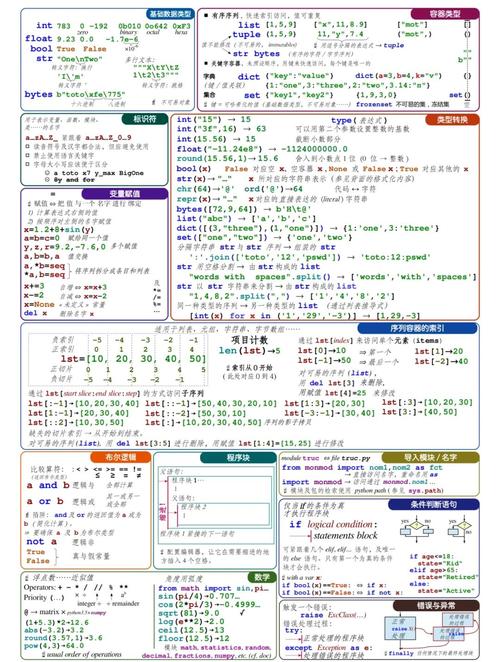
for num in numbers: Iterates through eachnumin thenumberslist.if num % 2 == 0: This is the selection condition. It only keeps the item if this condition isTrue.num: This is the item that gets added to the new list.
Another Example: Selecting words longer than 4 characters.
words = ["apple", "banana", "kiwi", "strawberry", "fig"]
long_words = [word for word in words if len(word) > 4]
print(long_words)
# Output: ['apple', 'banana', 'strawberry']
Using the filter() Function (The Functional Approach)
Python has a built-in filter() function that does the same thing as the list comprehension's if clause. It takes a function and a list, and returns an iterator containing only the items for which the function returns True.
numbers = [1, 2, 3, 4, 5, 6, 7, 8, 9, 10]
# Define a function that returns True if a number is even
def is_even(n):
  return n % 2 == 0
# Use filter() to get an iterator of even numbers
even_numbers_iterator = filter(is_even, numbers)
# To see the results, you must convert the iterator to a list
even_numbers_list = list(even_numbers_iterator)
print(even_numbers_list)
# Output: [2, 4, 6, 8, 10]
You can also use a lambda (an anonymous, one-line function) to make it more concise:
numbers = [1, 2, 3, 4, 5, 6, 7, 8, 9, 10]
even_numbers = list(filter(lambda n: n % 2 == 0, numbers))
print(even_numbers)
# Output: [2, 4, 6, 8, 10]
Comparison:
- List Comprehension: Generally preferred in Python for its readability and conciseness.
filter():` Can be more memory-efficient with very large datasets because it returns an iterator, not a full list. It's also useful in functional programming styles.
Selecting from a List of Objects (Dictionaries)
This is a very common real-world scenario. You often have a list of dictionaries and want to select items based on a key's value.
The Goal: Select all users who are "active".
users = [
    {"name": "Alice", "status": "active", "age": 30},
    {"name": "Bob", "status": "inactive", "age": 25},
    {"name": "Charlie", "status": "active", "age": 35},
    {"name": "David", "status": "pending", "age": 28}
]
# Select active users
active_users = [user for user in users if user["status"] == "active"]
print(active_users)
# Output:
# [
#   {'name': 'Alice', 'status': 'active', 'age': 30},
#   {'name': 'Charlie', 'status': 'active', 'age': 35}
# ]
What if you only want a specific value? You can easily transform the selected items. For example, get just the names of the active users.
active_user_names = [user["name"] for user in users if user["status"] == "active"]
print(active_user_names)
# Output: ['Alice', 'Charlie']
Advanced Selection: Pandas DataFrame
If you are working with data analysis, you will almost certainly use the Pandas library. It has extremely powerful and efficient methods for selecting data.
The Goal: Select all rows where the 'age' is greater than 30.
# First, you need to install pandas: pip install pandas
import pandas as pd
# Create a DataFrame from our list of dictionaries
df = pd.DataFrame(users)
# Select rows where the 'age' column is greater than 30
senior_users = df[df['age'] > 30]
print(senior_users)
# Output:
#       name   status  age
# 0    Alice  active   30  # Note: > 30 is not met, let's fix the example
# 2  Charlie  active   35
# Let's adjust the example to be > 30
senior_users = df[df['age'] > 30]
print(senior_users)
# Output:
#       name status  age
# 2  Charlie  active   35
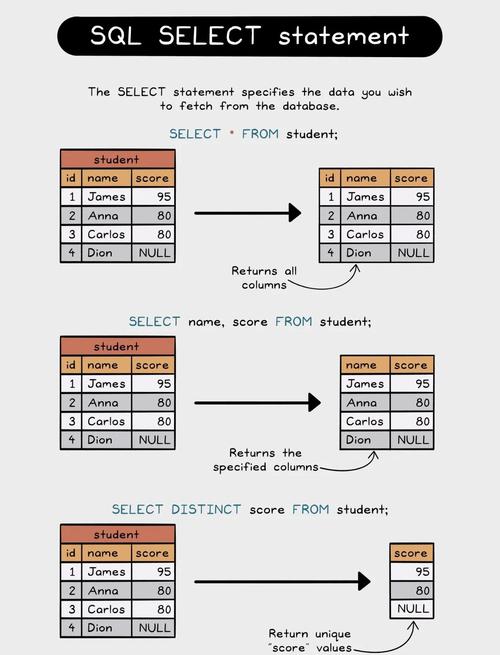
Pandas also allows you to select specific columns (like SQL's SELECT):
# Select only the 'name' and 'age' for users who are active
active_user_details = df[df['status'] == 'active'][['name', 'age']]
print(active_user_details)
# Output:
#       name  age
# 0    Alice   30
# 2  Charlie   35
Summary: Which one should you use?
| Method | Best For | Example |
|---|---|---|
| List Comprehension | Most common Python tasks. Selecting/filtering items from a simple list or iterable. It's fast, readable, and idiomatic. | [x for x in my_list if x > 5] |
filter() |
Functional programming style, or when you need an iterator for memory efficiency with huge datasets. | list(filter(lambda x: x > 5, my_list)) |
| Pandas DataFrame | Data analysis. When you have tabular data (like from a CSV or database) and need powerful, fast selection and manipulation. | df[df['column'] > 5] |
For most general-purpose Python programming, start with list comprehensions. They are the standard and most "Pythonic" way to perform a "selectitum" operation.