Of course. This is a very common point of confusion for developers new to Java, especially those coming from languages like JavaScript or C#.
The short and direct answer is:
No, you cannot use == null on a primitive int in Java. It will result in a compilation error.
Here’s a detailed explanation of why, and what you should do instead.
The Fundamental Reason: Primitives vs. Objects
In Java, there are two main categories of data types:

A. Primitive Types
These are the most basic data types provided by the language. They are not objects. They hold a value directly in memory.
int,double,boolean,char,long,short,byte,float
Because they are not objects, they cannot be null. A variable of a primitive type must hold a value. For an int, the default value is 0 if it's an instance variable, or it must be explicitly initialized.
B. Reference Types
These are types that refer to objects. The variable itself doesn't hold the object's data; it holds a memory address (a "reference") to where the object is located.
- Classes (e.g.,
String,Scanner, your own custom classes) - Interfaces (e.g.,
List,Runnable) - Arrays (e.g.,
int[],String[])
Reference types can be null. The null keyword is a special literal that represents the absence of any object reference. It means the variable is not pointing to any object in memory.
The Compilation Error
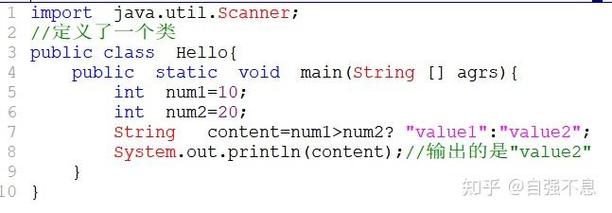
Let's look at the code that causes the error:
public class IntNullCheck {
    public static void main(String[] args) {
        int myNumber = 10;
        // This line will cause a COMPILE-TIME ERROR
        if (myNumber == null) {
            System.out.println("myNumber is null");
        }
    }
}
Compiler Error:
IntNullCheck.java:7: error: incomparable types: int and null
        if (myNumber == null) {
                      ^
1 error
The compiler is telling you exactly what's wrong: you are trying to compare an int (a primitive) with null (a literal that can only be assigned to reference types). This comparison is not logically possible, so the code is rejected before it can even be run.
The Solution: Use the Wrapper Class Integer
To be able to represent the "absence of a value" for an integer, Java provides wrapper classes for each primitive type.
- The wrapper class for
intisInteger. Integeris a reference type, so a variable of typeIntegercan benull.
This is the standard way to solve the problem.
Example: Using Integer
public class IntegerNullCheck {
    public static void main(String[] args) {
        // Declare an Integer variable. It can hold an int value or null.
        Integer myInteger = null;
        // This check is now valid because both sides are reference types.
        if (myInteger == null) {
            System.out.println("myInteger is null. Assigning a value...");
            myInteger = 100; // Assign a value
        }
        System.out.println("The value of myInteger is: " + myInteger);
        // Another example
        Integer anotherInteger = 200; // You can assign an int directly (autoboxing)
        if (anotherInteger != null) {
            System.out.println("anotherInteger is not null. Its value is: " + anotherInteger);
        }
    }
}
Output:
myInteger is null. Assigning a value...
The value of myInteger is: 100
anotherInteger is not null. Its value is: 200
A Common Scenario: Handling int values from a Database or API
A very practical use case for Integer is when you retrieve data from a database or an API. A column in a database (like an age or a phone_number) might be optional (nullable). In Java, you would map this nullable database column to an Integer, not an int.
// Simulating getting a value from a database that might be empty
String dbValue = getOptionalValueFromDB(); // Could be "42" or null
Integer optionalId = null;
if (dbValue != null) {
    try {
        optionalId = Integer.parseInt(dbValue);
    } catch (NumberFormatException e) {
        System.out.println("Could not parse the value from the database.");
    }
}
// Now you can safely check for null
if (optionalId == null) {
    System.out.println("The ID was not provided or was invalid.");
} else {
    System.out.println("The ID is: " + optionalId);
}
Summary Table
| Feature | int (Primitive) |
Integer (Wrapper Class) |
|---|---|---|
| Type | Primitive | Reference (Object) |
Can it be null? |
No | Yes |
| Default Value | 0 (for instance variables) |
null |
| Size | Fixed (e.g., 32 bits) | Variable (object header + data) |
Use == null? |
No, compilation error | Yes, this is the correct way |
| When to use? | When you are certain the value will always exist and is not optional. | When the value is optional (e.g., from a database, API, or user input). |
Key Takeaway
- Primitives (
int,double, etc.) cannot benull. - Reference types (
Integer,String,MyClass, etc.) can benull. - If you need to represent the absence of a number, use the wrapper class
Integerand check it with== null.