Of course! Working with JSON data is a fundamental task in PySpark. Here’s a comprehensive guide covering the most common methods, from basic loading to complex schema handling.
Why Use JSON with Spark?
JSON (JavaScript Object Notation) is a popular data format because it's:
- Human-readable
- Lightweight
- Schema-flexible (though Spark benefits from a defined schema)
Spark can read JSON from various sources:
- A single JSON file
- A directory of JSON files
- An RDD of JSON strings
- A streaming source (like Kafka)
Basic JSON Loading (Schema Inference)
The easiest way to start is by letting Spark figure out the schema on its own. This is great for exploration and simple, well-structured JSON.
Method 1: spark.read.json()
This is the most common method. It reads a file or directory of files where each line is a complete JSON object.
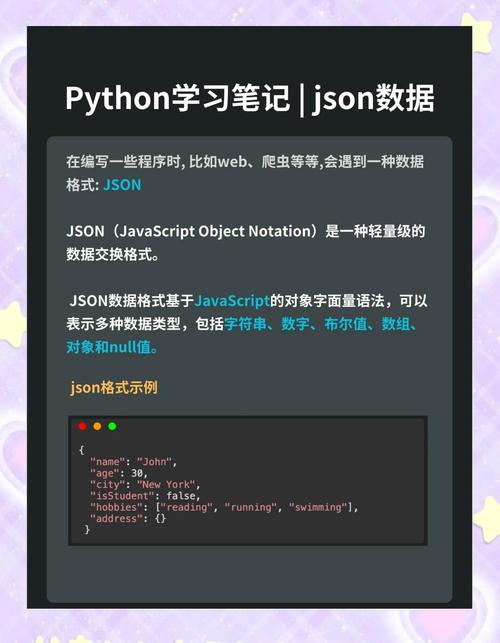
Example JSON File (employees.json):
{"id": 1, "name": "John Doe", "age": 30, "department": "Engineering"}
{"id": 2, "name": "Jane Smith", "age": 25, "department": "Marketing"}
{"id": 3, "name": "Peter Jones", "age": 35, "department": "Engineering"}
{"id": 4, "name": "Susan Williams", "age": 28, "department": "Sales"}
Python Code:
from pyspark.sql import SparkSession
# 1. Initialize SparkSession
spark = SparkSession.builder \
    .appName("JSONExample") \
    .getOrCreate()
# 2. Read the JSON file
# Spark will automatically infer the schema from the data
df = spark.read.json("path/to/your/employees.json")
# 3. Show the DataFrame
print("DataFrame Schema (Inferred):")
df.printSchema()
print("\nDataFrame Content:")
df.show()
# 4. Perform operations (e.g., filter)
engineering_df = df.filter(df.department == "Engineering")
print("\nEngineering Department Employees:")
engineering_df.show()
# 5. Stop the SparkSession
spark.stop()
Output:
DataFrame Schema (Inferred):
root
 |-- age: long (nullable = true)
 |-- department: string (nullable = true)
 |-- id: long (nullable = true)
 |-- name: string (nullable = true)
DataFrame Content:
+---+----------+---+---------------+
|age|department| id|           name|
+---+----------+---+---------------+
| 30|Engineering|  1|        John Doe|
| 25|  Marketing|  2|      Jane Smith|
| 35|Engineering|  3|     Peter Jones|
| 28|      Sales|  4|Susan Williams|
+---+----------+---+---------------+
Engineering Department Employees:
+---+----------+---+-----------+
|age|department| id|       name|
+---+----------+---+-----------+
| 30|Engineering|  1|   John Doe|
| 35|Engineering|  3|Peter Jones|
+---+----------+---+-----------+
Complex JSON (Nested and Array Structures)
Real-world JSON is often nested. Spark handles this by creating nested StructType and ArrayType columns.
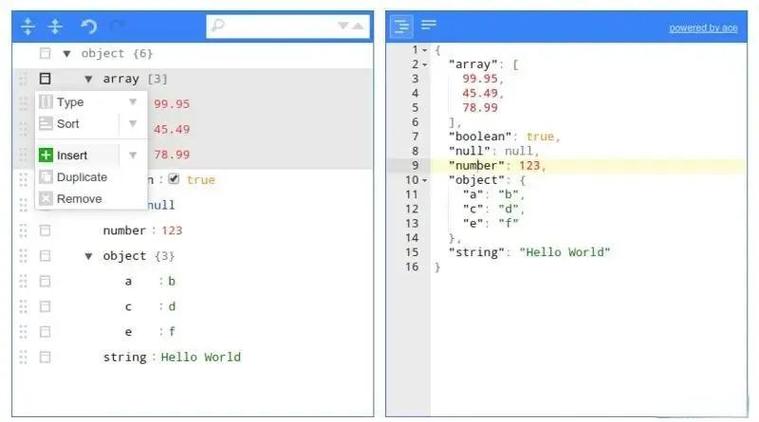
Example Nested JSON File (company.json):
{
  "company_name": "TechCorp",
  "founded_year": 2010,
  "employees": [
    {"id": 1, "name": "John Doe", "skills": ["Java", "Spark"]},
    {"id": 2, "name": "Jane Smith", "skills": ["Python", "SQL"]}
  ]
}
{
  "company_name": "DataInc",
  "founded_year": 2025,
  "employees": [
    {"id": 3, "name": "Peter Jones", "skills": ["Scala", "Kafka"]}
  ]
}
Python Code:
from pyspark.sql import SparkSession
spark = SparkSession.builder \
    .appName("ComplexJSONExample") \
    .getOrCreate()
# Read the complex JSON file
df = spark.read.json("path/to/your/company.json")
# Print the schema to see the nested structure
print("DataFrame Schema (Complex):")
df.printSchema()
print("\nDataFrame Content:")
df.show(truncate=False) # truncate=False to see full content
# Accessing nested data
# Get the names of all employees
from pyspark.sql.functions import col
employee_names_df = df.select(col("employees.name"))
print("\nEmployee Names (Exploded):")
# We need to 'explode' the array to get individual rows
from pyspark.sql.functions import explode
df.select(explode(col("employees")).alias("employee")).select("employee.name").show()
spark.stop()
Output:
DataFrame Schema (Complex):
root
 |-- company_name: string (nullable = true)
 |-- employees: array (nullable = true)
 |    |-- element: struct (containsNull = true)
 |    |    |-- id: long (nullable = true)
 |    |    |-- name: string (nullable = true)
 |    |    |-- skills: array (nullable = true)
 |    |    |    |-- element: string (containsNull = true)
 |-- founded_year: long (nullable = true)
DataFrame Content:
+----------+--------------------+------------+
|company_name|               employees|founded_year|
+----------+--------------------+------------+
|    TechCorp|[[1, John Doe, [J...|        2010|
|     DataInc|[[3, Peter Jones,...|        2025|
+----------+--------------------+------------+
Employee Names (Exploded):
+--------+
|    name|
+--------+
|John Doe|
|Jane Smith|
|Peter Jones|
+--------+
Explicit Schema Definition
For performance and stability, it's best to define the schema yourself, especially in production. This avoids the overhead of schema inference and prevents errors if the data changes slightly.
You define a schema using pyspark.sql.types.
Python Code:
from pyspark.sql import SparkSession
from pyspark.sql.types import StructType, StructField, StringType, IntegerType, ArrayType
spark = SparkSession.builder \
    .appName("ExplicitSchemaExample") \
    .getOrCreate()
# 1. Define the schema
schema = StructType([
    StructField("id", IntegerType(), True),
    StructField("name", StringType(), True),
    StructField("age", IntegerType(), True),
    StructField("department", StringType(), True)
])
# 2. Read the JSON file and apply the schema
df = spark.read.schema(schema).json("path/to/your/employees.json")
# 3. Show the DataFrame
print("DataFrame with Explicit Schema:")
df.printSchema()
df.show()
spark.stop()
Reading Multiple JSON Files
If you have a directory containing multiple JSON files, you can simply point the reader to the directory.
Directory Structure:
/path/to/json_data/
├── employees.json
├── customers.json
└── products.json
Python Code:
from pyspark.sql import SparkSession
spark = SparkSession.builder \
    .appName("MultiJSONExample") \
    .getOrCreate()
# Read all JSON files in the directory
all_data_df = spark.read.json("path/to/json_data/")
print("Schema of combined data:")
all_data_df.printSchema()
print("\nContent of combined data:")
all_data_df.show()
spark.stop()
Writing DataFrames to JSON
You can also write your Spark DataFrames back to JSON format using write.json().
Python Code:
from pyspark.sql import SparkSession
spark = SparkSession.builder \
    .appName("WriteJSONExample") \
    .getOrCreate()
# Create a sample DataFrame
data = [(101, "Alice", "HR"), (102, "Bob", "IT")]
columns = ["employee_id", "first_name", "last_name"]
df_to_write = spark.createDataFrame(data, columns)
# Write the DataFrame to a JSON file
# This will create a directory with multiple part-xxxxx files
df_to_write.write.json("path/to/output/json_data")
print("DataFrame written to JSON.")
spark.stop()
After running this, you'll find a new directory path/to/output/json_data/ containing files like part-00000-..., part-00001-..., etc.
Summary of Key Methods
| Task | Method / Code |
|---|---|
| Read JSON (Infer Schema) | df = spark.read.json("path/to/file.json") |
| Read JSON (Explicit Schema) | df = spark.read.schema(my_schema).json("path/to/file.json") |
| Read JSON from RDD | df = spark.read.json(rdd_of_json_strings) |
| Write DataFrame to JSON | df.write.json("path/to/output_dir") |
| Write DataFrame (Single File) | df.coalesce(1).write.json("path/to/output_dir") (Caution: can be slow) |
| Write DataFrame (Compressed) | df.write.json("path/to/output_dir", compression="gzip") |
| Print Schema | df.printSchema() |
| Show Data | df.show() or df.show(n=50, truncate=False) |
Common Pitfalls & Best Practices
- Schema Mismatch: If your data doesn't match the inferred or defined schema, Spark will throw an error or fill mismatched columns with
null. Always check your schema withdf.printSchema(). - Newline-Delimited JSON (NDJSON): The methods above assume each line in the file is a self-contained JSON object. This is standard and efficient for Spark. If you have a single, massive JSON object array
[{...}, {...}, ...]on one line, you'll need to preprocess it or use a customtextFile+mapapproach. - Performance: For large datasets, always define an explicit schema. Schema inference requires Spark to read and parse the entire dataset (or a sample), which is expensive.
- Data Skew: When dealing with heavily nested data (especially large arrays), be aware of data skew. Exploding a large array on one partition can cause that partition to do much more work than others. Techniques like
saltingcan help.