Of course! Converting a Python list to a string is a very common task. The best method depends on exactly what kind of string you want to create.
Here’s a complete guide, from the simplest case to more advanced formatting.
The Quick Answer: The Easiest Way
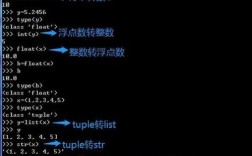
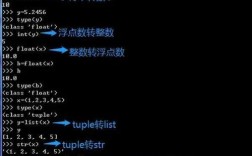
The most common and straightforward way is to use the str() function. It works perfectly for lists containing simple data types like strings and numbers.
my_list = ['apple', 'banana', 'cherry']
# Convert the list to a string
list_as_string = str(my_list)
print(list_as_string)
print(type(list_as_string))
Output:
['apple', 'banana', 'cherry']
<class 'str'>
Important Note: This method includes the square brackets [] and the quotes around the elements. If you want a clean, comma-separated string without these, you need a different approach.
Method 1: str.join() - The Best for Custom Formats
This is the most flexible and Pythonic way to create a single string from the elements of a list. The join() method is called on a "separator" string and takes the list as an argument.
Basic Example: Comma-Separated String
fruits = ['apple', 'banana', 'cherry']
# Use a comma and a space as the separator
result = ', '.join(fruits)
print(result)
print(type(result))
Output:
apple, banana, cherry
<class 'str'>
Key Points:
- The
join()method is called on the string you want to use as a separator (e.g., ). - Crucially, all elements in the list must be strings. If your list contains numbers or other types, you'll get a
TypeError.
Handling Non-String Elements (Numbers, etc.)
If your list contains numbers or other data types, you must first convert them to strings using a list comprehension or the map() function.
numbers = [1, 2, 3, 10, 25]
# Method A: List Comprehension (more readable)
result = ', '.join([str(num) for num in numbers])
print(result)
# Method B: map() function (can be slightly more efficient for large lists)
result = ', '.join(map(str, numbers))
print(result)
Output:
1, 2, 3, 10, 25
1, 2, 3, 10, 25
Other Separator Examples
You can use any string as a separator.
words = ['hello', 'world', 'python']
# No separator
print(''.join(words))  # helloworldpython
# Hyphen separator
print('-'.join(words)) # hello-world-python
# Newline separator
print('\n'.join(words))
# hello
# world
# python
Method 2: Using a Loop (The Manual Way)
This method is more verbose but is great for understanding the underlying logic or for more complex transformations where join() might be awkward.
my_list = ['a', 'b', 'c', 'd']
result_string = ""
for item in my_list:
    # Add the item to the string, followed by a separator
    result_string += str(item) + ", "
# Remove the trailing ", " from the end
result_string = result_string.rstrip(", ")
print(result_string)
Output:
a, b, c, dWhile this works, it's generally less efficient and more error-prone than using join().
Method 3: Using json.dumps() for Complex Data
If your list contains nested lists, dictionaries, or other complex objects, the str() or join() methods might not give you a clean, predictable string. The json module is perfect for this, as it converts your list into a standardized JSON string.
import json
complex_list = ['user', 123, {'name': 'Alice', 'roles': ['admin', 'editor']}]
# Use json.dumps() for a nicely formatted string
# The indent=4 argument makes it readable
pretty_string = json.dumps(complex_list, indent=4)
print(pretty_string)
print(type(pretty_string))
Output:
[
    "user",
    123,
    {
        "name": "Alice",
        "roles": [
            "admin",
            "editor"
        ]
    }
]
<class 'str'>
Summary: Which Method Should I Use?
| Your Goal | Recommended Method | Example |
|---|---|---|
Get the official string representation (with [] and ) |
str(my_list) |
str(['a', 'b']) -> "['a', 'b']" |
| Create a simple, custom string (e.g., comma-separated) | 'sep'.join(list) |
', '.join(['a', 'b']) -> "a, b" |
| Handle lists with numbers or mixed types | 'sep'.join(map(str, list)) |
'-'.join(map(str, [1, 2, 3])) -> "1-2-3" |
| Format a complex/nested list | json.dumps(list, indent=4) |
See example above |