Of course! This is a very common question for anyone working with images in Python. Pillow (PIL) and scikit-image (skimage) are two of the most popular libraries for image processing, but they have different philosophies and strengths.
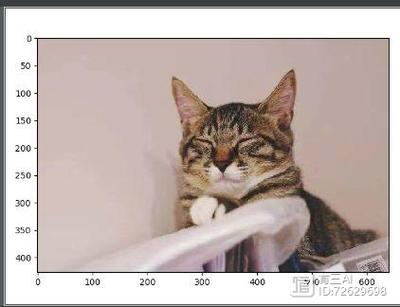
Here’s a detailed comparison to help you understand when to use which one.
High-Level Summary
| Feature | Pillow (PIL Fork) | scikit-image (skimage) |
|---|---|---|
| Primary Goal | Image I/O and basic manipulation. It's the go-to library for opening, saving, resizing, cropping, and converting image formats. | Scientific image analysis. It's designed for complex tasks like filtering, segmentation, feature detection, and measurement. |
| Analogy | A digital photo editor (like a simplified Photoshop). | A microscope with analysis tools (like ImageJ or CellProfiler). |
| Core Strength | Simplicity, wide format support, and a user-friendly API for common tasks. | A rich collection of algorithms built on NumPy for scientific and analytical tasks. |
| Data Structure | PIL.Image object (wraps a NumPy array internally). |
NumPy ndarray. This is the fundamental data type. |
| Dependencies | Minimal (only setuptools, Pillow itself). |
Heavier. Relies heavily on NumPy, SciPy, scikit-learn, and sometimes Matplotlib. |
| Best For | - Loading/saving images - Resizing, cropping, rotating - Converting color spaces (RGB, RGBA, L) - Creating thumbnails |
- Applying filters (Gaussian, Sobel, etc.) - Image segmentation (thresholding, watershed) - Feature detection (SIFT, ORB) - Measuring properties (area, perimeter) of objects |
Detailed Breakdown
Philosophy and Design
-
Pillow (PIL):
- Goal: To be a friendly, powerful, and easy-to-use library for "casual" image manipulation. It's the spiritual successor to the original Python Imaging Library (PIL).
- Design: It provides a high-level
Imageobject that abstracts away the underlying pixel data. You call methods on the image object (e.g.,image.resize(),image.rotate()). This makes common operations very intuitive.
-
scikit-image (skimage):
- Goal: To provide a collection of algorithms for image processing in a scientific context. It's part of the SciPy ecosystem.
- Design: It's built around NumPy arrays. Every image you work with is essentially a NumPy array. This means you can use NumPy's powerful indexing, slicing, and mathematical functions directly on the image data. All functions are standalone functions that take a NumPy array as input and return a NumPy array as output (e.g.,
skimage.filters.gaussian(image_array)).
Data Structures: The Key Difference
This is the most important distinction to understand.
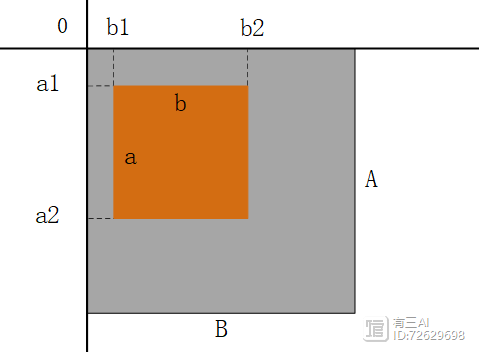
Pillow (PIL.Image)
A Pillow image is an object that contains a pixel mode ('RGB', 'L' for grayscale, 'RGBA', etc.) and a size. You can easily convert it to a NumPy array.
from PIL import Image
# Load an image
pil_image = Image.open('my_image.jpg')
# Get basic info
print(f"Mode: {pil_image.mode}, Size: {pil_image.size}")
# Convert to a NumPy array
import numpy as np
np_array = np.array(pil_image)
print(f"NumPy array shape: {np_array.shape}")
print(f"NumPy array dtype: {np_array.dtype}")
scikit-image (ndarray)
With scikit-image, you almost always start with a NumPy array. You often get this array by loading an image with another library (like Pillow!) or by creating it from scratch.
from skimage import io
import numpy as np
# Option 1: Load directly with skimage.io (uses Pillow under the hood)
skimage_array = io.imread('my_image.jpg')
print(f"skimage array shape: {skimage_array.shape}")
# Option 2: Load with Pillow and convert (very common workflow)
pil_image = Image.open('my_image.jpg')
skimage_array_from_pil = np.array(pil_image)
Feature Comparison with Code Examples
Let's see how you'd perform common tasks with both libraries.
Task 1: Loading and Saving an Image
-
Pillow: Very straightforward.
 (图片来源网络,侵删)
from PIL import Image # Load img = Image.open('input.jpg') # Save in a different format img.save('output.png') -
scikit-image: Also simple, but the function names are more explicit.
from skimage import io
# Load
img = io.imread('input.jpg')
# Save
io.imsave('output.png', img)
Verdict: Both are easy. Pillow feels slightly more "native" to the object-oriented world.
Task 2: Resizing an Image
-
Pillow: The
Image.resize()method is very intuitive.from PIL import Image img = Image.open('input.jpg') new_size = (300, 200) resized_img = img.resize(new_size, Image.LANCZOS) # LANCZOS is a high-quality resampling filter resized_img.save('resized_pil.jpg') -
scikit-image: You use the
transform.resizefunction.from skimage import io, transform import numpy as np img = io.imread('input.jpg') # Note: skimage uses (height, width) order output_shape = (200, 300) resized_img = transform.resize(img, output_shape, anti_aliasing=True) io.imsave('resized_skimage.jpg', resized_img)
Verdict: Pillow's method is arguably more readable for a simple resize. Skimage's function is more explicit about its parameters and is part of a larger transform module.
Task 3: Applying a Filter (e.g., Gaussian Blur)
This is where the libraries diverge significantly.
-
Pillow: Pillow has a few built-in filters like
ImageFilter.from PIL import Image, ImageFilter img = Image.open('input.jpg') # Apply a predefined Gaussian filter blurred_img = img.filter(ImageFilter.GaussianBlur(radius=2)) blurred_img.save('blurred_pil.jpg') -
scikit-image: This is a core strength. You have access to a vast library of scientific filters.
from skimage import io, filters
import matplotlib.pyplot as plt # Often used for displaying results
img = io.imread('input.jpg')
# Apply a Gaussian filter with precise control over sigma
blurred_img = filters.gaussian(img, sigma=2, channel_axis=-1)
# Display the result
# plt.imshow(blurred_img)
# plt.show()
io.imsave('blurred_skimage.jpg', blurred_img)
Verdict: For scientific filtering, scikit-image is the clear winner. Pillow's filters are basic conveniences.
Task 4: Converting to Grayscale
-
Pillow: Simple method call.
from PIL import Image img = Image.open('input.jpg') gray_img = img.convert('L') # 'L' mode is 8-bit grayscale gray_img.save('gray_pil.jpg') -
scikit-image: A dedicated function for this.
from skimage import io, color
img = io.imread('input.jpg')
gray_img = color.rgb2gray(img) # Explicit function for RGB to grayscale
# Note: rgb2gray returns a float array with values 0-1
# You might want to convert it back to 0-255 uint8 to save
gray_img_8bit = (gray_img * 255).astype(np.uint8)
io.imsave('gray_skimage.jpg', gray_img_8bit)
Verdict: Pillow is more direct. Skimage is more explicit about the color space conversion and data types.
The Best of Both Worlds: A Common Workflow
In practice, many developers use both libraries together, leveraging the strengths of each.
Typical Workflow:
- Load and Prepare with Pillow: Use Pillow to load the image from a file, perform simple tasks like cropping or converting to a specific color mode.
- Convert to NumPy Array: Convert the Pillow
Imageobject into a NumPy array. This is the bridge to the scientific world. - Analyze with scikit-image: Pass the NumPy array to scikit-image functions for complex analysis, filtering, segmentation, etc.
- Visualize or Save: Use Matplotlib to display the results, or convert the final NumPy array back to a Pillow
Imageobject to save it to a file.
from PIL import Image
from skimage import filters, io
import numpy as np
# 1. Load and prepare with Pillow
pil_img = Image.open('my_photo.jpg').convert('RGB') # Ensure it's RGB
# 2. Convert to a NumPy array (the bridge)
img_array = np.array(pil_img)
# 3. Analyze with scikit-image
# Let's detect edges using the Sobel filter
# Note: skimage.filters.sobel works on grayscale images
gray_img = filters.gaussian(img_array, channel_axis=-1) # Smooth first
edges = filters.sobel(gray_img)
# 4. Visualize the result
# Matplotlib is the standard for plotting in the SciPy ecosystem
import matplotlib.pyplot as plt
fig, axes = plt.subplots(1, 2, figsize=(10, 5))
axes[0].imshow(pil_img)
axes[0].set_title('Original Image')
axes[1].imshow(edges, cmap='gray')
axes[1].set_title('Edge Detection (skimage)')
for ax in axes:
    ax.axis('off')
plt.show()
# To save the result, convert back to a Pillow Image
# The edges array is float, so we need to scale and convert to uint8
edges_uint8 = (edges / edges.max() * 255).astype(np.uint8)
result_pil_image = Image.fromarray(edges_uint8)
result_pil_image.save('edges_result.png')
Final Recommendation
-
Use Pillow when:
- Your primary task is I/O (reading from or writing to disk).
- You need to perform basic geometric transformations (resize, crop, rotate).
- You need to work with a wide variety of image file formats.
- You want a simple, high-level API for common tasks.
-
Use scikit-image when:
- You are performing scientific or analytical image processing.
- You need to apply advanced filters or morphological operations.
- Your goal is segmentation, object detection, or measurement.
- You are already working within the NumPy/SciPy ecosystem.
-
Use both together when:
You are doing almost any serious image analysis project. Use Pillow for the "plumbing" (loading/saving) and scikit-image for the "heavy lifting" (analysis).