
Of course! The phrase "Python list exists" can mean a few different things. Let's break down the most common interpretations with clear examples.
Check if an Item Exists in a List (Most Common)
This is the most frequent use case. You want to know if a specific value is present in your list.
Method 1: Using the in Operator (Recommended)
This is the most Pythonic, readable, and efficient way for most situations. It returns True if the item is found and False if not.
my_list = ['apple', 'banana', 'cherry', 'mango']
# Check for an item that exists
print('banana' in my_list)  # Output: True
# Check for an item that does not exist
print('grape' in my_list)   # Output: False
Method 2: Using the .count() Method
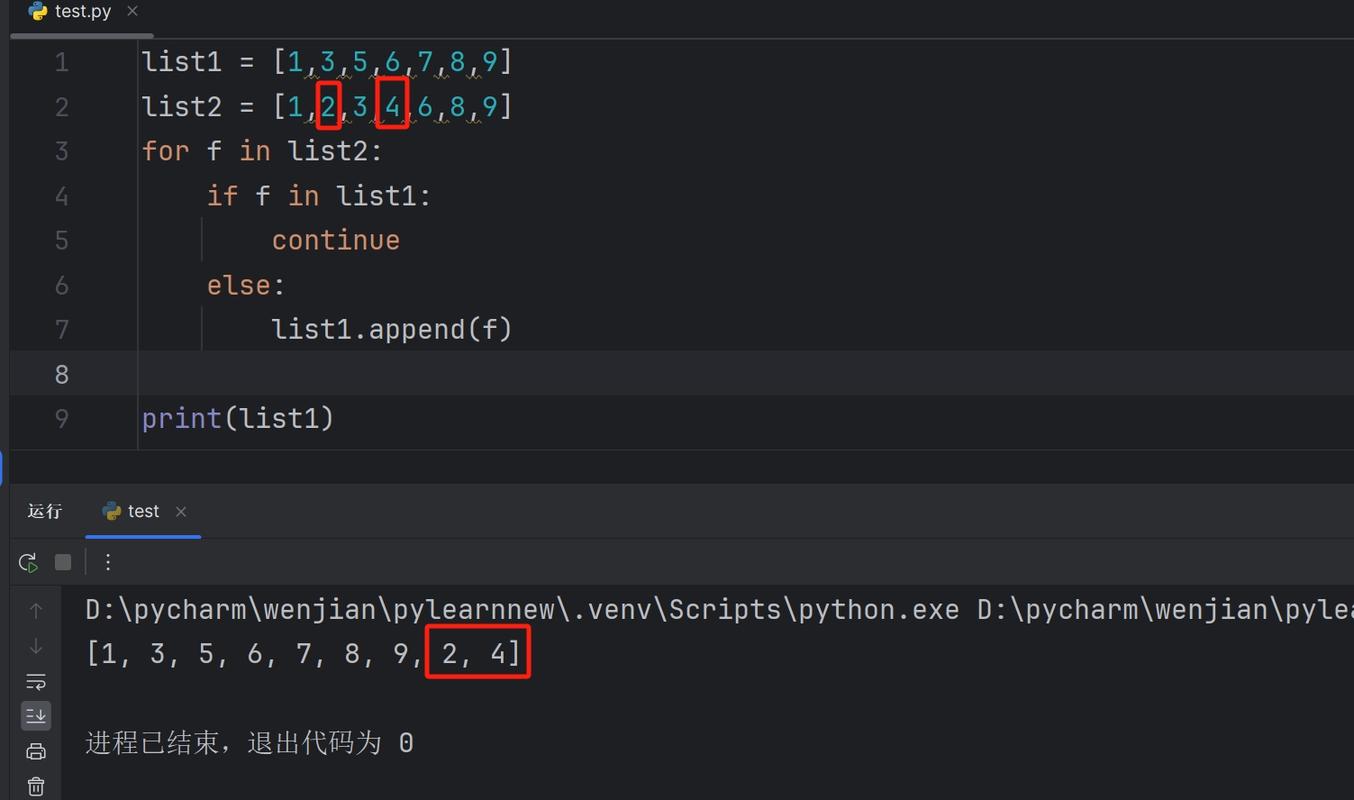
You can count the occurrences of an item. If the count is greater than zero, the item exists.
my_list = ['apple', 'banana', 'cherry', 'mango', 'banana']
# Check for an item that exists
if my_list.count('banana') > 0:
    print("Yes, 'banana' exists in the list.") # Output: Yes, 'banana' exists in the list.
# Check for an item that does not exist
if my_list.count('grape') > 0:
    print("Yes, 'grape' exists in the list.")
else:
    print("No, 'grape' does not exist.") # Output: No, 'grape' does not exist.
When to use which:
- Use
infor simple existence checks. It's generally faster and more direct. - Use
.count()if you need to know how many times an item appears, not just if it appears at all.
Check if a List Exists (i.e., is Defined)
Sometimes you want to check if a variable that is supposed to be a list has actually been created or if it's None.
# A list that has been defined
my_fruits = ['apple', 'banana']
# A variable that has not been assigned yet (or was set to None)
my_vegetables = None
# Check if my_fruits is a list (and not None)
if my_fruits is not None and isinstance(my_fruits, list):
    print("my_fruits exists and is a list.") # Output: my_fruits exists and is a list.
# Check if my_vegetables is a list
if my_vegetables is not None and isinstance(my_vegetables, list):
    print("my_vegetables exists and is a list.")
else:
    print("my_vegetables does not exist or is not a list.") # Output: my_vegetables does not exist or is not a list.
Explanation:
is not None: First, we check that the variable is notNone. This is a common way to signify that a variable hasn't been initialized.isinstance(my_vegetables, list): Then, we check if the object is of thelisttype. This is more robust than justtype(my_vegetables) == listbecause it also accounts for subclasses oflist.
Check if a File Exists (and Store its Contents in a List)
A very practical task is to read lines from a file into a list. A common first step is to check if the file exists before trying to open it.
The modern, recommended way to do this is with the pathlib module.
from pathlib import Path
file_path = Path('my_data.txt')
# Check if the file exists
if file_path.exists():
    print(f"File '{file_path}' found. Reading contents...")
    # Use a 'with' block for safe file handling
    with open(file_path, 'r') as f:
        lines = f.readlines() # Reads all lines into a list, including newlines
    print(f"Contents loaded into a list with {len(lines)} lines.")
    print(lines)
else:
    print(f"File '{file_path}' does not exist.")
    lines = [] # Create an empty list as a fallback
# Now you can safely work with the 'lines' list
print(f"The final list is: {lines}")
Alternative with os module (older style):
import os
file_path = 'my_data.txt'
if os.path.exists(file_path):
    print(f"File '{file_path}' found. Reading contents...")
    with open(file_path, 'r') as f:
        lines = f.readlines()
    print(f"Contents loaded into a list with {len(lines)} lines.")
else:
    print(f"File '{file_path}' does not exist.")
    lines = []
Summary Table
| Your Goal | Recommended Method | Example |
|---|---|---|
| Check if an item is in a list | in operator |
if 'item' in my_list: |
| Count how many times an item appears | .count() method |
if my_list.count('item') > 0: |
| Check if a variable is a defined list | is not None and isinstance() |
if my_var is not None and isinstance(my_var, list): |
| Check if a file exists before reading it | pathlib.Path.exists() |
if Path('myfile.txt').exists(): |
For almost all day-to-day programming, the in operator is the key takeaway for checking if an item exists in a list.


