
Of course! This is a fundamental and often confusing topic in Python. Let's break it down clearly.
The Core Idea: Text vs. Bytes
The most important thing to understand is the difference between text and bytes.
- Text is an abstract sequence of characters (like the word "café").
- Bytes are a concrete sequence of 8-bit values (like
0b11000011,0b10101010,0b11100110,0b10110010,0b10111101).
You cannot store text directly on a computer or send it over a network. You must first encode it into bytes. When you receive bytes, you must decode them back into text to understand them.
Unicode is the standard that defines what characters are (e.g., 'A', 'é', '€', '你'). UTF-8 is a popular rulebook (an encoding) for how to represent any Unicode character as a sequence of bytes.
Unicode: The "What"
- What it is: Unicode is a universal character set. It assigns a unique number, called a code point, to every character in every language, plus symbols, emojis, and control characters.
- How it's written: Code points are usually written in hexadecimal with a
U+prefix. For example:U+0041is the letter 'A'.U+00E9is the letter 'é'.U+1F600is the grinning face emoji '😀'.
- Python's
strtype: In Python 3, thestrtype is a sequence of Unicode characters. When you write a string literal, Python stores it as a sequence of these abstract Unicode characters.
# In Python 3, this is a sequence of Unicode characters.
# Python sees it as ['c', 'a', 'f', 'é']
my_string = "café"
# The 'é' is represented by its Unicode code point U+00E9
print(ord('é'))  # Output: 233 (which is 0xE9 in decimal)
print(hex(ord('é'))) # Output: 0xe9
Crucially, a Python str object does not know or care about UTF-8, UTF-16, or any other encoding. It's just text.
UTF-8: The "How"
- What it is: UTF-8 (Unicode Transformation Format - 8-bit) is a variable-width character encoding. It's the dominant encoding on the web and in Linux/macOS systems.
- How it works:
- It uses 1 byte to represent common English characters (like 'A' to 'Z'), which is very space-efficient.
- It uses 2, 3, or even 4 bytes to represent characters outside the ASCII set (like 'é', '你', '€').
- Example:
- The character 'A' (
U+0041) is encoded as a single byte:01000001. - The character 'é' (
U+00E9) is encoded as two bytes:1100001110101001. - The emoji '😀' (
U+1F600) is encoded as four bytes:11110000100111111010011010000000.
- The character 'A' (
The Two Types in Python 3
This is the key to making it all work. Python 3 has two main types for representing data:
str: A sequence of Unicode characters (text).bytes: A sequence of raw bytes (8-bit values).
You must explicitly convert between them.
encode(): From str to bytes
You use the .encode() method on a string to turn it into bytes. You must specify the encoding (UTF-8 is the most common and recommended choice).
text = "Hello, 世界! 👋" # This is a str (Unicode text)
# Encode the string into bytes using UTF-8
bytes_data = text.encode('utf-8')
print(f"Original type: {type(text)}")
print(f"Original text: {text}")
print(f"Encoded type:  {type(bytes_data)}")
print(f"Encoded bytes: {bytes_data}")
# Output:
# Original type: <class 'str'>
# Original text: Hello, 世界! 👋
# Encoded type:  <class 'bytes'>
# Encoded bytes: b'Hello, \xe4\xb8\x96\xe7\x95\x8c! \xf0\x9f\x91\x8b'
Notice how the non-ASCII characters (世界 and 👋) are now represented as sequences of \x values, which are the byte representations in UTF-8.
decode(): From bytes to str
You use the .decode() method on a bytes object to turn it back into a string.
# We have some bytes data
bytes_data = b'Hello, \xe4\xb8\x96\xe7\x95\x8c! \xf0\x9f\x91\x8b'
# Decode the bytes back into a string, specifying the encoding
text_again = bytes_data.decode('utf-8')
print(f"Decoded type: {type(text_again)}")
print(f"Decoded text: {text_again}")
# Output:
# Decoded type: <class 'str'>
# Decoded text: Hello, 世界! 👋
Common Pitfalls and How to Avoid Them
Pitfall 1: UnicodeEncodeError
This happens when you try to encode a string that contains characters that cannot be represented in the encoding you chose.
# The 'é' character cannot be represented in the latin-1 encoding
text = "café"
try:
    text.encode('latin-1') # latin-1 only has 256 characters, no 'é'
except UnicodeEncodeError as e:
    print(f"Error: {e}")
# Output:
# Error: 'utf-8' codec can't encode character '\xe9' in position 3: surrogates not allowed
# (The exact error message might vary slightly)
Solution: Use an encoding that can handle all your characters, like UTF-8.
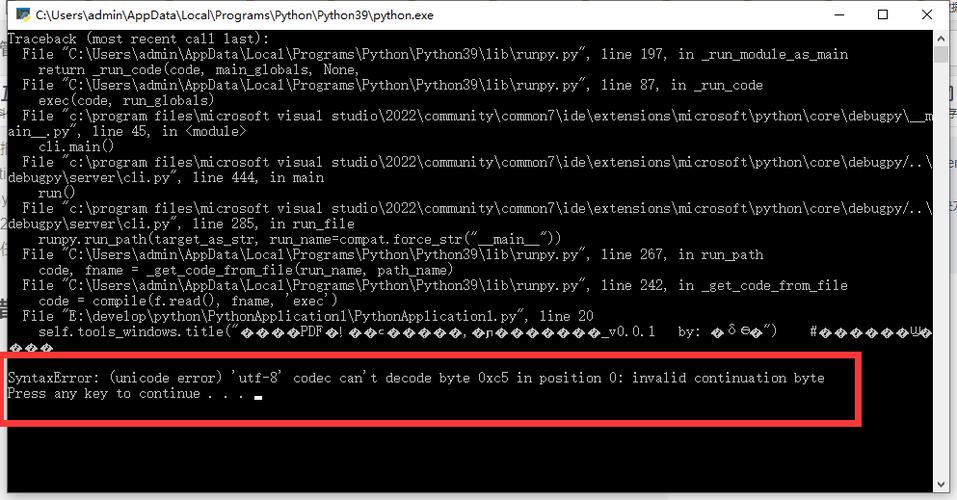
Pitfall 2: UnicodeDecodeError
This happens when you try to decode bytes that are not valid for the encoding you specified.
# These bytes are the UTF-8 representation of "café"
bytes_data = b'caf\xc3\xa9'
# Let's try to decode them as if they were latin-1 (a common mistake)
try:
    text = bytes_data.decode('latin-1')
except UnicodeDecodeError as e:
    print(f"Error: {e}")
# Output:
# Error: 'latin-1' codec can't decode byte 0xc3 in position 3: invalid byte
Why? The byte \xc3 is a valid first byte of a multi-byte UTF-8 character, but it's not a valid single-byte character in latin-1.
Solution: Make sure you know the encoding of the byte data you are receiving. If you don't, UTF-8 is a safe and modern default.
Practical Examples
Reading from a File
Always specify the encoding when opening a file. If you don't, Python uses the system's default encoding, which can vary and cause errors.
# Write some text to a file, explicitly encoding it as UTF-8
with open("my_file.txt", "w", encoding="utf-8") as f:
    f.write("Hello from Python! 🐍")
# Read the file back, explicitly decoding it as UTF-8
with open("my_file.txt", "r", encoding="utf-8") as f:
    content = f.read()
print(content) # Output: Hello from Python! 🐍
Working with Web APIs
When you get a response from a web API, the body is often bytes. You need to decode it.
import requests
# A URL that returns non-ASCII text
url = "https://example.com" # Replace with a real API endpoint
try:
    response = requests.get(url)
    # This is the crucial step: decode the content from bytes to str
    # The response headers usually tell you the encoding (e.g., Content-Type: text/html; charset=utf-8)
    # If not, utf-8 is a good guess.
    text_content = response.content.decode('utf-8')
    print(text_content)
except UnicodeDecodeError:
    print("Could not decode the response with UTF-8.")
except requests.exceptions.RequestException as e:
    print(f"An error occurred: {e}")
Summary Table
| Action | Method | From Type | To Type | Description |
|---|---|---|---|---|
| Encode | .encode('utf-8') |
str (Unicode text) |
bytes (raw bytes) |
Convert text into a byte sequence for storage/transmission. |
| Decode | .decode('utf-8') |
bytes (raw bytes) |
str (Unicode text) |
Convert a byte sequence back into text that you can read. |
| File Write | open(..., "w", encoding="utf-8") |
str |
(Written to disk as UTF-8 bytes) | Ensures text is saved correctly. |
| File Read | open(..., "r", encoding="utf-8") |
(Read from disk as UTF-8 bytes) | str |
Ensures text is read correctly. |
Golden Rule: Keep your text as str in your Python program. Only convert to bytes when you absolutely need to (e.g., writing to a file, sending over a network). Always specify encoding='utf-8' unless you have a very specific reason not to.


