
Of course! In Java, creating a new file is a common task. The primary way to do this is by using the java.io.File class. Here’s a comprehensive guide covering the basics, best practices, and modern alternatives.
The Basic Method: File.createNewFile()
This is the most direct way to create a new, empty file.
Key Points:
- Location: The file is created in the path specified by the
Fileobject. If you provide a relative path (e.g.,"my-file.txt"), it will be created in your application's current working directory. - Atomicity: The
createNewFile()method is atomic. This means it's an all-or-nothing operation. If two threads try to create the same file at the exact same moment, the JVM ensures that only one of them will succeed, and the other will getfalse. This prevents race conditions. - Idempotency: If the file already exists,
createNewFile()will returnfalseand will not overwrite or modify the existing file.
Example Code:
import java.io.File;
import java.io.IOException;
public class CreateFileExample {
    public static void main(String[] args) {
        // Define the file name and path
        // This will create "newfile.txt" in the project's root directory.
        File file = new File("newfile.txt");
        try {
            // Attempt to create the file
            // The method returns true if the file was created, false if it already exists.
            if (file.createNewFile()) {
                System.out.println("File created: " + file.getAbsolutePath());
            } else {
                System.out.println("File already exists at: " + file.getAbsolutePath());
            }
        } catch (IOException e) {
            // This exception is thrown if an I/O error occurs, for example:
            // - The path does not exist and cannot be created.
            // - You don't have write permissions for the directory.
            System.err.println("An error occurred while creating the file.");
            e.printStackTrace();
        }
    }
}
Best Practices and Common Scenarios
Just creating the file is often not enough. You usually need to handle directories and permissions.
Scenario 1: Ensuring Parent Directories Exist
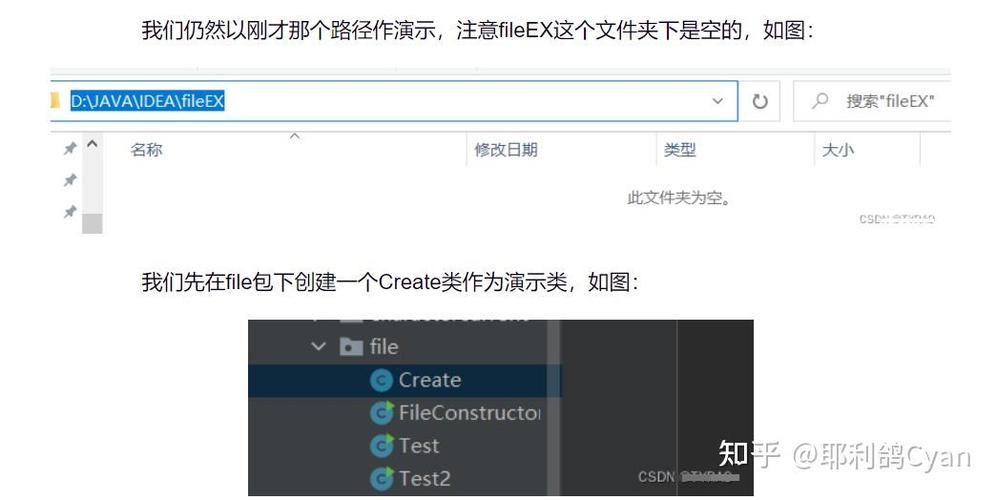
What if you want to create a file in a subdirectory that doesn't exist yet, like "data/reports/summary.txt"? Using createNewFile() directly will throw an IOException.
The solution is to use the File.mkdirs() method first.
import java.io.File;
import java.io.IOException;
public class CreateFileWithDirectories {
    public static void main(String[] args) {
        // The path includes a non-existent directory "data/reports"
        File file = new File("data/reports/summary.txt");
        // Create all non-existent parent directories
        // mkdirs() returns true if and only if the directory was created, along with all necessary parent directories.
        if (file.getParentFile().mkdirs()) {
            System.out.println("Directories created successfully.");
        }
        try {
            if (file.createNewFile()) {
                System.out.println("File created: " + file.getAbsolutePath());
            } else {
                System.out.println("File already exists.");
            }
        } catch (IOException e) {
            System.err.println("Error creating the file.");
            e.printStackTrace();
        }
    }
}
Scenario 2: Checking for Write Permissions
Before attempting to create a file, it's good practice to check if you have the necessary permissions. This can prevent unexpected IOExceptions.
import java.io.File;
import java.io.IOException;
public class CheckPermissionsBeforeCreate {
    public static void main(String[] args) {
        File file = new File("protected_directory/myfile.txt");
        // Check if the parent directory exists and is writable
        File parentDir = file.getParentFile();
        if (parentDir != null && !parentDir.exists()) {
            System.out.println("Parent directory does not exist.");
            return; // Or try to create it
        }
        if (parentDir != null && !parentDir.canWrite()) {
            System.err.println("Error: No write permission for directory: " + parentDir.getAbsolutePath());
            return;
        }
        // If checks pass, try to create the file
        try {
            if (file.createNewFile()) {
                System.out.println("File created successfully.");
            } else {
                System.out.println("File already exists.");
            }
        } catch (IOException e) {
            System.err.println("An unexpected error occurred.");
            e.printStackTrace();
        }
    }
}
Modern Java (Java 7+) with java.nio.file
Since Java 7, the java.nio.file (New I/O) package is the recommended way to handle file operations. It's more powerful, flexible, and often safer than the legacy java.io package.
The main classes are Path and Files.
Key Advantages of java.nio.file:
PathInterface: Represents a path in a more abstract and platform-independent way.FilesUtility Class: A static utility class with many helpful methods for file operations.- Exception Handling: Uses
java.nio.file.AccessDeniedExceptionand other more specific exceptions.
Example with java.nio.file:
import java.io.IOException;
import java.nio.file.Files;
import java.nio.file.Path;
import java.nio.file.Paths;
public class CreateFileNIOExample {
    public static void main(String[] args) {
        // Use Paths.get() to easily create a Path object
        Path path = Paths.get("nio_created_file.txt");
        try {
            // Files.createFile() is the modern equivalent of File.createNewFile()
            // It throws an IOException if the file already exists.
            // The option StandardOpenOption.CREATE_NEW ensures it only creates if it doesn't exist.
            Path createdFile = Files.createFile(path);
            System.out.println("File created at: " + createdFile.toAbsolutePath());
        } catch (java.nio.file.FileAlreadyExistsException e) {
            // This exception is specifically for when the file exists.
            System.err.println("Error: File already exists.");
        } catch (IOException e) {
            // Catches other I/O errors like permission issues or invalid path.
            System.err.println("An error occurred while creating the file.");
            e.printStackTrace();
        }
    }
}
java.nio.file with Directory Creation:
The Files class provides a very convenient method for creating both files and directories.

import java.io.IOException;
import java.nio.file.Files;
import java.nio.file.Path;
import java.nio.file.Paths;
public class CreateFileAndDirectoryNIO {
    public static void main(String[] args) {
        Path path = Paths.get("nio_data/nio_reports/final_report.txt");
        try {
            // Files.createFile() will automatically create all necessary parent directories
            // if they don't exist. This is a huge advantage!
            Path createdFile = Files.createFile(path);
            System.out.println("File and directories created at: " + createdFile.toAbsolutePath());
        } catch (IOException e) {
            System.err.println("An error occurred.");
            e.printStackTrace();
        }
    }
}
Summary: Which one should I use?
| Feature | java.io.File.createNewFile() |
java.nio.file.Files.createFile() |
|---|---|---|
| Java Version | Legacy (Java 1.0+) | Modern (Java 7+) |
| Simplicity | Very simple for basic cases. | Simple, but requires understanding Path. |
| Directory Handling | Manual (mkdirs() must be called separately). |
Automatic with Files.createFile(). |
| Exception Handling | Generic IOException. |
More specific exceptions like FileAlreadyExistsException. |
| Recommendation | Okay for simple scripts or legacy code. | Strongly recommended for all new Java code. It's more robust and feature-rich. |











