Of course! Let's break down ArrayList in Java, from a high-level overview to detailed usage, best practices, and code examples.

What is an ArrayList?
An ArrayList is a part of Java's Collection Framework. It's a class that implements the List interface, which means it represents an ordered collection (also known as a sequence).
Think of it as a highly flexible, resizable array. Unlike a standard Java array (e.g., int[]), which has a fixed size that you must set when you create it, an ArrayList can grow and shrink dynamically as you add or remove elements.
Key Characteristics of ArrayList
- Dynamic Sizing: This is its most important feature. You don't need to specify its size beforehand. It automatically increases its capacity when it runs out of space.
- Ordered: Elements are stored in the order they are inserted. You can access them by their position (index).
- Allows Duplicates: You can add the same object multiple times to the list.
- Allows
nullElements: You can addnullvalues to anArrayList. - Not Synchronized:
ArrayListis not thread-safe. If multiple threads try to modify anArrayListsimultaneously, you must synchronize it externally (e.g., usingCollections.synchronizedList(new ArrayList<>())). - Performance:
- Fast Random Access: Getting an element by its index (e.g.,
list.get(5)) is very fast, with a time complexity of O(1). This is because it's implemented internally as an array. - Slow for Insertions/Deletions in the Middle: Adding or removing an element from the middle or beginning of the list is slow, with a time complexity of O(n). This is because all subsequent elements must be shifted to make space or to fill the gap.
- Fast Random Access: Getting an element by its index (e.g.,
How to Create an ArrayList
There are a few common ways to create an ArrayList.
The Classic Way (Pre-Java 7)
You specify the type of elements the list will hold using angle brackets <>. This is called generics.
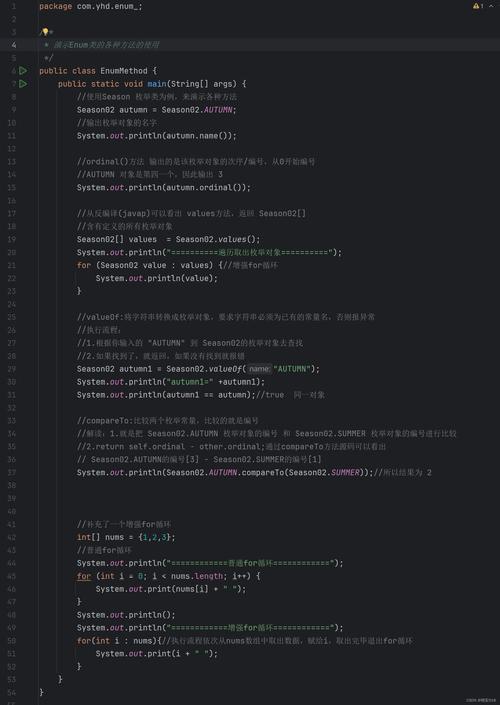
// Create an ArrayList that can hold Strings
ArrayList<String> names = new ArrayList<String>();
The Diamond Operator (Java 7+)
Java 7 introduced the "diamond operator" <>, which lets the compiler infer the type from the declaration on the left. This makes the code cleaner.
// The compiler knows the type is String from the left side
ArrayList<String> names = new ArrayList<>();
The List.of() Method (Java 9+)
This is a modern, concise way to create an immutable list (a list that cannot be changed after creation). If you don't need to add or remove elements, this is a great choice.
// Creates an immutable list of Integers
List<Integer> numbers = List.of(1, 2, 3, 4, 5);
// numbers.add(6); // This will throw an UnsupportedOperationException!
Common Methods and Operations
Here are the most frequently used methods with examples.
import java.util.ArrayList;
import java.util.List;
public class ArrayListExample {
    public static void main(String[] args) {
        // --- 1. Creation ---
        // Create an ArrayList to store Strings
        ArrayList<String> fruits = new ArrayList<>();
        // --- 2. Adding Elements ---
        // add(E element): Appends the element to the end of the list.
        fruits.add("Apple");
        fruits.add("Banana");
        fruits.add("Orange");
        System.out.println("Initial list: " + fruits); // [Apple, Banana, Orange]
        // add(int index, E element): Inserts the element at the specified position.
        fruits.add(1, "Mango");
        System.out.println("After adding 'Mango' at index 1: " + fruits); // [Apple, Mango, Banana, Orange]
        // --- 3. Accessing Elements ---
        // get(int index): Returns the element at the specified index.
        String firstFruit = fruits.get(0);
        System.out.println("First fruit: " + firstFruit); // Apple
        // size(): Returns the number of elements in the list.
        System.out.println("Number of fruits: " + fruits.size()); // 4
        // --- 4. Updating Elements ---
        // set(int index, E element): Replaces the element at the specified index.
        fruits.set(2, "Pineapple");
        System.out.println("After replacing index 2: " + fruits); // [Apple, Mango, Pineapple, Orange]
        // --- 5. Removing Elements ---
        // remove(int index): Removes the element at the specified index.
        fruits.remove(1); // Removes "Mango"
        System.out.println("After removing index 1: " + fruits); // [Apple, Pineapple, Orange]
        // remove(Object element): Removes the first occurrence of the specified element.
        fruits.remove("Orange");
        System.out.println("After removing 'Orange': " + fruits); // [Apple, Pineapple]
        // --- 6. Checking for an Element ---
        // contains(Object element): Returns true if the list contains the element.
        boolean hasApple = fruits.contains("Apple");
        System.out.println("Does the list contain 'Apple'? " + hasApple); // true
        // --- 7. Iterating over the List ---
        System.out.println("--- Iterating with a for-each loop ---");
        for (String fruit : fruits) {
            System.out.println(fruit);
        }
        System.out.println("\n--- Iterating with an enhanced for-each loop (lambda) ---");
        fruits.forEach(System.out::println); // Method reference
        // or
        // fruits.forEach(fruit -> System.out.println(fruit));
        // --- 8. Converting to an Array ---
        // toArray(): Converts the list to an array.
        Object[] fruitArray = fruits.toArray();
        System.out.println("\nConverted to Array: " + java.util.Arrays.toString(fruitArray));
        // You can also specify the type of the array
        String[] fruitArrayTyped = fruits.toArray(new String[0]);
        System.out.println("Typed Array: " + java.util.Arrays.toString(fruitArrayTyped));
    }
}
ArrayList vs. LinkedList
A common question is when to use ArrayList vs. LinkedList. Here’s a quick comparison:
| Feature | ArrayList |
LinkedList |
|---|---|---|
| Internal Structure | Dynamic array. A block of contiguous memory. | Doubly linked list. Each node has data and pointers to the next/previous node. |
| Random Access (get) | Very Fast (O(1)). Directly calculates the memory address. | Slow (O(n)). Must traverse from the head or tail to the index. |
| Adding/Removing at End | Fast (Amortized O(1)). Usually just adds to the end. | Fast (O(1)). Just updates pointers. |
| Adding/Removing in Middle | Slow (O(n)). Must shift all subsequent elements. | Fast (O(n)). Must find the node (O(n)), but insertion/removal is just pointer updates (O(1)). |
| Memory Usage | Lower. Only stores the data. | Higher. Stores data plus two pointers per element. |
| When to Use | Default choice. Use when you need fast random access, and don't frequently add/remove from the middle. | Use when you frequently add/remove from the beginning or middle of a large list and don't need random access. |
Rule of Thumb: If you're unsure, use ArrayList. It's more memory-efficient and is the right choice for the vast majority of use cases.
Best Practices
-
Always Use Generics: Always specify the type of elements you'll store (e.g.,
ArrayList<String>). This prevents runtimeClassCastExceptionerrors and provides compile-time type checking. -
Initialize with a Capacity: If you have a good estimate of the final size, initialize the
ArrayListwith that capacity to avoid costly resizing operations.// If you expect around 1000 elements, initialize with capacity ArrayList<String> bigList = new ArrayList<>(1000);
-
Prefer Interfaces for Declarations: When declaring a variable, it's better to use the interface (
List) rather than the concrete class (ArrayList). This makes your code more flexible.// Good: Flexible, you could change the implementation later List<String> names = new ArrayList<>(); // Bad: Less flexible ArrayList<String> names = new ArrayList<>();