Of course! Let's break down the if statement in Java with boolean values, from the basics to best practices.
The Core Concept: if with a boolean
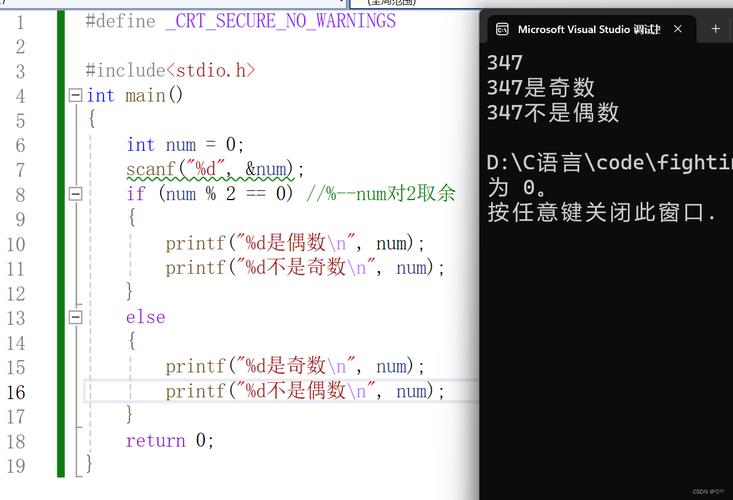
At its heart, an if statement in Java works by evaluating a boolean condition. This condition must resolve to either true or false.
The simplest form is:
if (condition) {
    // This code runs ONLY if the condition is true
}
The condition inside the parentheses must be an expression that results in a boolean.
The boolean Data Type
The most direct way to use an if statement is with a variable of the boolean data type.
Example:
boolean isRaining = true;
boolean hasUmbrella = false;
if (isRaining) {
    System.out.println("It's raining. I should wear a raincoat.");
}
// This block will NOT execute
if (hasUmbrella) {
    System.out.println("I have an umbrella. I'm all set!");
}
Output:
It's raining. I should wear a raincoat.Comparison Operators (More Common Usage)
While you can use a boolean variable directly, it's more common to use comparison operators to create a boolean expression. These operators compare two values and return true or false.
Here are the most common ones:
| Operator | Name | Example | Result |
|---|---|---|---|
| Equal to | 5 == 5 |
true |
|
| Not equal to | 5 != 5 |
false |
|
> |
Greater than | 10 > 5 |
true |
< |
Less than | 10 < 5 |
false |
>= |
Greater than or equal to | 10 >= 10 |
true |
<= |
Less than or equal to | 5 <= 10 |
true |
Example with Comparisons:
int age = 18;
double accountBalance = 100.50;
double itemPrice = 75.99;
// Check if the user is an adult
if (age >= 18) {
    System.out.println("User is an adult.");
}
// Check if the user has enough money to buy the item
if (accountBalance >= itemPrice) {
    System.out.println("You can afford this item!");
}
Output:
User is an adult.
You can afford this item!
Logical Operators
You can combine multiple boolean conditions using logical operators.
| Operator | Name | Example | Result |
|---|---|---|---|
&& |
AND (Logical AND) | (age >= 18) && (hasUmbrella) |
true only if both are true |
| OR (Logical OR) | (isRaining) || (isWindy) |
true if at least one is true |
|
| NOT (Logical NOT) | !isRaining |
Inverts the value (true becomes false, and vice-versa) |
Example with Logical Operators:
boolean hasDriverLicense = true;
boolean isCarInsured = false;
// Check if the person can legally drive
if (hasDriverLicense && isCarInsured) {
    System.out.println("You are legally allowed to drive.");
} else {
    System.out.println("You cannot legally drive.");
}
// Check if it's a nice day to go out
boolean isSunny = true;
boolean isWarm = false;
if (isSunny || isWarm) {
    System.out.println("It might be a good day to go outside.");
}
Output:
You cannot legally drive.
It might be a good day to go outside.
The if-else Statement
This is the most common structure. If the condition is true, the if block runs. Otherwise, the else block runs.
int score = 85;
if (score >= 90) {
    System.out.println("Grade: A");
} else if (score >= 80) {
    System.out.println("Grade: B");
} else if (score >= 70) {
    System.out.println("Grade: C");
} else {
    System.out.println("Grade: F");
}
Output:
Grade: BThe Ternary Operator (A Shorthand if-else)
For simple assignments, you can use the ternary operator, which is a compact if-else statement.
Syntax: condition ? value_if_true : value_if_false
Example:
int number = 10;
String result;
// Using an if-else statement
if (number > 0) {
    result = "Positive";
} else {
    result = "Not Positive";
}
System.out.println("Using if-else: " + result);
// Using the ternary operator (more concise)
result = (number > 0) ? "Positive" : "Not Positive";
System.out.println("Using ternary: " + result);
Output:
Using if-else: Positive
Using ternary: Positive
Common Pitfalls & Best Practices
Pitfall 1: Accidental Assignment () vs. Comparison ()
This is a very common bug in many languages, including Java. The compiler will often catch this, but not always.
// BUGGY CODE - This will COMPILE but is likely a bug!
int x = 5;
if (x = 10) { // This assigns 10 to x, and the expression (x = 10) evaluates to 10.
               // Since 10 is not a boolean, this causes a compile-time error in modern Java.
    // ...
}
Modern Java (Java 7+) will actually give you a compile-time error for this, which is helpful. In older versions, it would compile and lead to unexpected behavior.
Pitfall 2: Redundant Boolean Checks
You don't need to check if a boolean is true or false explicitly.
// Redundant - Not Recommended
boolean isFinished = true;
if (isFinished == true) {
    System.out.println("Task is done.");
}
// Correct and Recommended
if (isFinished) {
    System.out.println("Task is done.");
}
// To check for false, use the NOT operator '!'
if (!isFinished) {
    System.out.println("Task is not done.");
}
Best Practice: Use Parentheses for Clarity
When combining conditions with && and , use parentheses to make your logic clear and avoid ambiguity.
// Less clear
if (age > 18 && hasParentalConsent || isTeacher) { // What does this mean?
// Much clearer
if ((age > 18 && hasParentalConsent) || isTeacher) {
    // ...
}
Summary
| Concept | Description | Example |
|---|---|---|
if with boolean |
Directly use a boolean variable. |
if (isRaining) { ... } |
| Comparison Operators | Compare values to create a boolean condition. | if (score >= 90) { ... } |
| Logical Operators | Combine multiple conditions. | if (isSunny && !isRaining) { ... } |
if-else |
Run one block of code if true, another if false. |
if (age >= 18) { ... } else { ... } |
| Ternary Operator | A shorthand for a simple if-else assignment. |
String result = (age >= 18) ? "Adult" : "Minor"; |