目录
- 环境准备
- 添加 Maven/Gradle 依赖
- 连接到 MongoDB
- 基础查询操作
- 查询所有文档 (
find()) - 查询特定条件的文档 (
Filters) - 查询单个文档 (
findOne()) - 查询特定字段 (
projection) - 排序 (
sort) - 分页 (
limit和skip) - 计数 (
countDocuments)
- 查询所有文档 (
- 进阶查询
- 模糊查询 (
Regex) - 查询数组 (
in,all,size) - 查询内嵌文档
- 比较查询 (
gt,lt,gte,lte,ne) - 逻辑查询 (
and,or,nor) exists查询
- 模糊查询 (
- 聚合查询
- 基础聚合管道 (
$match,$group,$sort,$limit)
- 基础聚合管道 (
- 完整示例代码
- 最佳实践
环境准备
a. 添加 Maven 依赖
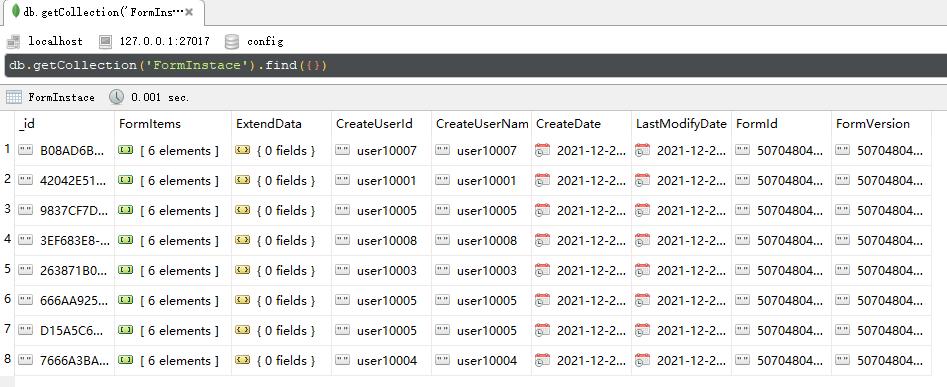
在你的 pom.xml 文件中添加 MongoDB Java 驱动依赖。
<dependencies>
    <!-- MongoDB Java Driver -->
    <dependency>
        <groupId>org.mongodb</groupId>
        <artifactId>mongodb-driver-sync</artifactId>
        <version>4.11.1</version> <!-- 请使用最新版本 -->
    </dependency>
</dependencies>
b. 连接到 MongoDB
创建一个 MongoClient 来连接到你的 MongoDB 服务器。
import com.mongodb.client.MongoClient;
import com.mongodb.client.MongoClients;
import com.mongodb.client.MongoDatabase;
import com.mongodb.client.MongoCollection;
import org.bson.Document;
public class MongoConnectionExample {
    public static void main(String[] args) {
        // 替换为你的 MongoDB 连接字符串
        String uri = "mongodb://localhost:27017";
        // 创建 MongoClient
        try (MongoClient mongoClient = MongoClients.create(uri)) {
            // 连接到指定的数据库
            MongoDatabase database = mongoClient.getDatabase("myDatabase");
            // 获取集合 (collection),如果不存在会自动创建
            MongoCollection<Document> collection = database.getCollection("users");
            System.out.println("成功连接到 MongoDB 并获取集合 'users'");
            // 在这里进行查询操作...
        } catch (Exception e) {
            e.printStackTrace();
        }
    }
}
基础查询操作
a. 查询所有文档 (find())
使用 find() 方法获取集合中的所有文档。
// 查询 users 集合中的所有文档
FindIterable<Document> documents = collection.find();
// 遍历并打印结果
for (Document doc : documents) {
    System.out.println(doc.toJson());
}
b. 查询特定条件的文档 (Filters)
这是最常用的查询方式,使用 Filters 类来构建查询条件。
import static com.mongodb.client.model.Filters.*;
// 查找 age 等于 30 的用户
FindIterable<Document> docs1 = collection.find(eq("age", 30));
// 查找 name 为 "Alice" 的用户
FindIterable<Document> docs2 = collection.find(eq("name", "Alice"));
// 遍历打印
docs1.forEach(doc -> System.out.println(doc.toJson()));
c. 查询单个文档 (findOne())
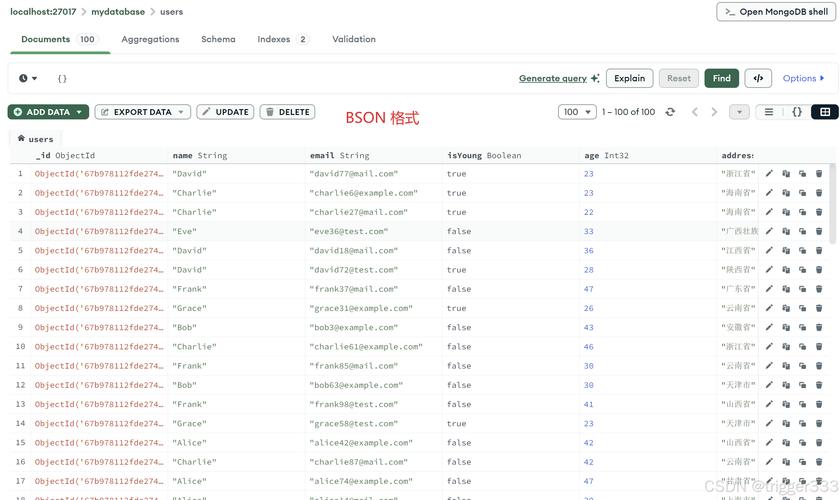
如果你只需要一个匹配的文档(通常是第一个),可以使用 find().first()。
// 查找 name 为 "Bob" 的第一个用户
Document firstDoc = collection.find(eq("name", "Bob")).first();
if (firstDoc != null) {
    System.out.println("找到用户: " + firstDoc.toJson());
} else {
    System.out.println("未找到用户 Bob");
}
d. 查询特定字段 (projection)
使用 projection 来指定只返回哪些字段,或者不返回哪些字段。
// 只返回 name 和 age 字段,不返回 _id
FindIterable<Document> docs = collection.find(eq("age", 30))
                                       .projection(include("name", "age").excludeId());
docs.forEach(doc -> System.out.println(doc.toJson()));
// 输出示例: { "name": "Alice", "age": 30 }
e. 排序 (sort)
使用 Sorts 类对结果进行排序。
import static com.mongodb.client.model.Sorts.*;
// 按 age 字段升序排列
FindIterable<Document> docsAsc = collection.find().sort(ascending("age"));
// 按 age 字段降序排列
FindIterable<Document> docsDesc = collection.find().sort(descending("age"));
System.out.println("按年龄升序排列:");
docsAsc.forEach(doc -> System.out.println(doc.toJson()));
f. 分页 (limit 和 skip)
limit 限制返回的文档数量,skip 跳过指定数量的文档。
// 获取第 2 页,每页 10 条数据 (跳过前 10 条,获取接下来的 10 条)
int pageSize = 10;
int pageNumber = 2;
int skip = (pageNumber - 1) * pageSize;
FindIterable<Document> pagedDocs = collection.find()
                                           .skip(skip)
                                           .limit(pageSize);
pagedDocs.forEach(doc -> System.out.println(doc.toJson()));
g. 计数 (countDocuments)
计算匹配查询条件的文档总数。
// 计算 age 大于 25 的用户总数
long count = collection.countDocuments(gt("age", 25));
System.out.println("年龄大于 25 的用户总数: " + count);
进阶查询
a. 模糊查询 (Regex)
使用正则表达式进行模糊匹配。
import com.mongodb.client.model.Projections;
// 查找 name 以 "A" 开头的用户
FindIterable<Document> docs = collection.find(regex("name", "^A"));
// 查找 name 包含 "lic" 的用户 (不区分大小写)
FindIterable<Document> docsCaseInsensitive = collection.find(regex("name", "lic", "i"));
// 只返回 name 字段
docsCaseInsensitive.projection(Projections.include("name")).forEach(doc -> System.out.println(doc.toJson()));
b. 查询数组
in: 匹配数组中包含任意一个指定值的文档。// 查找 hobbies 数组中包含 "reading" 或 "gaming" 的用户 FindIterable<Document> docs = collection.find(in("hobbies", "reading", "gaming"));all: 匹配数组中包含所有指定值的文档。// 查找 hobbies 数组同时包含 "reading" 和 "swimming" 的用户 FindIterable<Document> docs = collection.find(all("hobbies", Arrays.asList("reading", "swimming")));size: 匹配数组长度等于指定值的文档。// 查找 hobbies 数组长度恰好为 2 的用户 FindIterable<Document> docs = collection.find(size("hobbies", 2));
c. 查询内嵌文档
使用点表示法 field.subField 来查询内嵌文档。
// 假设文档结构为 { "name": "John", "address": { "city": "New York", "street": "5th Ave" } }
// 查找住在 "New York" 的用户
FindIterable<Document> docs = collection.find(eq("address.city", "New York"));
d. 比较查询
gt(greater than):>lt(less than):<gte(greater than or equal):>=lte(less than or equal):<=ne(not equal):
// 查找 age 大于 25 且小于等于 40 的用户
FindIterable<Document> docs = collection.find(and(gt("age", 25), lte("age", 40)));
e. 逻辑查询
使用 Filters.and(), Filters.or(), Filters.nor() 组合多个条件。
// 查找 age > 30 且 name 为 "Charlie" 的用户
FindIterable<Document> docs1 = collection.find(and(gt("age", 30), eq("name", "Charlie")));
// 查找 name 为 "David" 或者 age < 25 的用户
FindIterable<Document> docs2 = collection.find(or(eq("name", "David"), lt("age", 25)));
// 查找既不是 name 为 "Eve" 也不是 age > 50 的用户
FindIterable<Document> docs3 = collection.find(nor(eq("name", "Eve"), gt("age", 50)));
f. exists 查询
检查字段是否存在。
// 查找包含 "phone" 字段的所有用户
FindIterable<Document> docs = collection.exists("phone", true);
// 查找不包含 "phone" 字段的所有用户
FindIterable<Document> docsNoPhone = collection.exists("phone", false);
聚合查询
聚合管道用于处理数据记录并返回计算结果,它由多个阶段组成,每个阶段对数据流进行转换。
import static com.mongodb.client.model.Accumulators.*;
import static com.mongodb.client.model.Aggregates.*;
import static com.mongodb.client.model.Sorts.*;
// 假设我们想按城市分组,并计算每个城市的用户数量
List<Document> pipeline = Arrays.asList(
    // 第一阶段:只保留 address.city 字段
    project(Projections.fields(Projections.include("address.city"), Projections.excludeId())),
    // 第二阶段:按 city 字段分组
    group("$address.city", sum("userCount", 1)),
    // 第三阶段:按用户数量降序排序
    sort(descending("userCount"))
);
// 执行聚合查询
AggregateIterable<Document> result = collection.aggregate(pipeline);
// 打印结果
result.forEach(doc -> System.out.println(doc.toJson()));
输出示例:
{ "_id": "New York", "userCount": 15 }
{ "_id": "London", "userCount": 10 }
{ "_id": "Paris", "userCount": 5 }
完整示例代码
这里是一个完整的可运行示例,包含了数据插入和多种查询。
import com.mongodb.client.*;
import com.mongodb.client.model.*;
import org.bson.Document;
import static com.mongodb.client.model.Filters.*;
import static com.mongodb.client.model.Sorts.*;
import static com.mongodb.client.model.Projections.*;
import java.util.Arrays;
public class MongoQueryExample {
    public static void main(String[] args) {
        String uri = "mongodb://localhost:27017";
        String dbName = "myDatabase";
        String collectionName = "users";
        try (MongoClient mongoClient = MongoClients.create(uri)) {
            MongoDatabase database = mongoClient.getDatabase(dbName);
            MongoCollection<Document> collection = database.getCollection(collectionName);
            // 1. 插入一些测试数据
            collection.insertMany(Arrays.asList(
                new Document("name", "Alice").append("age", 30).append("city", "New York")
                                          .append("hobbies", Arrays.asList("reading", "hiking")),
                new Document("name", "Bob").append("age", 25).append("city", "London")
                                         .append("hobbies", Arrays.asList("gaming", "reading")),
                new Document("name", "Charlie").append("age", 35).append("city", "New York")
                                             .append("hobbies", Arrays.asList("swimming")),
                new Document("name", "David").append("age", 28).append("city", "Paris")
                                         .append("hobbies", Arrays.asList("reading", "cooking", "painting"))
            ));
            System.out.println("插入测试数据完成,\n");
            // 2. 基础查询
            System.out.println("--- 所有用户 ---");
            collection.find().forEach(doc -> System.out.println(doc.toJson()));
            System.out.println("\n");
            // 3. 条件查询
            System.out.println("--- 年龄等于 30 的用户 ---");
            collection.find(eq("age", 30)).forEach(doc -> System.out.println(doc.toJson()));
            System.out.println("\n");
            // 4. 查询特定字段
            System.out.println("--- 只显示姓名和城市 (排除 _id) ---");
            collection.find().projection(include("name", "city").excludeId())
                         .forEach(doc -> System.out.println(doc.toJson()));
            System.out.println("\n");
            // 5. 排序
            System.out.println("--- 按年龄升序排列 ---");
            collection.find().sort(ascending("age"))
                         .forEach(doc -> System.out.println(doc.toJson()));
            System.out.println("\n");
            // 6. 分页
            System.out.println("--- 分页查询,每页 2 条 (第 1 页) ---");
            collection.find().skip(0).limit(2)
                         .forEach(doc -> System.out.println(doc.toJson()));
            System.out.println("\n");
            // 7. 进阶查询 - 逻辑查询
            System.out.println("--- 年龄大于 25 且住在 'New York' 的用户 ---");
            collection.find(and(gt("age", 25), eq("city", "New York")))
                      .forEach(doc -> System.out.println(doc.toJson()));
            System.out.println("\n");
            // 8. 进阶查询 - 数组查询
            System.out.println("--- 爱好包含 'reading' 的用户 ---");
            collection.find(in("hobbies", "reading"))
                      .forEach(doc -> System.out.println(doc.toJson()));
            System.out.println("\n");
            // 9. 聚合查询
            System.out.println("--- 按城市分组并计算用户数量 ---");
            collection.aggregate(Arrays.asList(
                group("$city", sum("count", 1)),
                sort(descending("count"))
            )).forEach(doc -> System.out.println(doc.toJson()));
        } catch (Exception e) {
            e.printStackTrace();
        }
    }
}
最佳实践
-
使用
try-with-resources:MongoClient实现了AutoCloseable,使用try-with-resources可以确保连接被正确关闭,防止资源泄漏。 -
使用
Filters和Sorts静态导入: 静态导入Filters.eq,Sorts.descending等,可以使查询代码更简洁、更具可读性。 -
索引优化: 对于频繁查询的字段(如
name,age,city),应在 MongoDB 中创建索引,可以极大地提高查询性能。// 在 name 字段上创建升序索引 collection.createIndex(Indexes.ascending("name")); -
使用 POJO (Plain Old Java Object): 对于复杂的业务逻辑,直接操作
Document可能会比较麻烦,你可以使用MongoCollection的withDocumentClass()方法来直接映射到 Java 对象。// 定义一个 User 类 public class User { private String name; private int age; // ... getters and setters } // 在查询时指定返回类型为 User MongoCollection<User> userCollection = collection.withDocumentClass(User.class); List<User> users = userCollection.find(eq("age", 30)).into(new ArrayList<>()); -
异步驱动: 对于高并发的应用,可以考虑使用异步驱动
mongodb-driver-reactivestreams,它基于 Project Reactor,可以更好地与 Spring WebFlux 等响应式框架集成。