Of course! Let's break down the Python string method .isalnum() in detail.

What is .isalnum()?
The .isalnum() method is a built-in string method in Python that returns True if all characters in the string are either alphanumeric (letters or numbers) and there is at least one character. Otherwise, it returns False.
The Core Rule
For a string to pass the .isalnum() check, it must meet both of the following conditions:
- Every single character in the string must be a letter (a-z, A-Z) or a digit (0-9).
- The string cannot be empty.
Syntax
string.isalnum()
string: This is the string you want to check.- It returns a boolean value:
TrueorFalse.
Examples
Let's look at what works and what doesn't.
Strings that return True
print("hello123".isalnum())      # True: all characters are letters or numbers
print("HelloWorld".isalnum())    # True: all characters are letters
print("2025".isalnum())          # True: all characters are numbers
print("PyThon3.10".isalnum())    # False: contains a dot (.)
print("user_name".isalnum())     # False: contains an underscore (_)
print("password123!".isalnum())  # False: contains an exclamation mark (!)
print("".isalnum())              # False: the string is empty
Strings that return False
# Contains a space
print("hello world".isalnum())   # False: space is not alphanumeric
# Contains a special character
print("email@domain.com".isalnum()) # False: '@' and '.' are not alphanumeric
# Contains an underscore
print("my_variable".isalnum())   # False: '_' is not alphanumeric
# Contains a hyphen
print("state-of-the-art".isalnum()) # False: '-' is not alphanumeric
# Is an empty string
print("".isalnum())              # False: must have at least one character
Handling Different Character Sets (Unicode)
A key feature of Python's string methods is that they are Unicode-aware. This means .isalnum() correctly identifies alphanumeric characters from many different languages, not just English.
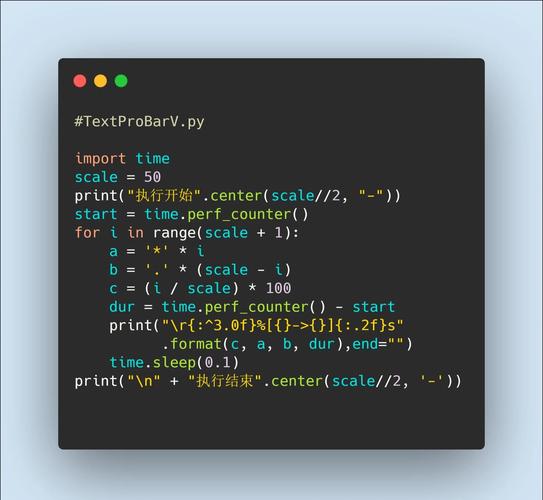
# Greek letters
print("αβγδε".isalnum())         # True
# Cyrillic letters
print("привет".isalnum())        # True (means "hello" in Russian)
# Chinese/Japanese characters (Han ideographs)
print("你好123".isalnum())       # True (means "hello 123" in Chinese)
print("こんにちは".isalnum())    # True (means "hello" in Japanese)
# A mix of different scripts and numbers
print("你好2025".isalnum())      # True
This makes .isalnum() very powerful for international applications.
Practical Use Cases
Here are some common scenarios where .isalnum() is useful.
Form Validation
You can use it to ensure a user enters a username or product ID that only contains letters and numbers.
def validate_username(username):
    if username.isalnum():
        print(f"Username '{username}' is valid.")
    else:
        print(f"Error: Username '{username}' can only contain letters and numbers.")
validate_username("john_doe")  # Error: Username 'john_doe' can only contain letters and numbers.
validate_username("johndoe123") # Username 'johndoe123' is valid.
validate_username("John Doe")  # Error: Username 'John Doe' can only contain letters and numbers.
Cleaning Data
You might want to filter a list of strings to keep only the alphanumeric ones.
data = ["apple123", "banana!", "cherry456", "date.", "", "12345"]
# Use a list comprehension to filter the data
alphanumeric_data = [s for s in data if s.isalnum()]
print(alphanumeric_data)
# Output: ['apple123', 'cherry456', '12345']
Checking for "Word-like" Strings
While .isalpha() checks for only letters, .isalnum() is great for checking if a string could be a "word" or "identifier" that might also contain numbers (like a model number "B2025").
potential_ids = ["ID", "ID-1", "ID_1", "ID1", "1D"]
for item in potential_ids:
    if item.isalnum():
        print(f"'{item}' is a valid alphanumeric ID.")
    else:
        print(f"'{item}' is NOT a valid alphanumeric ID.")
# Output:
# 'ID' is a valid alphanumeric ID.
# 'ID-1' is NOT a valid alphanumeric ID.
# 'ID_1' is NOT a valid alphanumeric ID.
# 'ID1' is a valid alphanumeric ID.
# '1D' is a valid alphanumeric ID.
Comparison with Other String Methods
It's helpful to see how .isalnum() compares to other similar methods.
| Method | Checks For... | Returns True for... |
Returns False for... |
|---|---|---|---|
.isalnum() |
Alphanumeric (letters or numbers) | "abc123", "ABC", "123" |
"abc 123", "abc!", |
.isalpha() |
Alphabetic (letters only) | "abc", "Hello", |
"abc123", "123", "a b" |
.isdigit() |
Digits (numbers only) | "123", "98765" |
"123a", "12.3", |
.isnumeric() |
Numeric (any numeric character, including fractions and Roman numerals) | "123", , (Roman 4) |
"12.3", "123a" |
.isdecimal() |
Decimal characters (0-9, and digits in other scripts like Arabic/Indic) | "123", (Devanagari digits) |
, , "12.3" |
Key Takeaway:
.isalpha()is for letters only..isdigit()is for integers only..isalnum()is for a mix of letters and/or integers.
Summary
| Feature | Description |
|---|---|
| Purpose | To check if a string contains only alphanumeric characters (letters and/or numbers). |
| Return Value | True or False. |
| Empty String | Returns False. |
| Unicode Support | Yes, works with letters and numbers from many languages. |
| Common Use | Form validation, data cleaning, and filtering. |