准备工作:添加依赖
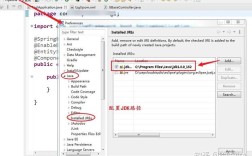
你需要在你的项目中添加相应的库依赖,如果你使用 Maven 或 Gradle,请添加如下内容。
(图片来源网络,侵删)
使用 Jackson (推荐)
Jackson 是目前 Java 生态中最流行、性能最好的 JSON 处理库。
Maven (pom.xml):
<dependency>
    <groupId>com.fasterxml.jackson.core</groupId>
    <artifactId>jackson-databind</artifactId>
    <version>2.15.2</version> <!-- 使用最新的稳定版本 -->
</dependency>
Gradle (build.gradle):
implementation 'com.fasterxml.jackson.core:jackson-databind:2.15.2' // 使用最新的稳定版本
使用 Google Gson
Gson 是 Google 开发的另一个非常流行的 JSON 库,以其易用性著称。
(图片来源网络,侵删)
Maven (pom.xml):
<dependency>
    <groupId>com.google.code.gson</groupId>
    <artifactId>gson</artifactId>
    <version>2.10.1</version> <!-- 使用最新的稳定版本 -->
</dependency>
Gradle (build.gradle):
implementation 'com.google.code.gson:gson:2.10.1' // 使用最新的稳定版本
使用 Jackson
Jackson 提供了 ObjectMapper 类,它是处理 JSON 的核心。
示例代码
假设我们有一个 User 类和一个包含 User 对象的数组。
定义一个简单的 Java 对象 (POJO):
// User.java
public class User {
    private String name;
    private int age;
    private String email;
    // 无参构造函数是 Jackson/Gson 反序列化时需要的
    public User() {
    }
    // 有参构造函数方便创建对象
    public User(String name, int age, String email) {
        this.name = name;
        this.age = age;
        this.email = email;
    }
    // Getters 和 Setters 是必须的
    public String getName() { return name; }
    public void setName(String name) { this.name = name; }
    public int getAge() { return age; }
    public void setAge(int age) { this.age = age; }
    public String getEmail() { return email; }
    public void setEmail(String email) { this.email = email; }
    @Override
    public String toString() {
        return "User{" +
                "name='" + name + '\'' +
                ", age=" + age +
                ", email='" + email + '\'' +
                '}';
    }
}
将 User 数组转换为 JSON 字符串:
import com.fasterxml.jackson.core.JsonProcessingException;
import com.fasterxml.jackson.databind.ObjectMapper;
public class JacksonArrayToJson {
    public static void main(String[] args) {
        // 1. 创建 ObjectMapper 实例
        ObjectMapper objectMapper = new ObjectMapper();
        // 2. 准备一个 User 对象数组
        User[] usersArray = new User[]{
            new User("Alice", 30, "alice@example.com"),
            new User("Bob", 24, "bob@example.com"),
            new User("Charlie", 35, "charlie@example.com")
        };
        try {
            // 3. 使用 writeValueAsString 方法将数组转换为 JSON 字符串
            //    这个方法会自动处理数组和所有对象
            String jsonString = objectMapper.writeValueAsString(usersArray);
            // 4. 输出结果
            System.out.println("使用 Jackson 转换的 JSON 数组:");
            System.out.println(jsonString);
            // 5. 如果你想要格式化输出(美化),可以使用 enable 方法
            objectMapper.enable(com.fasterxml.jackson.core.JsonGenerator.Feature.PRETTY_PRINTING);
            String prettyJsonString = objectMapper.writeValueAsString(usersArray);
            System.out.println("\n格式化后的 JSON 数组:");
            System.out.println(prettyJsonString);
        } catch (JsonProcessingException e) {
            e.printStackTrace();
        }
    }
}
输出结果:
使用 Jackson 转换的 JSON 数组:
[{"name":"Alice","age":30,"email":"alice@example.com"},{"name":"Bob","age":24,"email":"bob@example.com"},{"name":"Charlie","age":35,"email":"charlie@example.com"}]
格式化后的 JSON 数组:
[
  {
    "name" : "Alice",
    "age" : 30,
    "email" : "alice@example.com"
  },
  {
    "name" : "Bob",
    "age" : 24,
    "email" : "bob@example.com"
  },
  {
    "name" : "Charlie",
    "age" : 35,
    "email" : "charlie@example.com"
  }
]
使用 Google Gson
Gson 的使用方式非常直观,通常只需要创建一个 Gson 实例并调用其 toJson 方法。
示例代码
同样使用上面定义的 User 类。
将 User 数组转换为 JSON 字符串:
import com.google.gson.Gson;
import com.google.gson.GsonBuilder;
public class GsonArrayToJson {
    public static void main(String[] args) {
        // 1. 创建 Gson 实例
        //    如果需要格式化输出,可以使用 GsonBuilder
        Gson gson = new GsonBuilder().setPrettyPrinting().create();
        // 2. 准备一个 User 对象数组
        User[] usersArray = new User[]{
            new User("Alice", 30, "alice@example.com"),
            new User("Bob", 24, "bob@example.com"),
            new User("Charlie", 35, "charlie@example.com")
        };
        // 3. 使用 toJson 方法将数组转换为 JSON 字符串
        String jsonString = gson.toJson(usersArray);
        // 4. 输出结果
        System.out.println("使用 Gson 转换的 JSON 数组:");
        System.out.println(jsonString);
    }
}
输出结果:
使用 Gson 转换的 JSON 数组:
[
  {
    "name": "Alice",
    "age": 30,
    "email": "alice@example.com"
  },
  {
    "name": "Bob",
    "age": 24,
    "email": "bob@example.com"
  },
  {
    "name": "Charlie",
    "age": 35,
    "email": "charlie@example.com"
  }
]
从 List 转换 (更常见的情况)
在实际开发中,我们更常使用 List 而不是数组,好消息是,Jackson 和 Gson 对 List 的处理和对数组的处理几乎一样简单。
使用 Jackson 转换 List
import com.fasterxml.jackson.core.JsonProcessingException;
import com.fasterxml.jackson.databind.ObjectMapper;
import java.util.Arrays;
import java.util.List;
public class JacksonListToJson {
    public static void main(String[] args) {
        ObjectMapper objectMapper = new ObjectMapper();
        // 创建一个 List
        List<User> userList = Arrays.asList(
            new User("Alice", 30, "alice@example.com"),
            new User("Bob", 24, "bob@example.com")
        );
        try {
            // 直接将 List 转换为 JSON 字符串
            String jsonString = objectMapper.writeValueAsString(userList);
            System.out.println("Jackson List -> JSON:");
            System.out.println(jsonString);
        } catch (JsonProcessingException e) {
            e.printStackTrace();
        }
    }
}
使用 Gson 转换 List
import com.google.gson.Gson;
import com.google.gson.GsonBuilder;
import java.util.Arrays;
import java.util.List;
public class GsonListToJson {
    public static void main(String[] args) {
        Gson gson = new GsonBuilder().setPrettyPrinting().create();
        // 创建一个 List
        List<User> userList = Arrays.asList(
            new User("Alice", 30, "alice@example.com"),
            new User("Bob", 24, "bob@example.com")
        );
        // 直接将 List 转换为 JSON 字符串
        String jsonString = gson.toJson(userList);
        System.out.println("Gson List -> JSON:");
        System.out.println(jsonString);
    }
}
总结与对比
| 特性 | Jackson | Google Gson |
|---|---|---|
| 性能 | 非常高,是业界性能标杆之一。 | 性能也很好,但通常略逊于 Jackson。 |
| 功能 | 非常强大和全面,支持流式 API、树模型、数据绑定等。 | 功能齐全,但相对更专注于核心的 JSON 序列化/反序列化。 |
| 易用性 | API 直观,但配置选项更复杂。 | 极其简单易用,开箱即用。 |
| 依赖 | jackson-databind 是核心,包含了大部分功能。 |
gson 一个 jar 包即可。 |
| 推荐场景 | 大型项目、高性能要求、复杂场景。 | 中小型项目、快速开发、追求简单。 |
- 如果你正在构建一个高性能的企业级应用,或者需要处理复杂的 JSON 结构,Jackson 是不二之选。
- 如果你只是需要一个简单、快速、可靠的库来完成基本的 JSON 转换任务,Gson 是一个绝佳的选择。
对于大多数现代 Java 项目,Jackson 因其强大的性能和生态系统,已经成为事实上的标准。